Supercharge your workflow by connecting Gemini and NotebookLM

Quick Summary
You have been using NotebookLM to store documents, research, and notes — but every time you needed AI to do more with them, you had to open Gemini, copy-paste manually, and hope the AI didn't fabricate any figures. Google has now eliminated that extra step entirely: NotebookLM can connect directly into Gemini, turning all your documents into an instant knowledge base for AI to work from.
You have been using NotebookLM to store documents, research, and notes — but every time you needed AI to process something further, you had to open Gemini, copy-paste manually, and hope the AI didn't fabricate inaccurate figures. Now, after discovering this integration, that extra step can be eliminated entirely: NotebookLM can connect directly into Gemini, turning all your documents into an immediate knowledge base for AI to work from.
NotebookLM and Gemini used to be two separate islands
NotebookLM is very good at one thing: staying anchored to the documents you provide and answering accurately based on them. You can upload a 200-page financial report and ask about any figure, and NotebookLM will cite the exact page and passage. However it is isolated within individual notebooks and cannot search for new information outside those documents.
Gemini is the opposite: flexible thinking, real-time web access, and genuine creativity — but highly prone to hallucination when working with specialized data without a clear source. The result is that anyone who knows both tools has to use them in parallel, transferring data back and forth manually, which wastes time and introduces errors.
This integration solves exactly that problem by bringing NotebookLM directly into the Gemini interface, letting the two tools complement each other rather than operating independently.
A few things to know before connecting Gemini and NotebookLM
Because they share the Google ecosystem, the Gemini and NotebookLM integration works smoothly — but there are a few things worth knowing to avoid setting the wrong expectations.
Gemini prioritizes data from your notebook first, but when the notebook doesn't contain enough information, it will automatically search the web without you needing to issue an additional command. This is convenient, but it also means you should check the citations to know whether an answer came from your documents or from a web search.
Cross-notebook analysis across multiple notebooks simultaneously is a major capability that standalone NotebookLM couldn't offer. The more notebooks you connect, the more Gemini can surface different perspectives and contradictions while still staying grounded in the full context.
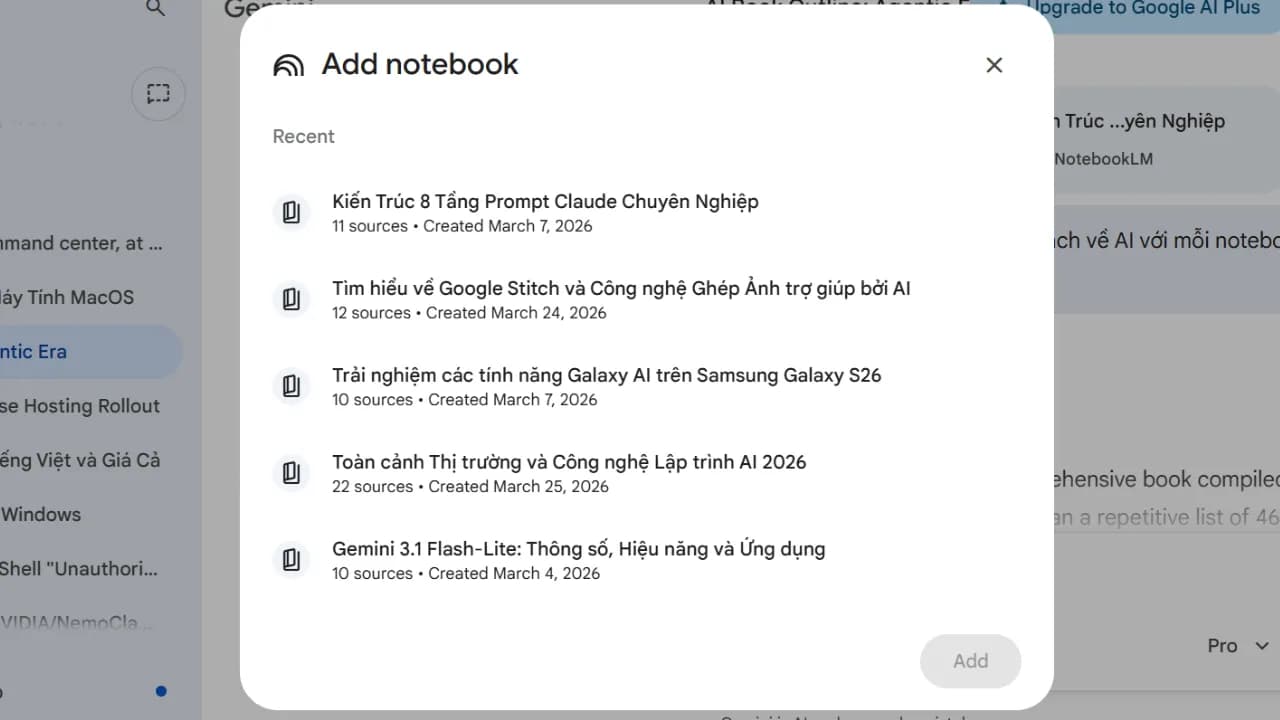
Every answer drawn from notebook data also includes specific source citations, which is an important difference from standard Gemini and lets you verify information quickly when needed.
How to connect NotebookLM to Gemini in 4 steps
The feature is now available for both free accounts and Google AI Pro with no additional setup required. Follow this sequence.
First, open Gemini on the web or mobile app and go to the chat input as normal. Next, click the "+" icon in the corner of the chat window and select NotebookLM from the list of sources. Then choose one or more notebooks you have already created to serve as context for the conversation. Finally, type your prompt as usual, keeping in mind that Gemini will prioritize data from the notebook first and only search the web when the notebook doesn't contain enough information.
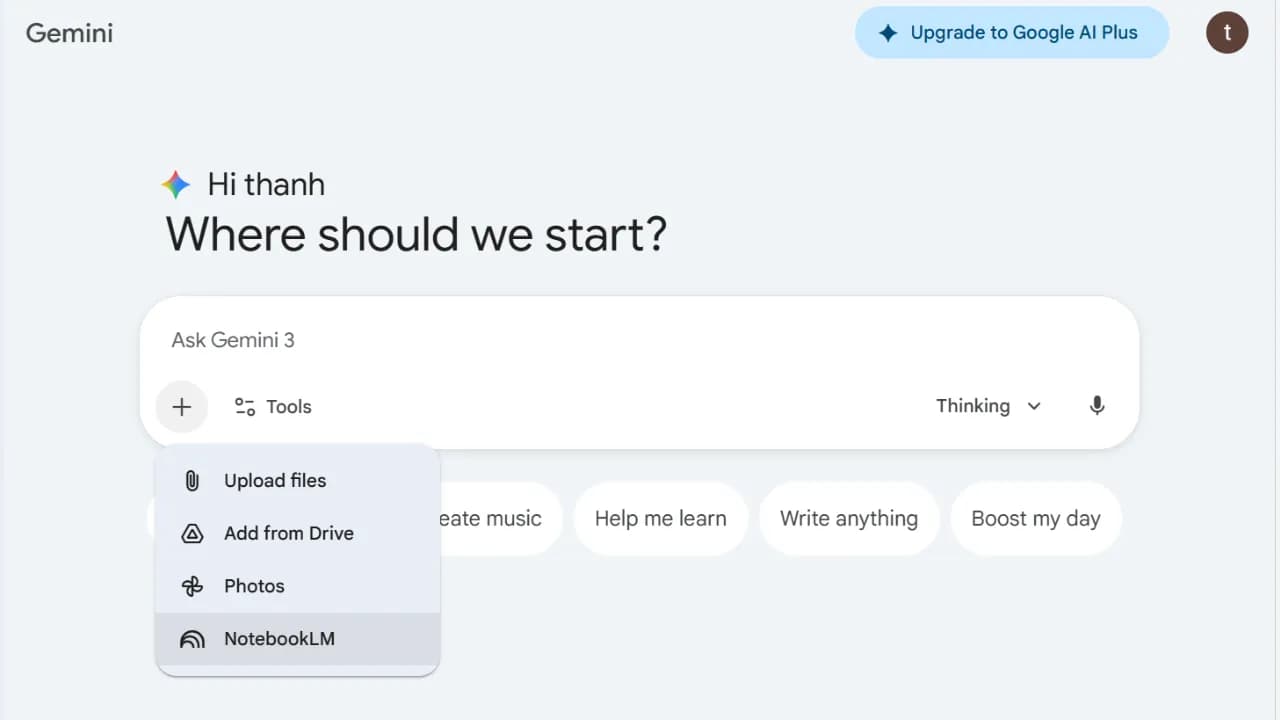
The entire setup takes under 60 seconds, and you can switch between different notebooks within the same conversation.
What can Notebook and Gemini together do that neither could before?
The biggest change isn't speed — it's the reliability of the output. When Gemini has specific source data from a notebook, every answer comes with clear citations so you know exactly which page and document the information came from, rather than having to verify it yourself.
In practical terms, there are four scenarios where this combination makes the most noticeable difference.
Research and document synthesis
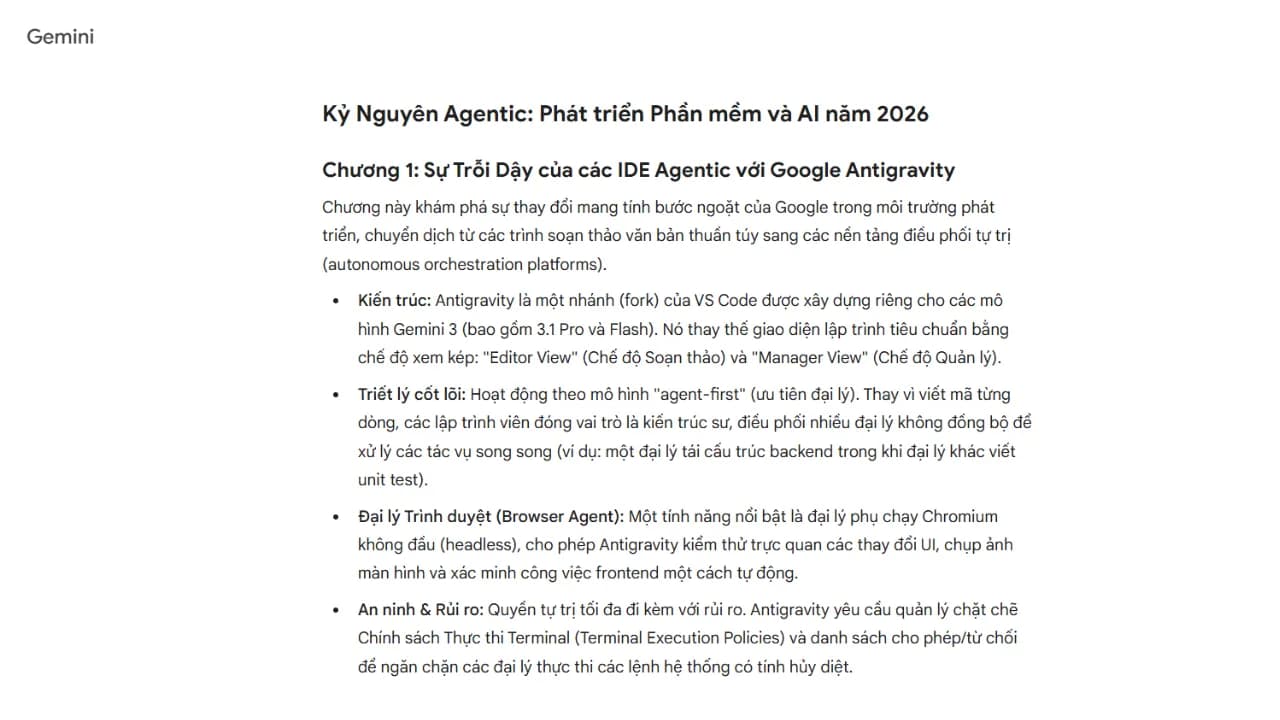
Instead of reading through a 500-page textbook, you upload it to NotebookLM and ask Gemini to condense it into a study book, an infographic, or a presentation deck through Canvas mode. Here is what that looked like with a standard prompt turning selected notebooks into a book. You can see the result at this Gemini link.
Writing content without worrying about hallucination
This is the most useful use case for content creators. NotebookLM handles the "accurate" side by keeping figures, names, and events anchored to the source documents. Gemini handles the "compelling" side by writing prose, crafting hooks, and finding interesting angles. The output still doesn't quite match Claude in quality, but it makes an excellent reference to hand off to Claude for a final rewrite, and the result from that combination is genuinely strong.
Gems that update their own knowledge
Gems are custom AI assistants inside Gemini. When you attach a notebook to a Gem, the notebook syncs automatically: whenever you add new documents to NotebookLM, the Gem updates immediately without needing to be reconfigured. For example, if you have a Gem dedicated to customer support, every time company policy changes you simply update the notebook and the Gem understands the new information right away.
Audio overviews combined with web search
NotebookLM already has a feature for converting documents into conversational podcast-style audio, which is genuinely useful. When combined with Gemini, you can ask AI to supplement that audio summary with the latest information from the web, making it practical to listen while commuting and still stay current with the newest developments.
Where to start if you haven't used NotebookLM and Gemini together before
If you haven't used NotebookLM yet, start by uploading a document you frequently need to reference — an internal company process, a course syllabus, or an industry report you follow. Create a notebook from that document, then open Gemini and connect the notebook. Try asking a few questions that previously would have required reading the entire document to answer.
When the AI answers accurately and cites sources clearly, you will immediately understand why this combination is worth using regularly. Not because it is "revolutionary" or "groundbreaking," but because it solves one specific tedious problem that you have been handling manually every day.