AI News & Updates
Stay up to date with the latest developments in the world of AI.
Automate Excel & Google Sheets Reports with OpenAI Codex
By Nam
Automating Excel and Google Sheets reporting is no longer exclusive to software engineers. With the rapid evolution of AI models like GPT, office workers can now create custom workflow automation tools using simple instructions with Codex, freeing up hours of repetitive daily tasks. Why Excel Formulas and VBA Are No Longer Enough For weekly recurring reports or automated integrations with email, Slack, and messaging apps, traditional methods like nested Excel formulas or recording VBA (Visual Basic for Applications) macros require specific technical skills and break easily whenever a single column in the source file changes. This is the exact gap that OpenAI Codex fills: you describe precisely what needs to be done in natural language, and Codex generates complete Python or Google Apps Script code ready to run in seconds. Codex Is Not a Single Product A common misconception is how Codex is accessed: it can be used via CLI in the terminal, IDE extensions in VS Code, Codex Web on the cloud at https://chatgpt.com/codex/cloud for developers and coding enthusiasts, as well as desktop applications for both macOS and Windows. For office workers unfamiliar with command-line tools, the easiest way to start is downloading the Codex desktop app. It lets you manage multiple agents simultaneously right from a visual interface without opening a terminal or configuring API keys—just log in with your existing ChatGPT account. What an Example Prompt Looks Like You only need to provide Codex with a detailed prompt like: "Write a Python script that reads the Excel file 'sales_raw.xlsx', filters orders with status 'Completed', calculates total revenue by branch, and exports the result to 'revenue_report.xlsx' with dark blue header styling." Codex will instantly generate standard, high-quality code, and you simply run the script to get your finalized report. [IMAGE:/image/news%2Fopenai-codex-excel-report-prompt-examples.webp|Codex Web generating Python code from a prompt to automate branch revenue reports|Codex Web generating Python code from a prompt to automate branch revenue reports] Automating Local Excel Reports with Python and Codex For Excel files stored locally, combining Codex with two popular Python libraries—pandas and openpyxl—delivers outstanding processing speed. Pandas handles hundreds of thousands of data rows in seconds, while openpyxl manages cell formatting, header colors, and formula insertion as illustrated in the example above. Automating Google Sheets in the Cloud When your team collaborates on Google Sheets instead of offline Excel files, the Python library gspread or Google Apps Script is the ideal choice. Codex can write code that connects directly to the Google Sheets API via a Service Account (JSON credential file) to read and write data continuously without opening a browser. A Sample Workflow Automatically pull new form submissions from Google Forms into the spreadsheet Automatically categorize customer feedback by priority Automatically send daily summary emails to leadership at 17:00 This entire pipeline runs in the background with zero manual intervention once configured. 4-Step Implementation Process for Non-Coders Step 1 - Standardize input data: Ensure the Excel or Google Sheets file has clean, clear headers without arbitrary merged cells. Step 2 - Write clear prompts for Codex: Explicitly mention file names, column names, filtering/calculation steps, and desired output formats. Step 3 - Test and paste errors for AI auto-debugging: If the script encounters an error, copy the full error traceback and paste it back into Codex for automatic correction. Step 4 - Schedule automatic runs: Use Windows Task Scheduler (Windows) or Cron jobs (macOS/Linux) to run the script automatically on a set schedule. Risks and Considerations Before Handing Reports Over to AI Codex is powerful but not completely free; however, simple operations with Excel or Google Sheets consume very little quota, so light users can comfortably rely on the free tier. If heavier workloads are required, consider Plus or Pro plans—avoid the Go tier as Codex capabilities there offer little advantage over the free plan. Never paste system passwords, financial records, or real customer data into public AI chat interfaces. When asking Codex to generate code, always substitute sensitive details with dummy data of the same structure. For critical validations such as monetary amounts or tax formulas, do not trust AI-generated code blindly on the first run. Always cross-check the output during the first 1-2 executions to ensure the logic perfectly matches your actual business requirements. Automating reports with Codex does not make you a programmer, nor should it. The true value lies in understanding your own data and business processes well enough to describe them clearly to AI—Codex handles the coding. If your company has weekly recurring reports, start today by picking the simplest one, writing a prompt following the sample above, and running your first automated test.
What Is MCP? Why Every AI Company Is Racing to Adopt It
In March 2026, the Model Context Protocol (MCP) SDK reached 97 million monthly downloads, a 970-fold increase just 18 months after its launch. OpenAI, Google DeepMind, Microsoft, and AWS have all integrated MCP into their products. By December 2025, Anthropic officially handed over MCP to the Linux Foundation to make it an open industry standard. MCP is no longer just Anthropic's internal project, but the foundational infrastructure upon which nearly the entire AI industry is building. What is MCP? Model Context Protocol (MCP) is an open protocol released by Anthropic in November 2024. It enables AI models to connect with external data and tools such as Gmail, GitHub, Notion, and internal databases using a single unified standard, eliminating the need for custom integrations per tool. The easiest way to visualize MCP is by comparing it to USB-C. Before USB-C, every device required its own charger cable, creating a clutter of different cables. USB-C emerged to give every device a single standardized port that works everywhere. MCP does the same for AI, providing seamless connectivity to any tool, platform, or data source supporting the standard without custom code for every model-tool combination. How Does MCP Work? Host-Client-Server Architecture MCP is not just a simple two-tier client-server system as commonly thought, but actually defines three distinct roles: Host: The AI application you interact with directly, such as Claude Desktop, Claude Code, or an AI-enabled IDE. Acting as the central orchestrator, the Host manages access permissions and security policies for the entire session. Client: Created by the Host, each Client connects to exactly one Server and handles bidirectional communication between Host and Server. Server: A server connecting directly to the native tool or platform (such as Google Drive, Slack, Email, Calendar, or Database). The Server exposes capabilities and executes actions for the AI. When you connect 3 MCP servers in Claude Desktop, the Host is actually managing 3 distinct Clients, each speaking to its designated Server. Three Core Primitives: Tools, Resources, Prompts Tools: Executable functions that the AI can call to perform actions, such as send_email, create_issue, or search_database. Resources: Data that the AI can read to supply context to the LLM, such as files, records, Notion pages, or database entries. Prompts: Pre-built command templates supplied by the Server to guide the AI on how to use tools effectively for specific tasks or enable quick user triggers. A Concrete Example Suppose you ask Claude "Which recent email mentions contract ABC?". Claude Desktop (Host) initializes a Client connecting to the Gmail MCP Server. This Server calls the Gmail API to search for relevant emails and returns the result in standard MCP format. Claude reads the response and answers you in natural language. For multi-step workflows, like summarizing a YouTube video and saving the summary to Google Drive, Claude calls two different MCP Servers sequentially within the same task, requiring zero manual context switching from you. MCP does not create intelligence on its own; it is simply a standardized connectivity layer. Response quality still depends on the underlying AI model and how well the MCP server implements its tools. How Does MCP Differ from Traditional APIs or Plugins? Before MCP, if you wanted 5 different AI models (Claude, GPT, Gemini, Llama, Mistral) to connect to 5 services (Gmail, Slack, GitHub, Notion, Jira), you theoretically needed to write 25 separate integration pairs — an N×M problem. MCP solves this problem by standardizing the protocol in the middle. We only need to write one MCP server, and every MCP-compliant AI model can use it immediately. The required integrations drop from N×M down to N+M. Traditional Plugins: Each AI platform maintains its own plugin system (e.g., GPT Actions, custom Claude tool use), which cannot be used cross-platform. Traditional APIs: Developers must read documentation, write custom API calling code, and handle authentication per service, typically limited to fixed request-response patterns. MCP: A universal standard — write once and use across the entire MCP-supported AI ecosystem, featuring continuous bidirectional communication where AI can both pull data (read schedules) and push actions (create events) within a single session. When Are Traditional APIs Still Better Than MCP? MCP's flexibility does not mean it is always the best choice. For systems requiring absolute precision and deterministic behavior — such as banking operations like balance checks or wire transfers — traditional APIs with fixed, strictly controlled workflows remain safer. MCP is best suited when you need AI to autonomously decide which tool to call and in what order based on conversational context, rather than rigid transactions requiring strict risk control. Why Is the Entire AI Industry Racing to Adopt MCP? The adoption rate of MCP is unprecedented for a new tech standard. In March 2025, OpenAI officially supported MCP in its Agents SDK and ChatGPT Desktop, despite Anthropic being a direct competitor. By mid-2025, Google DeepMind integrated MCP into the Gemini API. Microsoft brought MCP support to VS Code Copilot, reaching General Availability in July 2025. The biggest turning point occurred on December 9, 2025, when Anthropic handed MCP over to the Agentic AI Foundation (AAIF) under the Linux Foundation. OpenAI and Block co-founded the foundation, while AWS, Google, Microsoft, Cloudflare, and Bloomberg joined as platinum members. This signaled clearly that MCP was no longer Anthropic's proprietary technology, but shared infrastructure that even competitors wanted to build together. Even hardware companies have joined in by opening MCP endpoints for their devices, including smartwatches and heart rate monitors. By July 2026, MCP released its largest spec update to date (2026-07-28), moving the core protocol to stateless, adding an Extensions framework, and introducing OAuth/OpenID Connect authorization. This eliminated the final hurdles for enterprise production deployments. As of 2026, over 10,000 public MCP servers are running in production, and 28% of Fortune 500 companies have deployed custom internal MCP servers. A notable indicator: OpenAI deprecated its proprietary Assistants API in favor of MCP, setting a hard sunset date for mid-2026. When a direct competitor abandons its own standard for Anthropic's open standard, market validation speaks louder than any statement. Practical Application: How to Use MCP with Claude For Claude.ai or Claude Desktop users, connecting an MCP server requires no coding skills. Navigate to Settings → Extensions to view available MCP servers (Google Drive, Notion, Slack, GitHub, Asana...) or add a custom server via URL. Once connected, Claude automatically knows when to invoke specific tools based on your prompts. Here are a few real-world use cases I use daily for 4AIVN editorial work: Claude + Google Drive MCP: Ask directly "Find last week's Gemini 3.7 article outline" instead of searching Drive manually. Claude + GitHub MCP: Review pull requests and read issues without leaving the chat window. Claude + Notion MCP: Update the content calendar database while brainstorming article ideas. Every connected MCP server is granted read/write permissions to your real data. Before enabling an unfamiliar server, verify its developer and requested permissions, especially for servers outside official listings. MCP Will Undoubtedly Keep Growing The most remarkable aspect of MCP is not the protocol itself, but how rapidly it is becoming an implicit standard when users evaluate AI tools. Just as laptop buyers now ask "Does it have USB-C?", in 1-2 years asking "Does this tool have an MCP server?" will likely become a key evaluation criterion for any SaaS or device. This is no longer just a game for OpenAI, Google, or Anthropic; any enterprise or product without MCP integration, regardless of how good it is, risks falling at a disadvantage as users grow accustomed to asking AI directly instead of opening apps manually. For small and medium enterprises, including those in Vietnam, this represents an opportunity rather than pressure. Writing an MCP server does not demand massive infrastructure like building an AI model — wrapping an existing API according to MCP spec is enough for your product to "speak" with Claude, ChatGPT, or any MCP-compliant AI client. Early movers gain a clear competitive edge while user habits are still forming.
Na
Nam•
21 Aug, 2026
AI Personalized Workout Planning via MCP Connector
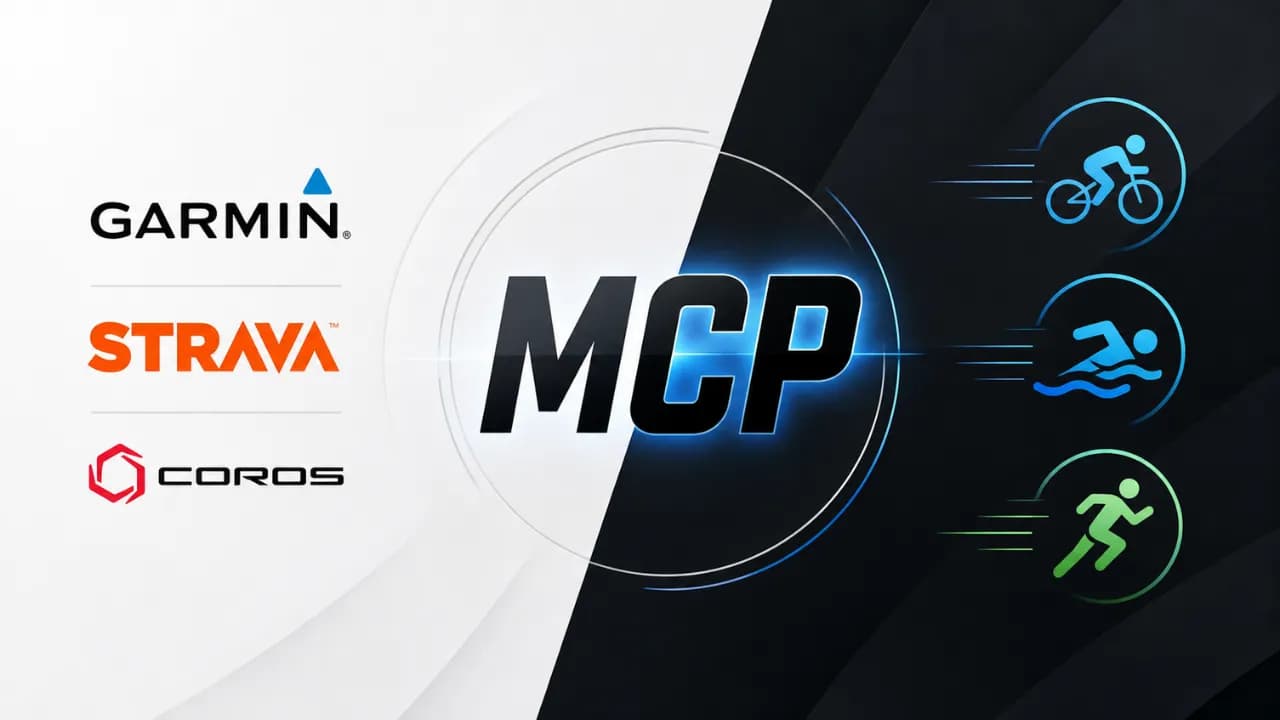
The Model Context Protocol (MCP) standard developed by Anthropic has rapidly expanded into health wearables and smart sports watches. Strava launched the first official MCP connector for runners and cyclists, followed less than a month later by COROS releasing an official beta connector. Meanwhile, although Garmin has yet to release an official response, open-source community solutions like garmin_mcp demonstrate that full AI integration across fitness hardware is becoming mainstream.What is MCP and Why Fitness Brands are Racing to IntegrateMCP (Model Context Protocol) is an open protocol that allows Large Language Models (LLMs) like Claude, ChatGPT, and Gemini to directly interface with external real-time data sources and tools. Instead of providing generic advice based on manual text inputs, AI can read your entire personal activity history.For athletes, instead of opening apps, filtering heart rate graphs, and comparing metrics manually, you can simply ask AI: "Did my training load increase or decrease this week compared to last week?" or "Was my Easy Run pace optimal for recovery?". AI provides precise feedback backed by personal metrics, acting like a 24/7 personal coach.Strava MCP: Ecosystem Pioneer and API TighteningThe wearable MCP race escalated on June 1, 2026, when Strava debuted its official read-only MCP connector for paid subscribers. Secured by OAuth authentication, AI models can inspect workouts, GPS tracks, elevation, and power meter data.Thanks to open MCP standards, Strava MCP integrates seamlessly with Anthropic tools like Claude Cowork and Claude Code. Concurrently, Strava tightened third-party API terms by implementing monthly fees and 90-day limits on select endpoints to prevent uncompensated AI scraping.Strava MCP currently operates strictly in Read-Only mode for maximum security. AI can analyze numbers but cannot edit, delete, or create workouts inside your Strava account.Coros MCP Beta: Fast Setup with Data LimitationsJoining the movement, COROS launched an official MCP Beta in May 2026, linking COROS accounts directly to Claude and ChatGPT. Setup is simple: copy your regional MCP URL (e.g., https://mcp.coros.com/mcp), paste it into Claude Connectors or ChatGPT Developer Mode, and authorize.However, Coros MCP has key limitations:Data Granularity: Provides workout-level summaries only, lacking lap-by-lap or second-by-second telemetry.Permissions: Strictly Read-Only, unable to push workouts or schedules to watches.Platform Compatibility: Requires paid ChatGPT accounts, while Web Gemini lacks custom MCP connector support (requiring Gemini CLI).Garmin garmin_mcp: Powerful 110-Tool Community SolutionGarmin — the market leader in sports watches — has not released an official MCP connector. However, open-source developers filled this gap with the garmin_mcp project by Taxuspt on GitHub.With over 1,000 stars and 324 forks, garmin_mcp on GitHub packs over 110 tools covering 90% of python-garminconnect. It enables features unsupported by official read-only connectors:Analyze power zone distribution from your latest ride.Compare CTL (Chronic Training Load), ATL (Acute Training Load), and TSB (Training Stress Balance) over 6 weeks.Generate walk-run interval workouts and automatically sync schedules straight into Garmin Connect.Because garmin_mcp is community-built, users authenticate with Garmin Connect credentials via third-party libraries. Exercise caution before sharing account credentials.In March 2026, Garmin updated API authentication, temporarily breaking garth and python-garminconnect. This highlights the risk of unofficial MCP tools: reliance on unannounced endpoints means service can break whenever Garmin updates system APIs.Side-by-Side Comparison: Strava vs Coros vs Garmin MCPHere is a concise comparison of current MCP integration paths:Strava MCP (Official): Read-Only | Paid Subscriber | Activity, GPS, Power | High OAuth Security | No sleep, HRV, or recovery metrics.Coros MCP (Official Beta): Read-Only | Paid AI Account | Workout Summaries | Easy URL Setup | No lap or second-by-second data.Garmin garmin_mcp (Community): Read & Write | Open Source | 110+ Tools, CTL/ATL/TSB, Workout Builder | Most Feature-Rich | Uncertified, risk of broken APIs and credential storage.How to Get Started with Your Current Fitness WearableIf you use Strava or Coros, setup is effortless: navigate to Connector Settings in Claude.ai (or ChatGPT Developer Mode), paste the official MCP link, and authenticate.For Garmin users eager for AI features, install Taxuspt's garmin-mcp.dxt extension in Claude Desktop. Authenticate once via garmin-mcp-auth to store an OAuth Token, allowing seamless AI chats without re-entering passwords. This provides a powerful interim solution until Garmin releases an official MCP server.
Li
Liên•
19 Aug, 2026
Muse Glimmer: A New Local AI Experience from Meta
You hand an AI agent your invoice folder, ask it to draft emails, and let it cross-check your calendar, and the whole thing runs locally, start to finish. That's what Meta's Muse Glimmer promises, though there's a lot worth looking into once you get past that promise and into real-world use cases. Setup and the first run Meta Superintelligence Labs announced Muse Glimmer on August 10, 2026, an open 30-billion-parameter model released under the Apache 2.0 license. According to the official announcement, the weights were posted directly to Hugging Face, so the first step is simply downloading the file, no API key or account sign-up required. From download to typing the first prompt, the experience feels closer to installing an offline app than calling a cloud service. Running it through Ollama or LM Studio, you just point to the model file and open a terminal or a local chat interface. There's no loading screen waiting on a server response, no request-limit notice, because everything happens right on the machine's GPU. If you're new to running models locally, try LM Studio first since its interface is friendlier than a pure command line. Once you're comfortable, move to vLLM or SGLang if you need to serve multiple requests at once. Muse Glimmer isn't as picky about GPUs as it was at launch Meta's initial recommended setup was a GPU with 24GB VRAM or more, meaning you'd need an RTX 4090 or RTX 5090 just to get it running. For most everyday users, that's still a steep bar, since those cards sit in the high-end tier usually bought for gaming, not for the average user. What changed things was the dynamic quantized build Unsloth released shortly after, which brought the combined memory requirement down to around 18GB of RAM and VRAM. That's just enough for a 16GB RTX 5060 Ti, a mid-range card far more affordable than an RTX 4090 or 5090, to run Muse Glimmer with some help from system memory. For newcomers who aren't ready to invest in a pricey rig, this is a much more realistic entry point. The trade-off with the compressed build for RTX 5060 There's no free lunch. Unsloth's dynamic quantized version enables lighter hardware to run the model, but in exchange, accuracy drops slightly compared to the full version on a 24GB-or-higher GPU, and token generation is also slower since part of the workload spills over into system RAM. For simple tasks like summarizing text or answering short questions, the difference is hard to notice. But for long agentic task chains involving repeated tool calls, a 24GB-plus setup still delivers a more stable experience. Putting it to real work What sets Muse Glimmer apart from an ordinary chatbot is its ability to sustain a long chain of actions instead of just answering isolated questions one at a time. The three scenarios below are the clearest way to picture what that means for everyday work. The first scenario is clearing out an inbox. Hand the agent a folder of unread emails, and it can sort them by urgency, draft replies for recurring, familiar messages, and leave them for you to review before sending. Since the model runs locally, sensitive inbox content never leaves the machine during that process. The second scenario involves fixing code. Give the agent a screenshot of an error traceback, and thanks to its dedicated perception encoder, Muse Glimmer reads both the image and the text without needing the error retyped by hand. It finds the relevant files, proposes a fix, runs tests, and reviews the results itself, and if the first fix doesn't work, it tries a different approach instead of stopping to wait for further instructions. The third scenario is pairing it with Hermes Agent or a custom-built agent pipeline. Because Muse Glimmer exposes OpenAI- and Anthropic-compatible endpoints when run through LM Studio, swapping a cloud model for a locally running Muse Glimmer is just a matter of changing a few configuration lines, not rewriting the entire agent logic. Speed that's genuinely fast Raw numbers are easy to skim past, but they mean something different in real context. Meta measured token generation speed on an RTX 5090 rising from 74.9 to 233.4 tokens per second thanks to the speculative decoding mechanism in the DFlash drafter, a 3.1x increase. For a user, that gap is the difference between watching a long answer appear one character at a time and seeing almost the entire paragraph render right after finishing the prompt. On MacBook, the gains are more modest but still meaningful: the M5 Max goes from 26.6 to 50.2 tokens per second, and the M4 Max from 23.7 to 37.8. In other words, even on a laptop rather than a gaming desktop, users can still clearly feel the difference between the drafter switched on and off. On the MCP Atlas benchmark, which measures agentic task performance, Muse Glimmer scores 75.5, ahead of Gemma4-31B (54.2) and Qwen3.6-27B (62.5). This measures "intelligence" in planning and tool-calling, not speed. Downsides that still aren't optimized The smooth experience described above mainly comes down to strong hardware and integrations that are already running stably. In reality, at launch, not everything was ready right away. Meta only stated that optimized integrations with llama.cpp, MLX, and ExecuTorch would arrive "in the coming days," meaning early testers had to piece things together through unofficial builds, which are prone to runtime bugs or performance that doesn't match the published benchmarks. The speculative decoding mechanism with the DFlash drafter also isn't guaranteed to deliver the same speed gains seen on an RTX 5090 or the MacBook Max line across every setup. For mid-range GPUs or the quantized build running on an RTX 5060 Ti, neither Meta nor Unsloth has published official speed figures, so users need to measure performance on their own machine rather than trust numbers advertised for flagship hardware. Another less-discussed issue is memory management during long agentic task chains. Because the model has to hold context across many tool calls, some early testers have reported slowdowns or growing VRAM usage as sessions run longer, a contrast to the smooth feel of the first few prompts. This is the kind of problem mature cloud services have optimized over years of operation, while the local ecosystem built specifically around Muse Glimmer is still too new to call stable. Before letting the agent touch real work Running locally doesn't automatically mean absolute safety. An agent with permission to read files, send emails, or call internal systems still needs clear access limits, complete activity logs, and a human confirmation step before taking any irreversible action. Don't let the agent auto-send emails or delete files on the very first run. Keep it in suggestion-only mode, with manual review, until you trust how it makes decisions. The safest way to test it is to pick a narrow task, such as searching documents in a sample folder or drafting from a test calendar, rather than handing over real work data right away. Measure speed, output quality, and memory usage on your own hardware before expanding the scope of what the agent is allowed to do. Muse Glimmer and the wave of running local AI Muse Glimmer isn't the only name in the trend of bringing LLMs onto personal machines. Meta's own Llama, Alibaba's Qwen, and Google's Gemma all have similar open releases, and communities like Unsloth keep shipping quantized builds for each new model. What makes Muse Glimmer stand out in this group is that it was trained specifically for agentic tasks, rather than just optimized for ordinary question answering. Running LLMs locally in general offers three clear advantages over calling the cloud. First, data never leaves the machine, which suits work touching sensitive information like contracts, customer records, or internal source code. Second, there's no per-token cost, once you have the hardware, using it more doesn't cost extra. Third, it keeps working even when the network is spotty or completely down, something no cloud service can match. In exchange, users have to manage the work a cloud provider used to handle: updating the model when new versions ship, tuning configuration for each type of GPU, and troubleshooting it themselves instead of relying on a support team behind an API. That's why running locally suits technical users or teams with time to experiment better than it suits someone who needs a ready-to-use solution with no tinkering, who should think carefully before moving away from the cloud entirely. For newcomers, a sensible order is to check the available VRAM, pick a tool that matches skill level such as LM Studio for beginners or Ollama for those comfortable with the command line, and then try a narrow, low-stakes task before handing over real work. This approach applies not just to Muse Glimmer but to most other open models on the market today.
Li
Liên•
12 Aug, 2026
Did Kimi K3 pressure OpenAI into cutting GPT-5.6 API prices by 80%?
Just two weeks after Kimi K3 launched, OpenAI cut GPT-5.6 Luna API pricing by as much as 80%. This is not proof that OpenAI reacted directly to Kimi K3, but it is a clear sign that the 2026 AI race is shifting from "who is smarter" to "who delivers comparable performance for less". OpenAI cuts API prices sharply, with Luna down 80% Beginning July 30, OpenAI adjusted API pricing across the GPT-5.6 lineup. GPT-5.6 Luna, the fastest and lowest-priced tier of the three, fell by 80% to $0.20 per million input tokens and $1.20 per million output tokens. Terra, the balanced tier for everyday work, fell by 20% to $2/$12 per million input/output tokens. GPT-5.6 Sol, the family flagship, keeps the same price but adds Fast mode in place of Priority Processing. OpenAI says Fast mode is up to 2.5 times faster than Standard at twice the price, with no change in model intelligence. The new pricing is also reflected in credit usage for ChatGPT Work and Codex. Terra and Luna users on those plans consume fewer credits for the same workload, although subscription prices do not change. See the details in OpenAI's official pricing announcement. Is OpenAI under pressure from Kimi K3? OpenAI does not mention Kimi K3 in its announcement, so the price cuts cannot be attributed to that model alone. Still, the timing of the two events makes the market-pressure argument worth examining. On July 16, Moonshot AI launched Kimi K3, an open-weight model with a one-million-token context window. Within days, Kimi K3 drew attention from developers for competitive API pricing and performance that exceeded expectations for an open-weight release. Where does Kimi K3 approach GPT-5.6 Sol? On several benchmarks, Kimi K3 comes close to the max version of GPT-5.6 Sol. The overall gap remains, but it is far smaller than many expected from an open-weight model. Kimi K3 also leads on several specific measurements, including FrontierSWE, BrowseComp, and Frontend Code Arena, while its API is priced at $3/$15 per million input/output tokens, below Sol. Sol still leads on many aggregate benchmarks and its Ultra multi-agent mode scored 91.9% on Terminal-Bench 2.1. Even so, an open-weight model approaching OpenAI's closed flagship at a lower price creates real competitive pressure, especially for enterprises and developers sensitive to long-term operating costs. Compare current models in the 4AIVN rankings. Linking the price cuts to Kimi K3 is an interpretation based on timing and market context, not an official confirmation from OpenAI. AI pricing across the industry is changing Kimi K3 is not the only source of pressure. DeepSeek continues to pursue a low-price strategy: DeepSeek V4 Flash is listed at $0.14/$0.28 per million tokens, while DeepSeek V4 Pro is listed at $0.435/$0.87; both have one-million-token context windows. Even after an 80% cut, GPT-5.6 Luna at $0.20/$1.20 remains more expensive than DeepSeek V4 Flash on output tokens, although the gap has narrowed substantially. OpenAI's change therefore fits a broader trend rather than a one-off response to Kimi K3. Chinese labs are pushing prices lower while maintaining competitive performance, forcing US companies to optimize pricing strategies faster than before. How do users benefit? For ChatGPT users who do not use the API, there is little direct impact because subscription prices are unchanged. For teams building applications, chatbots, or automated agents on GPT-5.6, however, the difference is meaningful. Tools such as Hermes Agent, which lets users choose GPT-5.6 Sol, Terra, or Luna as the base model, can reduce operating costs when each tier is matched to the right task. Luna suits repetitive, high-volume work that does not need complex reasoning.Terra is the balanced choice for everyday work and general-purpose assistants.Sol remains the better choice when accuracy and deeper reasoning are the priority. 4AIVN's view The capability gap among leading models is narrowing faster than the price gap. When an open-weight model such as Kimi K3 can approach a top closed model, major companies must choose between protecting margins and retaining enterprise customers. OpenAI's move suggests it is prioritizing stronger performance per dollar, at least for Luna and Terra. If you operate an application or agent on the GPT-5.6 API, this is a good time to redistribute work across Sol, Terra, and Luna rather than using one model for every task. The price difference between the three tiers is now large enough that matching the model to the task is a genuine cost-optimization decision, not merely a technical preference.
Li
Liên•
31 Jul, 2026
Claude Opus 5 Launches, Closing In on Fable 5
Anthropic has launched Claude Opus 5 at the same price as Opus 4.8 while raising response quality close to Fable 5, a model that costs twice as much. In other words, with near-Fable performance at half the price, most users will likely choose Opus 5 as their default and reserve Fable 5 for the small number of tasks that truly require the highest capability ceiling. What upgrades does Claude Opus 5 bring? According to Anthropic's launch announcement, Claude Opus 5 is the most capable Opus model to date and the first Opus release in the Claude 5 generation. Anthropic describes it as proactive and capable of deep reasoning, approaching the highest intelligence of Claude Fable 5 across many domains while using only half the token budget. The API model ID is claude-opus-5. Like Opus 4.8 and Fable 5, it has a default and maximum context window of one million tokens, a 128,000-token output limit, and thinking enabled by default. It has become the default model on Claude Max and the most powerful model available on Claude Pro. It is also offered through the Claude API, Amazon Bedrock, Google Cloud, Microsoft Foundry, and GitHub Copilot. Why will many users choose Opus 5 over Fable 5? The answer is not limited to price. Four factors make Opus 5 likely to become the default choice for daily work while Fable 5 moves into a specialized role for a small number of exceptional cases. It wins more real-world evaluations than it loses On Frontier-Bench v0.1, Anthropic's automated coding evaluation, Opus 5 scores 43.3% while Fable 5 reaches only 33.7%, a gap of almost ten points in favor of Opus 5. On CursorBench 3.2 at maximum effort, Opus 5 reaches about 70.1%, less than half a percentage point behind Fable 5 while costing only half as much. Across evaluations where both models have published results, Opus 5 wins more often than it loses, and its victories are generally larger than its defeats. The fastest way to verify this is to run the same task on both models at comparable effort levels and compare the output quality instead of relying only on published benchmarks. No mandatory 30-day data retention Fable 5 and Mythos 5 are Covered Models that require prompts and outputs to be retained for 30 days for safety purposes. They do not support zero data retention (ZDR) on any platform, even when an organization already has a ZDR agreement. Opus 5, by contrast, can still operate under ZDR like Opus 4.8. For teams handling legal, medical, or financial data, this difference alone may remove Fable 5 from consideration without any performance comparison. Fewer interruptions from safety filters Anthropic says the cybersecurity classifier intervenes about 85% less often with Opus 5 than with Fable 5. For coding agents that run for hours or overnight, a request being blocked midway because it touches a safety threshold is a real workflow risk, and Opus 5 significantly reduces that frequency. Adjustable effort makes budgets easier to predict Opus 5 supports adaptive thinking with effort ranging from low to maximum. Low or medium works for fast responses and high-volume workloads, while high or maximum suits complex coding, deep research, and multi-step workflows. Because teams pay according to the selected effort instead of being locked into a fixed Fable 5 cost level, they can optimize the budget for each task rather than paying the highest rate on every request. Initial impressions after trying Opus 5 After using Opus 5 for daily writing and coding work, the clearest impression is that it is substantially smarter than Opus 4.8, especially in understanding intent on the first request without repeated explanation. For tasks such as summarizing long documents, writing code with complex branching logic, or preparing a multi-step plan, Opus 5 works smoothly and loses the thread less often than the earlier version. There is still a gap compared with Fable 5, although it is smaller than expected. On work that demands deep reasoning or autonomous execution across many consecutive steps without intervention, Fable 5 remains slightly more dependable and makes fewer mistakes. For most daily work, however, that difference is difficult to notice without placing both models side by side. If you are using Opus 4.8, this is a sensible time to upgrade. If you are choosing between Opus 5 and Fable 5 for ordinary work, Opus 5 is almost certainly sufficient without paying the premium. When is Fable 5 still the right choice? Fable 5 retains an advantage on the hardest work. On SWE-bench Pro, which uses real GitHub issues and is considered one of the strictest measures of practical coding, Fable 5 scores about 80% while Opus 5 reaches roughly 79%, a small gap that still favors Fable. Fable 5 is also the only model Anthropic positions in the Mythos class, meaning its overall capability is designed to exceed Opus. This distinction is clearest in specialized fields such as expert medical analysis and autonomous research that continues for days without supervision. In other words, Opus 5 wins in daily coding and knowledge work, while Fable 5 retains its edge on the hardest problems and fields requiring the highest possible reliability. For most users and small teams, those problems represent a small portion of daily work, making the twofold price difference difficult to justify unless their workload falls directly into that category. Quick comparison: Opus 5 vs. Fable 5 CriterionClaude Opus 5Claude Fable 5 Input price$5/million tokens$10/million tokens Output price$25/million tokens$50/million tokens Context1 million tokens1 million tokens Maximum output128,000 tokens128,000 tokens Frontier-Bench v0.1 (coding agent)43.3%33.7% SWE-bench Pro (practical coding)~79%~80% Data retentionSupports zero data retentionMandatory 30-day retention, no ZDR Safety-filter interventionAbout 85% lowerHigher Best fitDaily work, coding agents, sensitive dataDifficult research, multi-day autonomous projects, specialized medical analysis Can Opus 5 really compete with GPT-5.6? On paper, the answer is yes, but not across every category. Opus 5 leads GPT-5.6 Sol in reasoning about novel situations, computer use, and most public coding evaluations, while GPT-5.6 Sol remains ahead on some command-line and information-retrieval tests. Neither wins outright, but for the first time a mid-priced Anthropic model stands level with, and in several areas ahead of, OpenAI's flagship model. The more useful question is not which model is stronger overall but which one fits your work. If daily tasks center on code, long documents, and multi-step execution, Opus 5 is a compelling choice on both price and quality. If you already rely on the OpenAI ecosystem or need a specific GPT-5.6 strength, the switching cost may not be worthwhile. The most reliable answer is still to run the same job on both models, because benchmark tables do not always reflect real experience.
Na
Nam•
25 Jul, 2026
ChatGPT Health Launches With Medical Records and Apple Health
More than 300 million people ask ChatGPT health-related questions every week, from decoding lab results to preparing for a doctor's appointment. The catch is that over 70% of those conversations happened outside the dedicated Health space OpenAI built for exactly that purpose. That's why OpenAI just expanded Health in ChatGPT to all eligible users in the US, letting people connect Apple Health and medical records so the AI can draw on personal data in any conversation, not just inside a separate tab. ChatGPT Health isn't a brand-new feature OpenAI first introduced ChatGPT Health on January 7, 2026, as a limited, waitlist-based pilot for a small group of users. At that stage, health conversations had to happen inside a dedicated Health space, and the friction of switching tabs was enough that most users kept asking health questions in the regular chat window instead of opening Health. The rollout on July 23 is actually a full-scale expansion, not a first launch. OpenAI brought Health to all eligible US users across the Free, Go, Plus, and Pro plans, and dropped the separate-space requirement entirely: once permission is granted, ChatGPT can use connected health data anywhere in the app, even when a user is simply asking about a meal plan or a workout schedule. What can ChatGPT Health actually do? Users can connect Apple Health along with medical records from supported hospital systems, One Medical, or Function Health. With permission, ChatGPT can use that information to compare new lab results with previous ones, summarize what's changed since the last visit, or spot connections between sleep, activity, and daily habits. The goal is to cut down on how often users have to re-collect, re-upload, and re-explain the same information every time they talk to the AI. How does health data actually enter a conversation? Health remains the place where users connect and manage their data, view recent trends, browse synced records, and return to past health conversations. But unlike the original pilot, once data is synced, relevant information can now be used in regular conversations if the user allows it, instead of being confined to a separate space. Typing @Health into a message is also a way to explicitly pull health context into a response. What data can ChatGPT use? That data can include current medications, lab results, recent visits, sleep, activity levels, and workouts. If a wearable or nutrition app already feeds into Apple Health, ChatGPT can use whatever gets passed through once permission is granted, though OpenAI notes that some proprietary third-party metrics may not carry over. Users still decide when to grant access By default, ChatGPT asks for permission before using medical records or Apple Health to personalize a response. Users can allow access once, always allow it, or change that setting later, and can disconnect at any time under Health > Accounts. Privacy is the biggest selling point, but it isn't absolute According to OpenAI's official announcement, connected medical records, Apple Health data, and conversations that use them are not used to train foundation models or target ads, regardless of a user's general training settings. Connected data gets additional layers of encryption on top of standard encryption at rest and in transit. When a data source is disconnected, synced information from that source is deleted from OpenAI's systems within 30 days, though anything already in a conversation history stays until the user deletes that conversation. What gets less attention is that once health data leaves a hospital or clinic's system and enters ChatGPT, it's no longer covered by HIPAA, the US medical privacy law. Every privacy commitment and no-training promise now rests on OpenAI's voluntary terms of service, not the legal obligations that apply to health records inside a traditional hospital system. Health data can be missing or outdated, such as a medication still listed after a patient has stopped taking it. Verify anything important against the original source and a healthcare professional, and think carefully before connecting genuinely sensitive information. GPT-5.6 Sol handles the harder health questions OpenAI says GPT-5.5 Instant brings health-question capability to free users, while GPT-5.6 Sol is the company's strongest option for questions that require reasoning across multiple details, reserved for paid users. The scenarios OpenAI highlights include explaining visit notes in plain language, tracking how lab results change over time, and preparing questions for a follow-up appointment. OpenAI worked with more than 260 physicians across 60 countries to build scenarios and scoring criteria, with over 600,000 evaluations of model outputs across 30 health domains. The criteria include accuracy, safety, communication, context awareness, completeness, and knowing when to escalate to professional care. Even so, the company still warns that ChatGPT can produce inaccurate information, a weakness that remains common across AI models in fields that demand near-perfect precision. ChatGPT Health is useful, but it's not a replacement for a doctor Health's clearest benefit is pulling together data that's normally scattered across patient portals, apps, and wearables into context the AI can actually use. That can help users understand their own health history, prepare better for appointments, and have clearer conversations with their doctor. The stakes are also higher than an ordinary conversation, since the answers touch directly on sensitive data and health decisions. Users shouldn't change medications on their own, delay emergency care, or make treatment decisions based solely on an AI's response, and should still follow guidance from an actual doctor. What should users outside the US make of this? Both rollouts of ChatGPT Health, from January's pilot to July's expansion, remain limited to the US. Medical record integration has been US-only from the start, while the EU, UK, and Switzerland were excluded from both phases due to stricter data protection rules and the possibility that this kind of feature would be classified as high-risk under the EU AI Act. OpenAI hasn't announced any timeline for expanding beyond the US, including into Asian markets. For ChatGPT users in regions where Health isn't available yet, a few things are worth keeping in mind. First, not being able to connect medical records doesn't mean you can't ask ChatGPT about health at all, it just means the answer will rely on what you describe yourself rather than automatically synced data. Second, even without the feature, it's worth being cautious about pasting raw lab results or medical records into a regular chat, since the level of data protection differs from the additional encryption used inside the Health space. Finally, how valuable Health becomes in other markets will depend on how many local healthcare systems support the integration, since US hospital record formats don't map directly onto other countries' healthcare infrastructure. This is a notable step in personalizing ChatGPT, but whether it actually works out will come down to data quality, how much control users retain, and whether the AI knows when to step back and hand things off to a medical professional instead of drawing its own conclusions.
Li
Liên•
25 Jul, 2026
Gemini 3.6 Flash Launches but Disappoints in Practice
Google announced Gemini 3.6 Flash on July 21, 2026, with sharp benchmark gains over 3.5 Flash: DeepSWE rose from 37% to 49%, MLE Bench from 49.7% to 63.9%, and OSWorld Verified reached 83%. Yet 4AIVN's hands-on experience tells a very different story. The model handles small jobs reasonably well, but a multi-step plan can make it forget the objective, skip steps, and drift halfway through the work. Stronger benchmarks do not reflect real-world use According to Google's official announcement, Gemini 3.6 Flash uses 17% fewer output tokens than 3.5 Flash on the Artificial Analysis Index, while tests such as DeepSWE show token reductions of up to 65%. Its input window reaches 1,048,576 tokens and its output limit is 65,536 tokens, impressive numbers on paper. The problem is that these figures come from designed tests with a fixed objective and a relatively contained run. That is not how a real plan operates. Production work changes continuously in response to feedback rather than ending after one self-contained attempt. Following a long plan is the critical weakness In hands-on use, Gemini 3.6 Flash performs poorly as soon as it moves beyond a single task. Give it a small job with explicit checks and it can work well with few unnecessary loops. Give it a multi-step plan and it may forget the original objective, skip previously agreed steps, or drift after several turns. When corrected, it sometimes apologizes and then repeats the same mistake instead of actually fixing it. A one million token window describes input capacity, not memory quality. The model may be able to “see” the full context and still miss details during execution; one overlooked constraint can push the entire plan off course. This is not a rare random failure but a repeated weakness that is difficult to ignore. Gemini 3.6 Flash is strong at completing one job quickly, but it is not yet dependable at completing a sequence of jobs correctly. That is the gap the benchmarks do not measure. A 17% price cut may not match the quality Gemini 3.6 Flash is priced at $1.50 per million input tokens and $7.50 per million output tokens, about 17% below the $9 output price of 3.5 Flash. On the surface, this is a sensible improvement: lower cost and higher benchmark scores. But if long tasks are executed poorly, the savings can quickly disappear through repeated reminders, corrections, and complete reruns of the plan. Gemini 3.5 Flash Lite is cheaper still at $0.30 per million input tokens and $2.50 per million output tokens, but it targets simple classification and data transformation workloads that do not require the model to preserve a long plan. What do you gain and lose with Gemini 3.6 Flash? Objectively, this is not a failed upgrade. Google has likely made careful tradeoffs among output quality, speed, and cost, even if real-world behavior does not fully meet the high expectations attached to its engineering team. The improvements are real rather than purely theoretical: responses are faster, output costs are lower, and the model is efficient on short, narrow tasks such as content classification, writing one code function, or answering a specific question. In those cases, it keeps unnecessary loops to a minimum. The cost becomes visible when work extends beyond a few steps. The more constraints and earlier decisions the model must preserve, the more likely it is to drift. For coding agents or long workflows already running reliably on Claude Fable 5 or GPT 5.6, there is not yet a convincing reason to switch to Gemini 3.6 Flash solely because of benchmarks or lower pricing. Gemini 3.5 Pro is still the model to wait for Google says Gemini 3.5 Pro is still being tested with partners and will be released broadly when it is ready. The central story of this launch is therefore the sizeable gap between benchmarks and real work. Anyone looking for a dependable agent for long-running workflows may still need to wait and see whether 3.5 Pro delivers a genuine step forward. If future releases remain underwhelming in practice, Google risks surrendering its advantage to competitors including Anthropic, OpenAI, and Meta.
Na
Nam•
23 Jul, 2026
Spotify Launches Conversational AI Assistant
Spotify is turning music search into an ongoing conversation: listeners can ask for unfamiliar artists, change the mood, save a song, and explore their listening history without leaving the app. The new assistant moves AI from passive recommendations toward a tool that understands requests and performs actions. How does Spotify turn search into a conversation? According to Spotify's official announcement, eligible listeners will see new conversation controls on Home and Now Playing in the mobile app. They can type a question or press the microphone button to speak, then continue through several turns instead of entering a completely new search every time. The assistant does more than return a list of tracks. It can control what is playing, explain related information, and perform actions such as saving a track, adding it to the queue, or following an artist. For example, a listener can request artists they have never heard before and then specify that they want recent releases or something more energetic. What can the new AI assistant do? Spotify groups the experience around choosing content, understanding what is playing, and exploring listening habits. For music, listeners can request a style, artist, or mood and then revise the selection with a follow up question. For podcasts and audiobooks, they can ask about guests, authors, or related programs. The assistant can also use personal context that a general chatbot does not automatically possess. It understands playlists, favorite artists, repeat listens, and account history, so someone can ask when they first heard a track or which genres they have played most recently. That context matters because the answer is connected to actual usage rather than general knowledge alone. One request can be refined across several turns Imagine preparing for a run without knowing which playlist to open. You can request fast music from unfamiliar artists, add a favorite singer, and then limit the results to recent releases. When a suitable track appears, you can save it immediately without moving through several screens. How is this different from AI DJ and ChatGPT? AI DJ mainly acts as a host that selects music and introduces it with a generated voice, while the new assistant expands conversation across Home and Now Playing. Listeners can ask questions, redirect recommendations, and tell the app to complete specific tasks rather than simply accept the sequence chosen by the system. Spotify has also connected its service with ChatGPT, but the new experience runs directly inside the music app. Listeners do not need to leave Spotify, connect another service, and return to play the result. According to TechCrunch, Spotify combines its own AI technology with models from several providers and selects the technology that best fits each task. Spotify has not disclosed the model names or explained how requests are routed. It is therefore too early to judge the assistant's knowledge capabilities, but the use of several models suggests that Spotify does not want the product to depend on one provider. What should listeners know before trying it? The feature is rolling out gradually as a beta for Premium listeners aged 18 and older in the United States, Ireland, and Sweden. It currently works in English on iOS and Android, so listeners in Vietnam are not included in the announced availability. Spotify says responses may not always be accurate during the beta and that feedback will shape future improvements. Listeners should still verify an official source when details such as release dates, song inspiration, or artist biographies are important. Confirm that the account meets the supported market and age requirements. Try both typing and voice to see which method captures intent more accurately. Begin with a clear request and use follow up questions to refine the result. Do not treat a beta response as the only source for facts requiring high accuracy. Spotify is changing how people discover audio The important shift is not that Spotify now has another chatbot. Conversation is becoming a control layer for both content and actions inside the app. When AI understands a listener's library, history, and current track, one spoken request can replace several searches, menus, and queue adjustments. Anyone with beta access should test three situations: discovering unfamiliar artists, asking about listening history, and refining a playlist across several turns. Those tests will reveal whether the assistant truly understands personal taste or merely turns a long instruction into another search.
Na
Nam•
19 Jul, 2026
How Muse Image Differs from Nano Banana 2, GPT Image 2.0
Muse Image is Meta’s latest effort to turn Meta AI into a creative studio embedded directly in social media. The model can not only generate or edit images, but also search, write code, reason, and check its own results. Compared with Nano Banana 2 and GPT Image 2.0, Muse Image does not try to win on a single metric. Instead, it relies on deep integration with Meta AI, Instagram, and WhatsApp, together with an agentic approach to image creation. How does Muse Image work? Meta Superintelligence Labs announced Muse Image in July 2026 alongside a preview of Muse Video. This is Meta AI’s first image generation model intended to compete with major players such as Google and OpenAI. Meta says Muse Image follows instructions well, performs precise edits, and can combine multiple reference images in a single request. The difference lies in the process before an image is produced. Instead of receiving a prompt and immediately rendering an image, Muse Image can plan, call tools, and evaluate its own drafts. The system works with Muse Spark to share tools and plan together, bringing the reasoning capabilities of language models into the visual content creation process. Search and code help improve image accuracy Muse Image has two notable groups of tools. Web search helps the model obtain real-time context and visual references for topics that require up-to-date knowledge. The coding tool is used when an image requires structured details such as charts, formulas, or scannable QR codes. Rather than merely “drawing something close,” the system can generate data with code, render the result, and then use it as a condition for the final image. In principle, this approach is quite similar to the techniques used by GPT Image 2.0 and Nano Banana 2: all three go beyond the initial prompt by using context, reasoning, or supporting information to improve image accuracy. According to Meta, the difference with Muse Image is its emphasis on an agentic workflow that combines web search, code rewriting, and draft evaluation. If a small detail is wrong, Muse Image can edit it locally; if the overall composition is significantly wrong, the model can regenerate the image or change tactics by calling additional tools. Meta says quality improves when the model receives more inference budget and additional self-refinement steps at runtime.Note: Current claims about Muse Image’s capabilities and rankings come primarily from Meta. Actual results also depend on the prompt, reference images, supported region, and whether the features have been fully rolled out to a given account. What stands out about the image generation and editing experience? In Meta AI, users can of course describe their requests conversationally, start from a blank image, or upload an existing one. This is now almost a minimum requirement when interacting with an image generation tool; lacking it would be considered a step backward from the current standard. Meta’s examples include removing an unwanted person from the background, placing the user at a landmark, restoring old photos, trying different hairstyles, creating infographics, and generating QR codes. Suggested presets help beginners get started without writing long prompts.Edit directly with sketches while preserving multi-turn contextMuse Image lets users circle, draw, or annotate directly on the area they want to edit. Because Meta AI retains conversational context, users can change styles, add objects, or refine details over multiple turns without starting over. This interaction is well suited to phone and social media users, for whom direct manipulation matters more than a panel of technical parameters.The ability to combine multiple references is also a major advantage. A single prompt can bring together a person from a portrait, clothing from another image, a background from a third, and a style from a separate reference in one composition. Muse Image supports interleaving text and images within a prompt, making complex requests easier to describe.Meta integration sends images directly where they need to be sharedMuse Image is available in the Meta AI app and on the Meta AI website. It also provides effects for Instagram Stories and image generation in WhatsApp conversations in selected countries. Meta plans to expand it to Facebook and Messenger, additional surfaces on Instagram and WhatsApp, and Advantage+ creative for advertising.This significantly shortens the path from an idea to a published post. Users do not need to create an image in one app, download it, and then import it into a social network. The trade-off is that availability and workflows depend more heavily on Meta’s ecosystem than on models with clearly established public APIs. Muse Image compared with Nano Banana 2 and GPT Image 2.0 All three tools generate and edit high-quality images, but they are optimized around three different starting points. Muse Image begins with Meta AI and social media. Nano Banana 2, the name of the Gemini 3.1 Flash Image model, emphasizes speed, cost, and deployment volume. GPT Image 2.0 connects the ChatGPT Images 2.0 experience with the `gpt-image-2` API model for high-quality image generation and editing.CriterionMuse ImageNano Banana 2GPT Image 2.0ApproachAgentic image creation using search, code, and self-refinementFlash model optimized for speed, cost, and throughputHigh-quality model in ChatGPT and the OpenAI APIKey strengthsMultiple reference images, direct editing, and Meta integrationWeb and image grounding, text localization, and multiple resolutionsHigh fidelity, high-quality image inputs, and diverse stylesResolution and aspect ratiosMeta has not widely published a standardized set of API specifications0.5K, 1K, 2K, and 4K, plus very wide aspect ratios such as 8:1Flexible sizes through ChatGPT and the APIAccess channelsMeta AI, meta.ai, Instagram, WhatsApp, with further expansion underwayGemini, Google AI Studio, and the Gemini APIChatGPT, Playground, and the OpenAI APIBest suited forFast creation and sharing within Meta’s ecosystemApplications that need speed, cost efficiency, and high-volume image generationDesign, editing, and pipelines that require high quality and controlNano Banana 2 focuses on speed and scaleNano Banana 2 is positioned by Google as a highly efficient Flash model. It supports web and image search to obtain fresh context, improves text in images, and offers multilingual localization. Developers can select reasoning levels, many aspect ratios, and resolutions ranging from 0.5K to 4K.The most appealing aspect of Nano Banana 2 is its suitability for production workflows. Google publishes resolution-based pricing and offers a cheaper batch mode, making it appropriate for e-commerce applications, market-specific advertising, or tools that need to generate a large number of variations. If the task demands speed, predictable costs, and API access, Nano Banana 2 has a clear advantage. GPT Image 2.0 focuses on quality and a broad creative space ChatGPT Images 2.0 demonstrates strengths in multilingual typography, visual styles, photorealism, posters, comics, infographics, and multi-panel designs. The `gpt-image-2` model is also available through the OpenAI API, offering fast generation, editing, flexible sizes, and high-fidelity image inputs.The ChatGPT experience is well suited to extended idea development: users can provide documents and reference images, then request changes conversationally. For developers, separate image generation and editing APIs make it easier to integrate the model into products. GPT Image 2.0 therefore strikes a good balance between an end-user tool and programmable infrastructure.Which tool should you choose for each type of work?No model wins in every situation. If the final result is a Story, post, message, or advertisement within Meta’s ecosystem, Muse Image offers the shortest workflow. Sketch-based editing and presets also help users who are unfamiliar with prompting get started quickly.Choose Muse Image when you need to combine multiple personal images, create social content, edit on a phone, or share directly within Meta.Choose Nano Banana 2 when building a large-scale image generation application that requires multiple resolutions, localization, and optimized API costs.Choose GPT Image 2.0 when you need diverse styles, conversational editing, faithful image inputs, or integration with the OpenAI API.A production team can also use multiple models. Nano Banana 2 can generate large numbers of variants, GPT Image 2.0 can handle assets that require careful art direction, and Muse Image can serve personalized content intended for distribution on Instagram, WhatsApp, or Facebook.Can Muse Image become a major competitor?Meta says Muse Image ranks second on the Arena leaderboard for text-to-image, single-image editing, and multi-image editing based on user preference. This indicates that the model offers competitive quality, but Meta’s more durable advantage may lie in distribution rather than leaderboard position.Muse Image is entering products where billions of people already chat, post Stories, share images, and buy advertising. If its reasoning, search, and self-refinement capabilities work reliably, Meta could turn AI image generation into a default feature of everyday communication rather than a specialized tool.Conversely, Nano Banana 2 and GPT Image 2.0 still maintain clearer API ecosystems for developers, while Muse Image needs broader regional availability, greater transparency about usage limits, and sufficiently powerful integration options if it wants to compete beyond Meta’s apps. At present, it is the most noteworthy tool for social media creativity, even though Meta AI has long had a reputation for lagging behind in model quality. This time, the gap appears to have narrowed considerably, but whether Meta has truly caught up will still need to be judged by users over time through real-world use.
Li
Liên•
19 Jul, 2026
GPT-Live: What’s New and How Does It Feel?
OpenAI has brought GPT-Live to ChatGPT Voice, turning voice conversations from a speak-then-wait exchange into a continuous stream of interaction. The model can listen while speaking, notice when a user wants to interrupt, wait while they think, and delegate difficult work to GPT-5.5 in the background. The result feels closer to a real conversation, although there are important limitations to understand before using it.How is GPT-Live different from earlier ChatGPT Voice?OpenAI introduced GPT-Live on July 8, 2026, as a new generation of voice models consisting of GPT-Live-1 and GPT-Live-1 mini. Both are rolling out inside ChatGPT rather than as standalone products with separate interfaces. Users simply open the familiar Voice button to receive the new experience once their account is updated.[VIDEO:EAN5Cj347PY|OpenAI introduces GPT-Live|Introducing the new ChatGPT Voice powered by GPT-Live]The biggest difference is the full-duplex architecture. Earlier cascaded voice systems had to convert speech into text, send the text to a language model, and then read the response through synthesized speech. That process introduced delay and could lose nuance. Advanced Voice Mode handled audio more directly, but conversations still operated in discrete turns: the AI generally waited for the user to stop completely before responding.GPT-Live processes input continuously while generating output. Many times per second, the model can decide whether to speak, keep listening, pause, accept an interruption, or call a tool. A short silence therefore does not necessarily mean the user has finished speaking.How does listening and speaking at once change a conversation?When both sides can react continuously, users no longer need to package every request into a complete turn. You can add context midway, ask the AI to slow down, or correct an assumption before the response ends. GPT-Live can also offer brief acknowledgements to show it is following along or remain quiet when asked to listen.Full duplex is also useful for live translation, language practice, and fast-moving exchanges. However, more natural interaction does not mean the AI understands every signal like a person. Regional accents, heavy background noise, unstable connectivity, or underspecified requests can still send a conversation in the wrong direction.What does using GPT-Live actually feel like?The clearest difference comes from conversational rhythm rather than one isolated feature. If you hesitate while remembering a number, GPT-Live is designed to wait instead of jumping in. If you change the question while it is explaining something, the model can stop and redirect more quickly. OpenAI also says it is better at focusing on the user’s voice when traffic or nearby conversations create background noise.More natural dialogue still needs a clear goalGPT-Live fits tasks such as planning while walking, practicing interviews, improving pronunciation, asking for help while cooking, or exploring an idea without typing. Users can start with an objective, add constraints while speaking, and ask the model to summarize decisions at the end.For a more reliable session, state the role and desired outcome. Instead of saying only “help me practice English,” ask GPT-Live to act as an interviewer, speak slowly, correct each answer, and provide feedback at the end. Continuous listening makes the exchange flexible, but a specific goal still determines output quality.Difficult work is delegated to GPT-5.5 in the backgroundGPT-Live separates immediate interaction from deeper reasoning. When a request requires web search, complex analysis, or multi-step processing, the voice model can delegate it to GPT-5.5 and bring the result back into the conversation. GPT-Live can keep talking and preserve context while that work runs instead of leaving the user in a long silence.At launch, Instant mode and GPT-Live-1 mini use GPT-5.5 Instant in the background, while Medium and High use GPT-5.5 Thinking with corresponding reasoning effort. Users can choose Instant for everyday questions or Medium and High when they want the model to spend more time on a difficult problem.Important: Delegating work to a stronger model does not eliminate mistakes. For important information, users should still verify sources, calculations, and conclusions rather than treating a spoken answer as the final result.What else does GPT-Live add?OpenAI remastered the nine voices available in ChatGPT for GPT-Live. The goal is not only clear pronunciation but also more natural pacing, expression, and short acknowledgements. Users still choose from predefined voices; GPT-Live is not designed to imitate a real person’s voice.During a conversation, ChatGPT can display rich visual cards for weather, stocks, sports, and other topics. Voice continues to work with search, memory, images, and file uploads. The experience is therefore no longer limited to audio: users can hear an explanation while viewing figures or details that need checking.Everyday work: ask quick questions, plan, create lists, and summarize decisions when typing is inconvenient.Learning: practice languages, simulate interviews, explain concepts, and test knowledge through conversation.Creative work: develop ideas, explore alternatives, and ask the AI to record the final direction.Search: ask follow-up questions while GPT-5.5 processes more complex information in the background.Two versions for two user groupsGPT-Live-1 becomes the default ChatGPT Voice model for Go, Plus, and Pro plans. Free users receive GPT-Live-1 mini. OpenAI is rolling out both versions across iOS, Android, and ChatGPT.com in stages, so some accounts may not see the change immediately.For developers, GPT-Live was not broadly available through the API at announcement time. OpenAI says API access will come later and is accepting notification sign-ups from developers and enterprises. GPT-Live is currently primarily a ChatGPT Voice experience rather than an immediate replacement for every voice agent built on the Realtime API.Which limitations are most noticeable?At launch, GPT-Live does not support voice together with video or screen sharing. Users who need those capabilities can switch to legacy Standard Voice or Advanced Voice Mode. This matters for remote-support workflows that depend on the AI seeing a camera feed or screen content.OpenAI also acknowledges that the model was initially optimized for some of ChatGPT’s most popular languages. In other languages, it may have a non-native accent or gaps in fluency. The Vietnamese experience may therefore vary with voice, speaking speed, environment, and rollout stage.Safety during continuous conversationVoice can feel more personal than text, making emotional reliance a more significant concern. OpenAI added evaluations for self-harm, psychosis and mania, violence, sexual content, and emotional attachment to AI. The system can steer a response, surface appropriate support, or end a conversation in higher-risk situations.The GPT-Live System Card also describes protections for teen users and parental controls. Even so, GPT-Live is not a medical professional or a replacement for human relationships. It should be treated as a support tool, with qualified help sought for sensitive issues.Does GPT-Live really change ChatGPT Voice?GPT-Live addresses the most frustrating parts of AI voice interaction: waiting for turns, being interrupted while thinking, and sitting through silence while the system handles difficult work. Full-duplex interaction combined with delegation to GPT-5.5 makes the experience fast at the conversational layer while retaining stronger intelligence for complex questions.Its greatest value may not be a voice that sounds more human, but the ability to maintain a workflow through conversation. Users can think aloud, revise requests while speaking, and receive both spoken responses and visual information. That opens the door to longer sessions for practice, idea development, and coordinating multiple tasks.GPT-Live is still in its first rollout stage. The API is not broadly available, language support is uneven, and video or screen sharing is temporarily absent. For hands-free conversation, practice, and continuous questions, it is a compelling upgrade. For work that requires screen observation, absolute accuracy, or immediate enterprise integration, users will still need to combine it with other modes and tools. If you need to build a voice application through the API today, consider gpt-realtime while waiting for GPT-Live developer access.
Li
Liên•
18 Jul, 2026
NotebookLM is now Gemini Notebook: What's New?
NotebookLM officially became Gemini Notebook on July 16, 2026. The new name marks its evolution from a document Q&A tool into an AI research workspace that can run code, analyze data, create reports in multiple formats, and follow users into Gemini and Google Search. This article explains what has actually changed, which features remain, and who can use the new upgrades. Gemini Notebook is still the familiar NotebookLM Google confirms that Gemini Notebook remains a standalone product focused on research and learning. Existing users do not need to move their data to another service. Notebooks, sources, notes, and generated content remain within the same experience, while the new name makes the product a more recognizable part of the Gemini ecosystem. The core of the tool is unchanged. Users collect PDFs, websites, YouTube videos, audio files, Google Docs, or Google Slides in individual notebooks. When asked a question, Gemini Notebook responds based on the selected sources and provides citations that take readers to the relevant passage. This approach is especially useful when a claim needs to be verified instead of accepting an unsupported answer from a chatbot. The rename follows a journey that began with Project Tailwind at Google I/O 2023. According to Google, the product now has more than 30 million users and is used by over 600,000 organizations. The Gemini Notebook name therefore reflects a new stage of maturity in which a notebook is no longer simply a place to read documents but a workspace for research, analysis, and complete deliverables. How does Gemini Notebook run code? The most notable technical change is that each notebook can be equipped with a secure cloud computer. Put simply, Gemini Notebook has its own environment for writing and running code for research tasks. The tool can clean data, perform calculations, compare multiple datasets, build charts, or test a hypothesis instead of only summarizing text. From document Q&A to actionable analysis Previously, NotebookLM stood out for its ability to read multiple sources and provide citation-backed answers. With a code execution environment, Gemini Notebook goes one step further: it can manipulate data to produce new results. An analyst can import data from several countries with inconsistent formats, ask the tool to standardize it, run calculations, and then create charts and a report. Google says the system also includes more than 100 curated software skills. Even so, it is still an AI system that can make mistakes. Users should review the code, calculations, input data, and conclusions, especially when the results are used for financial, legal, medical, or business decisions. Note: Agentic capabilities and code execution are not yet available to every account at once. Google AI Ultra and selected Workspace plans receive access first; Google says the feature will continue rolling out to Pro users on the web. Which output formats can Gemini Notebook create? Gemini Notebook is no longer limited to text reports. From the data and documents in a notebook, users can request PNG or SVG charts, PDF reports, Word files, Markdown, plain text, CSV, JSON, Excel, and PowerPoint. The system also supports images, data tables, infographics, and slides, while allowing users to revise generated versions. One source collection, many ways to present it The same training material can be turned into a management report, presentation slides, a spreadsheet for an operations team, and an Audio Overview for people who prefer listening. Students can create flashcards, quizzes, mind maps, or a Video Overview. Content teams can build comparison tables and infographics without copying the same data through too many tools. Research: find sources, cross-read documents, cite evidence, and create reports with charts. Data analysis: standardize tables, run code, export CSV or XLSX files, and visualize results. Learning: create study guides, flashcards, quizzes, audio, video, and mind maps. Teamwork: build a knowledge base, share viewer or editor access, and track usage. The real value does not lie in the number of formats but in the fact that they are created from the same source collection. When users want to change the perspective or target audience, they can adjust the request without rebuilding the entire context. Where does Gemini Notebook appear in Google’s ecosystem? Gemini Notebook has started appearing in the Gemini app. Notebooks created in the standalone product can appear in Gemini’s navigation, while notebook name changes, added sources, and updated custom instructions are synchronized across apps. Users can therefore continue chatting with their knowledge base without always returning to a separate tab. Google also plans to bring notebooks into AI Mode in Search. Once completed, this direction could turn a notebook into a personal context layer that follows users from web research to conversations with Gemini. However, shared notebooks and conversations in Gemini have separate rules for visibility, sharing, and data retention; organizational users should review the policies for their Workspace plan. How to get started with the new name Open Gemini Notebook with a Google account and create a notebook for one specific goal. Add trustworthy sources, then check how the tool categorizes and cites them. Start with narrow questions before requesting deep research, data analysis, or output files. Review citations, calculations, and the final version before sharing. Existing users can continue visiting the familiar NotebookLM address during the transition. The tool slug on 4AIVN also remains unchanged so old links do not break, while the name and content have been updated to Gemini Notebook. Does the rename make Gemini Notebook more useful? A name alone does not change research quality. What makes this rename notable is that Google is combining three layers of capability in one product: citation-backed sources, a code execution environment, and the ability to bring notebooks into Gemini and Search. If rolled out reliably, Gemini Notebook can shorten the path from reading documents to analysis and finished deliverables. However, not every feature is immediately available to everyone, and AI-generated output still needs to be checked. The most effective approach is still to choose strong sources, separate notebooks by clear goals, request specific outputs, and keep a person in the final approval step.
Li
Liên•
17 Jul, 2026
Hermes Agent and MCP: Automate Real Workflows
An AI agent may plan extremely well, yet it still cannot update Notion, read GitHub issues, or retrieve reports from Google Drive without the right connection. By combining Hermes Agent with MCP, users can turn a conversation into a practical workflow while clearly controlling which tools and permissions the agent may use. If you are not yet familiar with Hermes memory and its ability to create skills, our guide to what Hermes Agent is provides the necessary foundation. This article focuses on how MCP extends Hermes beyond the terminal so it can work with everyday data and services. What does MCP add to Hermes Agent? MCP is a connection standard between an AI application and a server that provides tools or data. It can be understood as an adapter layer: Hermes remains the agent responsible for understanding the goal and choosing the next step, while each MCP server contributes specific actions such as searching Notion, reading a pull request, creating an issue, or querying files. According to the Hermes Agent MCP documentation, Hermes supports local servers over stdio and remote servers over HTTP. At startup or after a configuration reload, Hermes discovers the tools exposed by each server and registers them in its normal tool system. Users therefore do not need to write a native Hermes tool for every service that already has a suitable MCP server. MCP does not automatically make a workflow safe. A server may expose tools that read, write, create, and delete data. Hermes supports filtering per server, allowing users to enable only the operations they need instead of exposing every capability to the model. How to connect MCP without granting excessive access The standard Hermes installation already includes MCP support. Users can open the picker with hermes mcp, view the catalog with hermes mcp catalog, and test a connection with hermes mcp test. Nous Research reviews entries before they enter the Hermes catalog, but its documentation still recommends reading the manifest, source repository, and installation commands before use. For a server outside the catalog, users can add an HTTP connection or a stdio command to config.yaml. After completing OAuth or configuring the required environment variables, reload MCP and ask Hermes to list the available tools. This simple check reveals servers that failed to connect or tools that were accidentally filtered out. Begin with read access The safest setup is to connect one server, enable read only tools, and test with nonsensitive data. Add create or update permissions only after results are stable. Deletion, sharing changes, and outbound publishing should require human approval. Notion initially needs only search and page reading access. GitHub can be limited to reading repositories, issues, and pull requests. Google Drive access should be limited by folder, account, and required OAuth scope. Three practical workflows with Notion, GitHub, and Google Drive Turn Notion into a knowledge center The official Notion MCP allows an agent to search, read, and update workspace content under the authenticated user's permissions. A useful workflow lets Hermes collect meeting notes, find relevant decisions, and prepare a summary on the project page. Hermes can create a draft first so a user can review it before updating status or assigning work. Notion MCP uses user based OAuth, so it does not fit every unattended process. For scheduled automation, verify how the server maintains authentication and avoid designing a workflow around operations that OAuth cannot support in a headless environment. Coordinate development work through GitHub The GitHub MCP Server is provided and maintained by GitHub, allowing AI tools to work with software development data according to account permissions. Hermes can read new issues, compare them with repository changes, and draft a progress report. It can then prepare issue text or release notes while waiting for an owner to approve the write operation. This workflow works best with clear criteria. For example, Hermes can summarize only pull requests merged during the previous seven days, group them by label, and connect each change to its related issue. A second MCP server can then send the result to Notion as a weekly report. Summarize files and reports from Google Drive With a compatible Google Workspace MCP server, Hermes can find Drive files, read permitted content, and feed data into a reporting process. For example, the agent can locate a sales report in a fixed folder, extract selected metrics, and create a summary for Notion or a GitHub issue. Google collects its official MCP projects in the Google MCP repository, including a path for Google Workspace integration. However, several community Drive servers have different maintenance histories. Check the source, update history, and OAuth scopes of the specific server instead of installing one based only on its name. Combine multiple MCP servers into a controlled workflow A complete workflow can begin in GitHub, use Drive as a data source, and finish in Notion. Hermes reads an issue labeled for reporting, finds the corresponding spreadsheet in Drive, produces a summary, and updates the project page. Each stage uses a different MCP tool group, while Hermes plans the sequence and passes results between stages. Do not enable parallel execution merely because a server supports it. Hermes documentation allows servers to declare parallel tool support but warns that operations reading and writing shared state can conflict. Independent read operations may run together, while Notion updates, issue creation, and file changes should remain sequential. Important: An MCP server is software that can run commands and receive credentials. Install only trusted servers, keep tokens out of prompts, filter dangerous tools, and require approval for deleting, sharing, or publishing data. How should you start the first workflow? Do not connect Notion, GitHub, and Google Drive on the same day and immediately assign a critical process. Choose one input, one output, and one completion criterion that is easy to verify. A first workflow could read closed GitHub issues and create a draft report in Notion without deletion or publishing permissions. After several stable runs, you can turn the procedure into a reusable Hermes skill and add a schedule. The real value of MCP is not the number of connected servers. It is the ability to complete a recurring workflow with a small permission surface, verifiable results, and a clear data path.
Na
Nam•
16 Jul, 2026
Comparing Hermes Agent, OpenClaw, and Claude Cowork
Hermes Agent, OpenClaw, and Claude Cowork are all called AI agents because they do more than answer questions. They can break an objective into multiple steps, call tools, read data, and produce a complete result. However, comparing these three products using only a feature table can easily lead to the wrong choice. Hermes Agent is designed as an agent that can learn how you work. OpenClaw is designed as a personal assistant that is always available through messaging channels, while Claude Cowork is intended for users who want to delegate office work in natural language within an environment managed by Anthropic. Therefore, the important question is not which tool is the most powerful, but how much you want to manage yourself and where you want the agent to appear in your daily workflow. Three products with different designs The differences among these three AI agent tools do not lie only in the model that performs the work. They also come from the framework surrounding the model, which manages tools, memory, access permissions, and the execution loop. This concept is explained in detail in our article What is an agent harness?, which helps explain why three products that are all called AI agents can behave so differently. Hermes Agent prioritizes a learning loop and execution environments The notable point about Hermes is that skills are not merely a list of skills that have already been installed. After completing a task, the agent can extract a useful process, save it, and improve it the next time. Our article What is Hermes Agent? explains this self learning mechanism separately. The accumulated value of this mechanism grows over time when users have recurring tasks such as analyzing projects, monitoring information sources, standardizing reports, or operating a chain of internal tools. Hermes also supports several types of sandboxes, including local execution, Docker, SSH, Singularity, and Modal. A sandbox is an isolated environment in which the agent executes commands and works with files. This flexibility lets users choose among speed, control, and isolation, but it also requires an understanding of infrastructure, access permissions, and secret management. OpenClaw uses the Gateway as its coordination center In OpenClaw, the Gateway is the control layer between the agent, devices, and communication channels. A message can become a request for the agent to read a calendar, process a file, call a service, or respond in the correct conversation. This approach feels natural for people who want to message an assistant from their phone without needing to remember where the server is running. OpenClaw is most suitable when the agent needs to react as soon as work appears, without requiring the user to open a computer or enter a separate application. Instead of waiting for you to start a work session, it remains available in the messaging channels you already use and begins processing as soon as a message arrives or a configured event is triggered. Claude Cowork provides a managed workspace Cowork reduces the amount of infrastructure that users must manage themselves. In the desktop application, users can grant access to a local folder and ask Claude to read, organize, or create files. With remote sessions, work takes place in an isolated environment on Anthropic servers, which suits long tasks that do not require a personal computer to remain active continuously. In return, the level of customization and control over the execution layer is not as broad as in a self hosted project. Cowork is better suited to people who want quick results within the Claude ecosystem and do not want to maintain a server or design a Gateway themselves. How the memory of the three tools works differently Memory in an agent should not be understood simply as storing every conversation. A useful system must know which information is worth retaining, which information matters only in the current session, and when old data should be retrieved. If it stores too little, the agent must ask the same questions repeatedly. If it stores too much, costs will certainly increase and sensitive data can easily be used in the wrong context. Hermes stands out by combining persistent memory with skills that can improve. Memory records preferences and context, while a skill records how to complete a type of task. These two layers make the agent feel as if it increasingly understands the user, but quality still depends on whether the user reviews what has been stored and removes processes that are no longer appropriate. OpenClaw runs across several channels at once, and that is also its most complicated aspect. Remembering conversation content is only one part of the problem. The harder issue is distinguishing who is speaking, which channel they are using, and which scope the work belongs to. A command sent in a company Slack group should not automatically pull in private context previously discussed on Telegram. If session configuration and identity policies should be established clearly from the beginning, even a strong model cannot rescue a system when everything remains ambiguous. Cowork limits context to each work session, reads only the files for which you grant access, and uses only the connections you allow. For people who are not accustomed to building systems, this approach is easier to control because the boundaries of each task are relatively clear. However, clear boundaries do not mean automatic understanding. You still need to explain what you want, what completion should look like, and where the data should come from. Cowork cannot infer your company context unless you actively provide it. Which type of work each tool automates best Hermes includes web tools, terminal access, MCP, scheduled runs, and subagents. MCP is a connection standard that helps an agent communicate with external data sources or applications through a consistent interface. By combining MCP with skills, users can turn an experiment into a repeatable process, such as collecting data each morning, analyzing changes, and sending a summary. OpenClaw is strong at workflows that begin with a message or an event. For example, a user can send an invoice to a private channel, after which the agent extracts the information and updates a storage system. Another example is receiving a service alert, gathering additional diagnostic data, and returning a summary directly to the operations group. Its value comes from reducing the gap between the moment a need appears and the moment the agent begins acting. Cowork suits structured office outputs. It can research a topic, synthesize data, create a document, and continue revising it according to feedback. Long running or scheduled tasks help Cowork move beyond short question and answer interactions. Even so, organizations need to inspect each connector and its access permissions before allowing the agent to work with real data stores. When deep integration with private infrastructure is required, Hermes and OpenClaw generally provide more room. When the priority is reducing the time from a request to a finished document, Cowork usually has an advantage. This is the difference between a platform intended for assembly and a product that has already been packaged. How secure are these three AI agents? There is no simple answer to the question of which one is safer because the security risks of each tool come from completely different areas. Hermes Agent: Self hosting does not automatically mean safety. The greatest risk comes from automatically generated skills because, in essence, they are pieces of code that the agent writes and then runs by itself. If they are not reviewed before scheduled execution, a skill with terminal access or permission to send data externally can do things without your knowledge. In addition, API keys and sensitive folders should not appear in prompts or be mounted directly into a sandbox when the skill does not actually need them. OpenClaw: The more channels you connect, the wider the attack surface becomes. The point most easily overlooked is sender authentication. If the Gateway trusts only a display name or a channel that has not been properly secured, a compromised messaging account may be enough for someone to issue commands to your agent. The list of people allowed to send commands and the permissions of each bot need to be reviewed whenever you add a new channel. Claude Cowork: The most concerning risk is prompt injection, which occurs when the agent reads a document or webpage containing hidden instructions intended to redirect it away from your original request. Anthropic provides safeguards and asks for confirmation before sensitive actions, but those measures do not replace your own review of the results or the need to avoid granting broader permissions than the task actually requires. Note: With any agent, do not grant permission to delete files, send external messages, or perform sensitive transactions. Start with read only mode, enable complete logging, and retain human approval for actions that require human judgment. Should you choose Hermes Agent, OpenClaw, or Claude Cowork? Every tool has its own strengths and weaknesses, so selecting the most suitable one depends on the user and the work that needs to be done. Choose Hermes Agent when you want the agent to understand how you work increasingly well Hermes suits developers, researchers, and technical teams that want an agent to learn their own processes and run on flexible infrastructure. It is particularly worth considering when tasks recur often enough for skills to create accumulated value. You need to be prepared to read logs, review skills, and manage execution environments. Best suited when: You want the agent to remember and improve work processes through repeated use. You can manage sandboxes, select models, and control access permissions yourself. Choose OpenClaw when work requires continuous communication through messages OpenClaw is suitable when the assistant needs to be present on Telegram, WhatsApp, Slack, Zalo, or similar channels. It is useful for alerts, rapid collection of requests, and automation that begins with a conversation. In return, you must manage identity, channel permissions, and Gateway stability. Best suited when: Requests usually arrive as messages or automated alerts. You need one coordination point for several different communication channels. Choose Claude Cowork when you need quick results without building a system Cowork suits content creators, analysts, and managers who need complete documents, spreadsheets, and slides without wanting to think about servers or Gateways. In return, you should understand the limits of your plan, where data travels, and which connections are enabled before introducing real work. Best suited when: You want to describe the required outcome in natural language and receive a complete output. You prioritize the convenience of a managed service over full control of the infrastructure.
Na
Nam•
14 Jul, 2026