4AIVN
Back to News

GPT-5.6 vs Claude Fable 5: What Is New?
Published on 9 July, 2026
GPT-5.6 vs Claude Fable 5: What Is New?

Quick Summary

OpenAI divides GPT-5.6 into three versions for different workloads. Sol targets complex reasoning and coding, Terra balances capability with cost for daily work, and Luna prioritizes speed for high volume processing. Claude Fable 5 takes a different approach by emphasizing powerful reasoning and long horizon agentic workflows. GPT-5.6 remains in limited preview and is not officially available in ChatGPT, so teams should evaluate each model with representative tasks, real quality criteria, latency measurements, and total operating cost before making a production decision.

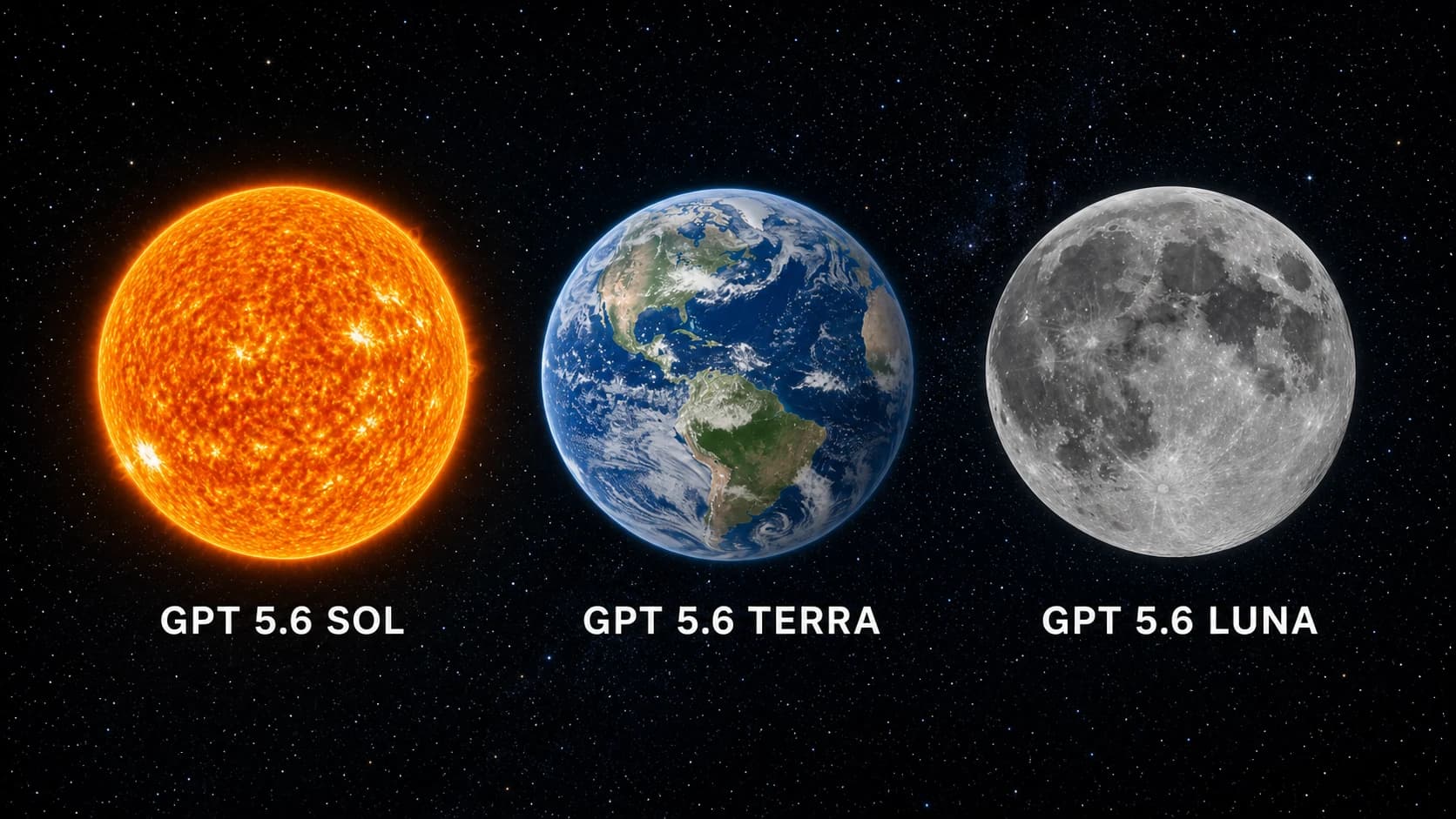
Sol, Terra, and Luna make GPT-5.6 look more like a product family than a single model. The naming also signals what OpenAI is trying to change: users no longer have to choose only between an expensive flagship and a much smaller model. Instead, they get three capability tiers designed for different workloads. The important caveat is that GPT-5.6 is currently in limited preview, and OpenAI says it is not available in ChatGPT during this preview period.

On the other side, Anthropic positions Claude Fable 5 as a frontier model for reasoning, software engineering, scientific research, and long horizon agentic work. The useful question is therefore not simply which model is smarter. It is which product architecture helps a team complete real work with predictable quality, latency, and cost.

What GPT-5.6 actually is

According to OpenAI's preview announcement, GPT-5.6 consists of Sol, Terra, and Luna. Sol is the flagship and most capable option, Terra is a strong lower cost model, and Luna is the fastest and most cost efficient member of the family.

The important change is how OpenAI divides demand into three tiers. A research team might use Sol for a difficult reasoning problem, a product team might run most daily work on Terra, and a high volume system might use Luna for thousands of short requests. This looks more like an infrastructure strategy than the launch of a single new chatbot.

Sol is designed for difficult, extended work

Sol is positioned as the strongest GPT-5.6 model for deep reasoning, complex coding, and long multi step tasks. A software team might ask it to understand a repository, identify the cause of a bug, propose a minimal patch, and write regression tests. Sol's value is not answering a short question quickly. It is maintaining the objective while working through a longer chain of decisions.

OpenAI also highlights stronger cyber capability as reasoning increases. That can be useful for authorized security testing and vulnerability analysis, but it also makes access controls, logging, sandboxing, and human approval more important.

Terra aims for the practical middle

Terra targets the broadest category of work: document analysis, content production, application development, research synthesis, and operational support. If Sol is the specialist called for the hardest problem, Terra is the strong team member expected to work throughout the day without making every request unnecessarily expensive.

A marketing team could use Terra to read market reports, extract insights, build an outline, and draft several content variants. A development team could use it for code review, test generation, and tickets with a clear scope. This tier could become the default if its real world quality remains consistent.

Luna prioritizes speed and scale

Luna is designed for low latency and lower cost. Classification, conversation summaries, field extraction, drafting, and ticket routing do not always require the strongest model. In these cases, response time and total operating cost matter more than maximum reasoning capability.

Fast does not mean suitable for everything. If a task requires source verification, a long plan, or a code change with a large blast radius, a team should move it to Terra or Sol instead of forcing Luna beyond its intended role.

Claude Fable 5 takes a different route

Anthropic presents Claude Fable 5 as a frontier model for reasoning, software engineering, vision, scientific research, and long horizon agentic work. Instead of emphasizing three product tiers in one generation, Anthropic's message focuses on the capability of a powerful model working inside the Claude ecosystem.

This difference changes deployment decisions. With GPT-5.6, an engineering team might build a router that sends each request to Sol, Terra, or Luna. With Fable 5, the focus may be on optimizing prompts, tools, context, and reasoning budgets around one primary model. Neither approach is universally better because the answer depends on workload and operational maturity.

Coding and agentic work depend on the surrounding tools

Both GPT-5.6 Sol and Claude Fable 5 target complex software work, but the practical experience depends heavily on the system around the model. The ability to read a repository, execute commands, observe results, and correct mistakes can matter as much as a benchmark score. For OpenAI workflows, the Codex page is a useful starting point for understanding how a model participates in coding work.

Fable 5 may be attractive to teams already invested in Claude and long running agentic workflows. Read our Claude Fable 5 coverage for more context on Anthropic's positioning and the types of work it targets.

What early forum experience tells us

Early discussions on Reddit and developer communities focus on how different Sol, Terra, and Luna feel in real work. Some users describe Sol as the better fit for multi step tasks, Terra as the practical option for routine work, and Luna as the interesting choice for speed. These observations match OpenAI's positioning, but they do not establish a precise quality gap.

Forum reports are useful because they reveal the questions real users care about. However, they are self selected evidence. People may use different prompts, access levels, integrations, and preview versions. A result from a developer platform does not guarantee the same result when a model eventually appears in ChatGPT.

Early positives

  • The three tiers make it easier to understand which model belongs to which workload.
  • Luna creates a clear expectation of low latency for high volume systems.
  • Terra could become a default if it delivers stable quality at a practical cost.
  • Sol is expected to be stronger for coding, long reasoning, and tasks with several verification steps.

Open questions

  • How large the practical quality gap between Sol and Terra will be on common workloads.
  • The total cost after retries, corrections, and human review are included.
  • How Luna behaves with long prompts and many constraints.
  • Whether performance remains stable as GPT-5.6 expands beyond preview access.

Comparing GPT-5.6 and Fable 5 by workload

Writing and document analysis

Terra appears positioned for most document work because it balances capability and cost. Fable 5 may be attractive when documents are long, questions are complex, and the model must maintain an argument across a large context. A useful evaluation should score citation accuracy, structural consistency, and how much editing is required before publication.

Software development and debugging

Sol and Fable 5 are both candidates for difficult coding tasks. A representative test should include reading existing code, identifying the root cause, producing a minimal fix, writing tests, and explaining risk. Asking a model to create an isolated function from scratch does not reflect how well it works in a real repository.

High volume processing

Luna has the clearest positioning advantage when speed and cost dominate. At thousands of extraction or classification requests per day, a small difference in price and latency can have a large effect. Fable 5 may be unnecessarily expensive for a workload that only needs short, structured outputs.

Research and long reasoning

Sol and Fable 5 should be compared with tasks that have verifiable outcomes rather than open questions that merely sound impressive. Give both models the same research material and ask them to identify assumptions, detect contradictions, propose an experiment, and explain what evidence is missing. The better model is the one that helps users discover errors faster, not the one that writes the longest answer.

Should you choose Sol, Terra, Luna, or Fable 5?

If you want maximum capability inside the OpenAI ecosystem, Sol is the first model to test. If you need a strong model for regular use, Terra has the more practical position. If your workload contains many short and repetitive tasks, Luna could reduce operating cost. Fable 5 remains relevant for teams invested in Claude or focused on long reasoning and agentic work.

Because GPT-5.6 is still in preview, replacing an entire production workload would be premature. Run the models in parallel on real but sanitized data, record failures, and use the same criteria for every candidate.

A test plan you can use now

  • Select 20 tasks that represent real work, including easy and difficult cases.
  • Run each task on Sol, Terra, Luna, and Fable 5 when access allows.
  • Score accuracy, response time, total cost, and required human correction.
  • Track severe failures separately instead of relying only on averages.
  • Choose a model for each workload category rather than forcing one model to do everything.

Is GPT-5.6 worth switching to now?

The most important change in GPT-5.6 may not be Sol's raw capability. It is OpenAI's decision to turn one model generation into three operational tiers. That could help organizations control cost, but only if they can classify workloads and route requests intelligently.

The practical next step is to build a small benchmark from your own data. If Sol wins difficult tasks, Terra is good enough for routine work, and Luna handles high volume requests reliably, the three tier architecture has real value. If Fable 5 remains more consistent on long reasoning, a multi model strategy may still be better than committing to one provider.
Discussion (0)

Log in to join the discussion.

No comments yet. Be the first!

Related Articles

How to control Codex from your phone with ChatGPT app

You're out and suddenly remember a small detail in your project that needs fixing — you don't have to open your laptop or remote desktop in. With the right connection set up, ChatGPT app on your phone can become a control panel for Codex, while your computer at home or the office keeps running the actual code. ChatGPT app doesn't run Codex on your phone The easiest thing to misunderstand is thinking Codex is running directly on your phone. In reality, your phone only sends prompts, replies, approvals and follow-up messages, while the actual working environment lives on your Mac or Windows machine running Codex. In other words, ChatGPT app is the remote controller, and the host machine is where your repo, terminal, credentials, plugins, MCP servers and other tools actually live. This makes complete sense because codebases typically live on your development machine, not your phone. When you send a request like fixing a TypeScript error, running tests or checking a diff, Codex processes it inside the selected project on the host and sends results back for you to review. If you want to understand the foundation before using remote access, check out What is Codex and how to use Codex to get a clear picture of where this tool fits in your workflow. What do you need before connecting ChatGPT app to Codex? According to the latest Codex documentation from OpenAI, ChatGPT app supports controlling Codex on both macOS and Windows, though Linux is not supported yet. Notably, this feature works with all ChatGPT account types, including Free and Go — no paid plan required. You only need to make sure you're signed into the same account or workspace on both devices: ChatGPT mobile (latest version on iOS or Android) and Codex (latest version on your host machine, online and running). Your host machine must stay on and Codex must keep running for the entire time you're controlling it remotely. If the machine goes to sleep, loses its connection or Codex is closed, the connection from your phone drops immediately and any tasks in progress may be interrupted. What's worth noting is that the entire setup process starts from Codex App on the host machine and is surprisingly simple — just scan a QR code and you're done. Inside Codex App, select the mobile setup option in the sidebar, scan the QR code with your phone, then complete the confirmation in ChatGPT app. For enterprise workspaces, an admin may need to enable Remote Control permissions before you can connect. This QR code grants control over your computer, so keep it private and never share it with anyone to avoid unauthorized access to your machine. To summarize, connecting ChatGPT app to Codex is straightforward: Host machine must be online and running Codex ChatGPT app and Codex must be signed into the same account or workspace Generate the QR code in Codex on the host and complete setup on your phone MFA, SSO or passkey requirements may still apply depending on your workspace What can you do once connected? Once the host appears in Codex on your phone, you can start a new thread inside a project on the host or pick up an existing one. This is where the experience becomes genuinely useful: you can send follow-ups, answer Codex's questions, approve commands, view output, check diffs, review test results and even receive notifications when a task finishes or needs your attention. A real example: you're at a coffee shop and remember the login form has a validation bug. You open ChatGPT app, select the connected host, and ask Codex to check the auth flow, fix the email validation error and run the related tests. Codex works directly on the repo sitting on your host machine, while you review the results, approve actions when needed and decide whether to request further changes. This is also why people are starting to think of Codex and other AI-powered IDEs as a colleague working inside a real environment, not just a code suggestion tool anymore. Its strength lies in reading files, running commands, editing code and maintaining context across multiple rounds of back-and-forth. Limitations to keep in mind when using Codex from your phone Remote control depends entirely on the host machine — if your computer goes to sleep, loses its connection, closes Codex or gets signed out of the workspace, your phone loses its working environment immediately. That said, if Codex is mid-task when the connection drops, it will continue running on the host and notify you once your phone reconnects, so there's less to worry about if your phone suddenly loses signal during a running task. One more thing to note: on Windows, tasks using Computer Use require an appropriate foreground session, so this setup is not a complete replacement for sitting directly in front of your machine. It also helps to draw a clear line between handing off a focused task and reviewing large changes. Your phone works well for small bugs, running tests, quick questions about a specific file, reviewing short tasks or checking task status. However, anything requiring a high level of attention should still be reviewed on a larger screen to avoid missing details. How to use it effectively in practice The most effective approach is to hand off tasks with a clear scope and specific expected outcomes. Instead of saying "fix the login", describe exactly where the error occurs, what the expected behavior should be after the fix, which tests to run and which parts of the codebase to leave untouched. Codex performs better when it knows the boundaries of a task, especially since remote mobile means each feedback loop takes longer than when you're sitting right at your machine. A clean working rhythm might look like this: describe the task in detail whether small or medium-sized, ask Codex to read the relevant files, let it propose a solution, only approve when necessary and wait for the result report. Once you get used to this rhythm, you'll find that idle time outside can handle real work — while keeping the final decision firmly in your hands. Compared to Claude Code Remote and Telegram bot There are many ways to control an AI coding agent from your phone, though the three most common approaches each serve a different need. Criteria ChatGPT app + Codex Claude Code Remote Telegram + Codex Natural conversation ✅ Excellent ✅ Good ❌ Requires exact syntax Granular control Moderate Highest Low Connection stability Stable Stable Frequent drops Mobile UI Well optimized Not fully optimized Uses existing Telegram app Initial setup Easy, scan QR Easy Requires manual bot configuration Computer must stay on ✅ Required ✅ Required ✅ Required Claude Code Remote Control offers the strongest level of control — you get direct terminal output, can intervene mid-task and generally feel much closer to what the agent is doing. That said, the UI on small phone screens isn't fully optimized yet, and some interactions are still difficult to perform without a physical keyboard. Telegram bot has the advantage of not requiring a separate app and is easy to get started with, but the real-world experience has clear limits: it's prone to slowdowns, occasional silent disconnections mid-task, and because it lacks genuine AI context, anything slightly more complex than a simple command quickly falls apart — forcing you to type precise instructions rather than describe what you need naturally. ChatGPT app + Codex sits at the best balance point for most users — smooth enough, smart enough, quick to set up with a QR scan and no new syntax to learn before you can get to work. Connecting ChatGPT app to Codex doesn't turn your phone into a development machine — it turns your phone into a control surface for a development machine that's already ready to work. As long as the host stays on, permissions are configured correctly and the task is scoped tightly enough, this is the most practical way to handle real coding work when you're away from your laptop.

Nam
22 Jun, 2026
Microsoft launches 7 new AI models to challenge OpenAI

Microsoft just dropped seven new AI models at Build 2026, with MAI-Thinking-1 boasting 35 billion active parameters and trained entirely on clean data. For the first time, the software giant is openly challenging the position of its own strategic partner, OpenAI, on the AI model battlefield. MAI-Thinking-1 and Microsoft's reasoning ambitions The centerpiece of Build 2026 was MAI-Thinking-1, Microsoft's first reasoning AI model developed entirely in-house. With approximately 35 billion active parameters, the model is designed to handle multi-step reasoning tasks, work with long contexts, and support complex coding, all at a lower cost than many large-scale AI models currently available. The most notable claim is that Microsoft trained MAI-Thinking-1 on clean data without using distillation from third-party AI models. In other words, this is a clear statement that Microsoft has the independent AI research capability to build competitive models without "borrowing" knowledge from GPT or any other model. According to Microsoft's published evaluations, MAI-Thinking-1 achieves competitive performance on coding benchmarks and is rated on par with many leading AI models in blind evaluation tests. The 35-billion parameter count also signals that Microsoft is prioritizing efficiency over raw scale, as many competitor models have significantly more parameters but may not necessarily deliver better output quality. From coding to voice: a complete AI ecosystem Beyond reasoning, Microsoft introduced six additional AI models to build a complete AI ecosystem serving both individual users and enterprises. From coding and image generation to voice synthesis, every piece of the puzzle now has a dedicated model. Smarter coding with MAI-Code-1-Flash For developers, MAI-Code-1-Flash is significant news. This model specializes in code generation and software development support, optimized for real-world programming tasks. More importantly, it will be integrated directly into GitHub Copilot and Visual Studio Code, two tools used daily by millions of developers. This means code suggestions and automated coding experiences will be significantly upgraded within familiar development environments. Images and voice: the missing pieces In the creative content space, Microsoft announced MAI-Image-2.5 alongside MAI-Image-2.5-Flash. These are next-generation image creation and editing models, with the Flash version optimized for fast response times, making it suitable for real-time applications like live photo editing or on-demand illustration generation. In the audio domain, Microsoft introduced two important models: MAI-Voice-2 with more natural voice synthesis capabilities and support for additional languages MAI-Transcribe-1.5 for speech-to-text conversion with significantly faster processing speeds than the previous generation Additionally, Microsoft has developed optimized variants specifically for the Microsoft Foundry platform, helping enterprises easily build and deploy their own AI applications. The strategy to reduce OpenAI dependence Where Microsoft was previously seen mainly as an infrastructure partner and deployment platform for OpenAI, Build 2026 shows the company is steadily acquiring all the essential components of a full AI ecosystem. Microsoft now has its own reasoning model, coding model, image generation model, voice synthesis model, and speech recognition model, all connected directly to the Azure, Copilot, and Microsoft Foundry ecosystem. This strategy gives Microsoft greater autonomy in developing core technology while reducing risk from dependence on external partners. More specifically, owning proprietary AI models allows Microsoft to control its product roadmap, optimize operational costs, and customize models for specific service needs without waiting for or negotiating with third parties. Where does the AI model race go from here? The simultaneous launch of seven new AI models shows Microsoft is investing heavily in foundational technologies to compete directly with major players like OpenAI, Google, and Anthropic. When OpenAI's largest partner decides to build its own AI models, that is the clearest signal that the AI race has entered a new phase where no one wants to place the future of their technology in someone else's hands. For developers and enterprises, now is the time to closely watch Microsoft Foundry and the Azure AI ecosystem, as tools that were previously only available through OpenAI will soon appear within Microsoft's familiar ecosystem. Build 2026 may well be remembered as the moment Microsoft officially declared its vision for an independent, comprehensive AI ecosystem with its own distinctive identity.

Nam
4 Jun, 2026
Anthropic launches the highly powerful Claude Fable 5 model

Anthropic just dropped what may be its biggest release yet with Claude Fable 5, and it has quickly become the most talked-about model this week. Not just because of its raw power, but because of how Anthropic brought it to the world: this is the first time a Mythos-class model has been made available to general users, after two months under lock and key for safety reasons. What is Fable 5 and why is it different from previous models? At its core, Fable 5 is not a model built from scratch. It is a "safety-hardened" version of Mythos 5, the most powerful model Anthropic has ever built. Back in April 2026, Mythos Preview was only accessible to a very small group of organizations including AWS, Apple, Google, Cisco, and JPMorgan Chase through Project Glasswing, because its ability to detect and exploit software vulnerabilities was simply too powerful to release broadly. Anthropic had also launched Claude Opus 4.8 beforehand as a stepping stone in the development roadmap toward this new model generation. To get Mythos out the door, Anthropic spent two more months building classifiers running in parallel. These are specialized AI systems that analyze requests before the main model processes them, and when a sensitive topic is detected, the system automatically routes to Claude Opus 4.8 at no additional charge. Anthropic says this mechanism only activates in fewer than 5% of sessions, meaning most general users will notice no difference compared to raw Mythos 5. Fable 5 and Mythos 5 share the same pricing: $10 per million input tokens and $50 per million output tokens, which is less than half the cost of Mythos Preview. Users on Pro, Max, Team, and Enterprise plans can use Fable 5 for free through June 22, 2026. Starting June 23, Anthropic will shift to consumption-based billing until infrastructure capacity allows the model to return to fixed subscription plans. How does Fable 5 differ from Mythos 5 on safety? Despite sharing the same underlying model, Fable 5 and Mythos 5 are two distinct products by design. The difference lies entirely in the safety classifiers layered on top of the base model. Three classifiers Fable 5 has that Mythos 5 does not Fable 5 is equipped with three safety classification layers running alongside the main model, covering: Cybersecurity, Biology and Chemistry, and Distillation. When a user submits a request in any of these areas, Fable 5 automatically falls back to Claude Opus 4.8 instead of the main model, and notifies the user accordingly. Mythos 5 has none of these filters. It retains the full software exploitation and biological research capabilities that Anthropic considers too dangerous for wide distribution, which is why Mythos 5 remains restricted to a limited group within Project Glasswing, including vetted cybersecurity professionals, critical infrastructure organizations, and approved biology researchers. How does this affect real-world performance? The classifier difference leads to meaningfully different benchmark results in specialized tasks. On ExploitBench, a benchmark focused on cybersecurity, Mythos 5 scores 78% while Fable 5 lands near the 40% range of Opus 4.8, because the fallback mechanism triggers as soon as it detects attack-related requests. For scientific research, Mythos 5 can design proteins and generate novel hypotheses at roughly 10 times the speed of previous methods, while those same capabilities are restricted in Fable 5 for safety reasons. If you are a researcher or work in legitimate cybersecurity, be aware that Fable 5 may automatically redirect some of your requests to Opus 4.8, even when the context is entirely valid. Anthropic acknowledges this and is actively working to improve classifier accuracy. Real-world performance: what do the numbers say? On SWE-Bench Pro for coding tasks, Fable 5 scores 80.3%, compared to 69.2% for Opus 4.8 and 58.6% for GPT-5.5. But perhaps the more striking number comes from a real deployment: Stripe used Fable 5 to migrate an entire 50-million-line Ruby codebase in a single day, a task that would have taken a full engineering team more than two months to complete manually. On business analytics, Fable 5 is the first model to cross the 90% threshold on Hex's complex analytics benchmark, outperforming Opus 4.8 by 10 percentage points. IMC, a quantitative trading firm, reported that the model scored near-perfect on their internal evaluation covering fact lookup, causal reasoning, and expected value calculations. The biggest shift from previous models is the ability to sustain focus across multi-day tasks without needing human oversight at every step. Rather than executing commands one at a time, Fable 5 can take on a large project, self-plan, run tests, and handle errors in a loop, behaving far more like an engineer than a question-answering tool. Fable 5 is now available on the Claude API under the model ID claude-fable-5, with support on Amazon Bedrock and Google Vertex AI for enterprise consumption-based plans. Notion integrates Fable 5: from scattered notes to a complete action plan Notion is one of the first applications to integrate Fable 5, and the reason is straightforward. The tasks Fable 5 handles best, specifically reading multiple fragmented data sources, synthesizing them, and producing a logical structure, are exactly what Notion users need most in their daily work. Simon Last, co-founder of Notion, described the primary use case as turning messy meeting notes into a task board with assignments and priorities. Instead of users having to re-read entire transcripts, summarize, and manually create tasks, Fable 5 handles the entire chain without needing to be prompted at each step. There has been no official announcement from Notion about Fable 5 pricing after June 22. It remains to be seen whether Notion AI will pass the consumption cost directly to users or absorb it into existing subscription tiers. If the rate ends up lower than going directly through Anthropic, that would be a meaningful advantage for Notion subscribers. A few things to keep in mind before diving in Fable 5 is powerful, but there are two things worth considering before building it into your workflow. First, the $50 per million output tokens price point is high relative to the current market, making it well-suited for complex engineering or analytical tasks but not necessarily for simpler jobs that Sonnet or Haiku can handle at a fraction of the cost. Second, the safety classifiers work well in the vast majority of cases but can trigger incorrectly in some legitimate research contexts, something Anthropic openly acknowledges and is continuing to refine. For individual users on Pro or Max plans, the remaining days before June 22 are a reasonable window to evaluate whether Fable 5 actually generates enough value at that price point before committing to pay-per-use billing.

Nam
10 Jun, 2026
Claude Code self-orchestrates work with Dynamic Workflows

Thariq Shihipar's post from the Claude Code team at Anthropic has drawn significant attention in the AI user community. He revealed Dynamic Workflows, a feature that allows Claude to design its own workflows instead of just waiting for commands, and this is considered the most important upgrade since Claude Code gained skills and subagents. This feature uses the harness concept as its foundation to handle technical requirements. Three fatal errors that cause AI agents to fail at complex tasks Before discussing the solution, Thariq points out an uncomfortable reality: most AI agents today face serious problems when handling complex, multi-step tasks within a single context window. He categorizes them into three core failure modes that nearly every agent system encounters. Agentic laziness: when AI declares done after finishing only half the work This is the phenomenon of Agentic Laziness, where an agent completes part of the work and then self-reports as finished. A specific example: you ask an agent to review 50 code files, but it only looks through 20 files and concludes that everything is fine. The cause lies in context window limitations, and when the amount of information is too large, the agent tends to take shortcuts to finish faster. Will an agent be biased toward itself? An agent being biased toward itself is called Self-Preferential Bias, and this occurs when you ask an agent to review its own results. Like asking a student to grade their own exam, the agent tends to favor the results it already produced, leading to uncritical validation and overlooking potential errors. This is particularly dangerous in tasks requiring high accuracy. How to prevent an agent from losing its original intent step by step Goal Drift is the phenomenon where an agent gradually forgets its original goal after many processing steps or after context compaction. Specific constraints like "don't do X" or important edge cases can be dropped when memory is summarized, so the final result deviates from the original requirement without the agent ever realizing it. Dynamic Workflows helps Claude write its own work orchestration framework Anthropic's solution is not to make the model smarter, but to change how Claude organizes work. Dynamic Workflows transforms Claude from a code-writing agent into an agent that designs operational workflows for complex tasks. The core concept here is self-organization: Claude can analyze goals on its own, choose the appropriate working mode, and create an internal workflow before starting execution. Custom harness instead of a fixed workflow Instead of operating within a fixed environment, Claude writes a harness framework in JavaScript designed specifically for each task. This harness acts like a project manager: it breaks down the work, initializes specialized sub-agents for each part, assigns appropriate tools, routes work to different models, and performs adversarial verification to ensure quality. How does a harness work? To understand more clearly, imagine the harness as a theatrical script that Claude writes for itself before performing. When given a complex task, Claude does not dive straight in but pauses to write a JavaScript snippet describing the entire workflow: how many sub-agents are needed, what each agent does, what order things happen in, and how results from one agent are passed to the next. A concrete example: if you ask Claude to audit 1,000 Slack messages to find recurring incidents, the harness might look like this logically: Agent 1 (classification): reads all messages and assigns labels by topic Agent 2, 3, 4 (parallel processing): each agent deeply analyzes one topic group Agent 5 (synthesis): collects results from the three agents above and removes duplicates Agent 6 (cross-check): re-reads the synthesized results and provides independent critique The important point is that Claude writes this harness based on the specific characteristics of each task, not according to a rigid template. Different tasks produce different harnesses, and that is exactly why this feature is called "dynamic." The harness is written in JavaScript and runs within the Claude Code environment. You can activate Dynamic Workflows by saying "use a workflow," however this phrase is easily confused with regular workflows, so it is recommended to use the keyword "ultracode" in your prompt to clearly distinguish between a regular workflow and a Dynamic Workflow and save more tokens. Context isolation to prevent context degradation One of the smartest design choices in Dynamic Workflows is the Isolation feature. Each sub-agent is given its own separate context window, completely independent from other agents. This prevents the phenomenon of context rot, meaning the quality degradation that occurs when a context window becomes overloaded, while also eliminating both Agentic Laziness and Goal Drift since each agent focuses only on its assigned piece of work. Six reusable orchestration patterns Claude can combine six available orchestration patterns to handle a wide variety of situations: Classify and act: classifies input then selects the appropriate action Fan out and synthesize: splits work into multiple parallel branches then synthesizes the results Cross-check verification: uses a separate agent to cross-check results Generate and filter: generates multiple options then filters for the best one Tournament: puts options into direct head-to-head elimination rounds Loop until done: repeats until a quality threshold is reached Can you optimize costs when using Dynamic Workflows? Running multiple sub-agents in parallel might sound expensive, but Dynamic Workflows is actually designed to optimize costs in several specific ways. Smart routing to the right model Not every step in a workflow needs the most powerful model. The harness allows Claude to route each task to a model that matches its complexity: simple classification steps can run on smaller, cheaper models, while only steps requiring deep reasoning need a large model. The result is that total costs are often lower than running the entire workflow on a single model. Context isolation helps reduce token consumption Because each sub-agent only receives the portion of context it actually needs for its work, total token consumption across the entire workflow is often significantly lower compared to the traditional approach, where the full conversation history gets stuffed into a single context window that keeps growing larger. Avoiding rework through early checkpoints The harness can install quality checkpoints between steps. If a step produces a result that does not meet requirements, the system stops and reprocesses just that step rather than running the entire workflow to completion before discovering an error at the end. This approach saves significant costs for long multi-step tasks. If you are concerned about costs, start with moderate-volume tasks to observe actual token consumption before scaling up. What are the real-world applications of Dynamic Workflows? What excites Thariq most is not the coding capability, but the way Dynamic Workflows extends Claude Code into non-technical tasks. The feature can be activated with natural language (for example: "use a workflow") or the keyword "ultracode." Real-world applications include: Auditing thousands of Slack messages to find recurring incidents Systematically ranking and screening large candidate pools Running automated live elimination tournaments to choose the best name for a CLI tool Handling high-precision operational tasks that previously only humans could perform The design philosophy is architectural constraints rather than raw intelligence The most notable aspect of Anthropic's approach is the design philosophy: rather than trying to increase the raw intelligence of the model, they build architectural constraints into the workflow. In other words, instead of hoping the model will naturally know how to avoid mistakes, they design the system so that errors are hard to occur in the first place, and the harness is the tool that enforces that philosophy. Dynamic Workflows shows that the next step forward for AI agents does not lie in smarter models but in the ability to design workflows on their own. Just as a good manager divides work among a team rather than doing everything alone, Claude can now organize its own team of sub-agents, and this is a clear signal that the future of AI coding is no longer just about writing code faster but about organizing work better.

Nam
5 Jun, 2026