YC CEO's 6 forcing questions before starting any project
Quick Summary
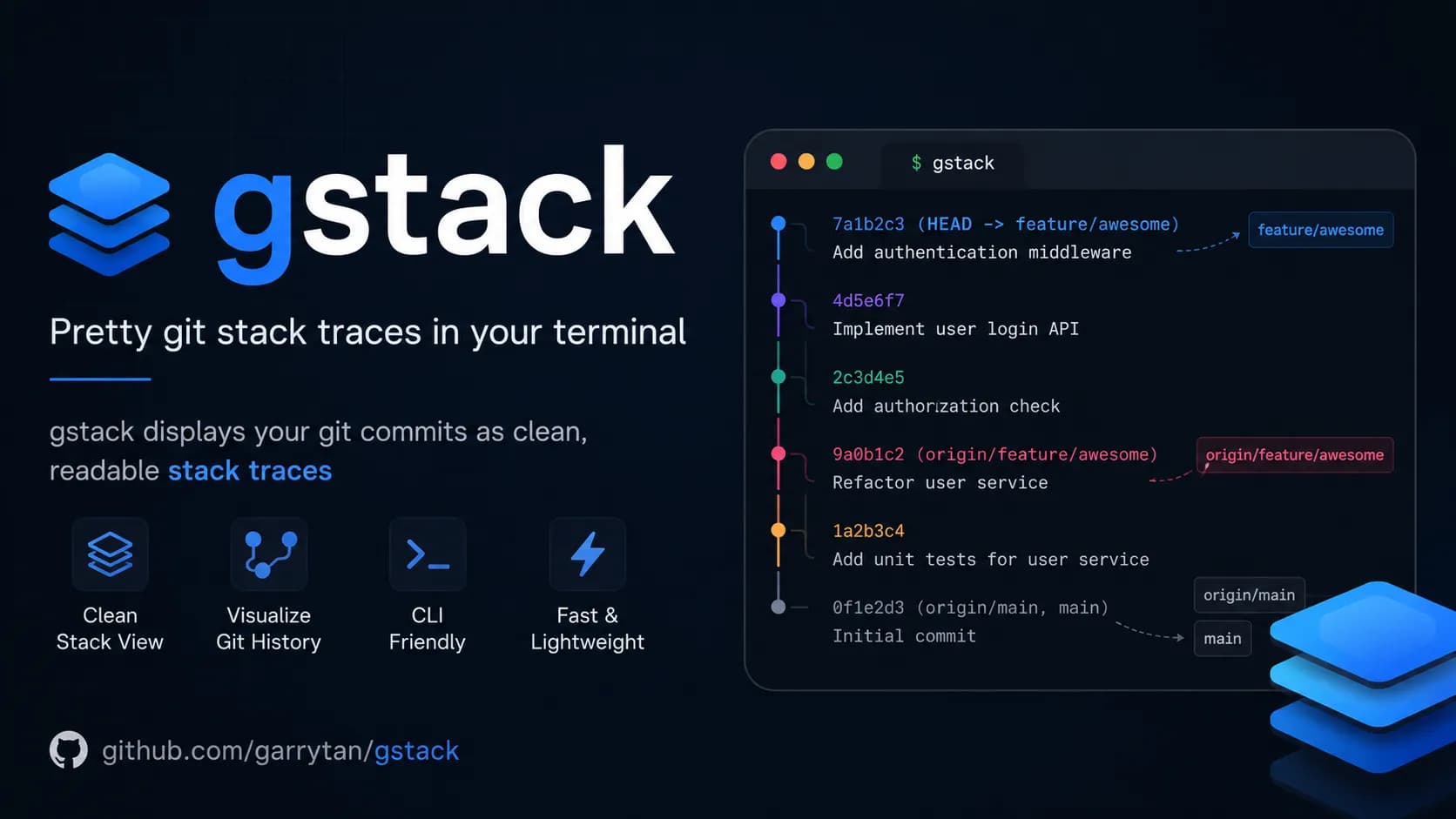
Garry Tan, CEO of Y Combinator, just released gstack which has already attracted 116,000 stars on GitHub. The toolkit transforms Claude Code into a virtual team of 23 specialists, but its greatest value lies in the 6 forcing questions within the /office-hours process. These questions force you to identify the real pain, specific user personas, and the narrowest solution you can ship tomorrow rather than chasing feature requests. This methodology is distilled from thousands of YC startups and helped Garry Tan achieve 810x productivity compared to 2013.
I'd heard a lot about the gstack repo from the CEO of Y Combinator, so I got curious and installed it to try. What surprised me most wasn't the polished workflows — it was the genuinely different mindset behind them. That mindset shows up in the very first command: /office-hours, with six questions that don't ask about code at all, only the things most people haven't thought through before they start building.
What is gstack and why did Garry Tan build it
gstack is an open-source toolkit by Garry Tan, CEO of Y Combinator, built primarily for Claude Code. The core idea: instead of using AI as a plain code writer, Garry Tan wanted to turn Claude into a small AI agent team, where each member handles a different role — from product direction and security review to testing and release.
The entire workflow runs in an ordered loop: Think → Plan → Build → Review → Test → Ship → Reflect. More specifically, gstack splits Claude Code into 23 specialized roles, and the output of each step is automatically passed to the next — no manual handoff needed. Some of the standout commands:
/office-hours6 questions that force you to rethink your feature before writing a single line of code/plan-ceo-reviewchecks whether you're overbuilding or underbuilding relative to what's actually needed/reviewcatches serious bugs that standard automated checks miss/qaopens a real browser, performs real interactions, finds real bugs/csoruns an automated security audit against international standards/shipsyncs, tests, pushes code and opens a pull request in a single command
But among all those commands, /office-hours stands out for the opposite reason from the rest, it doesn't help you work faster and it helps you avoid building the wrong thing from the start.
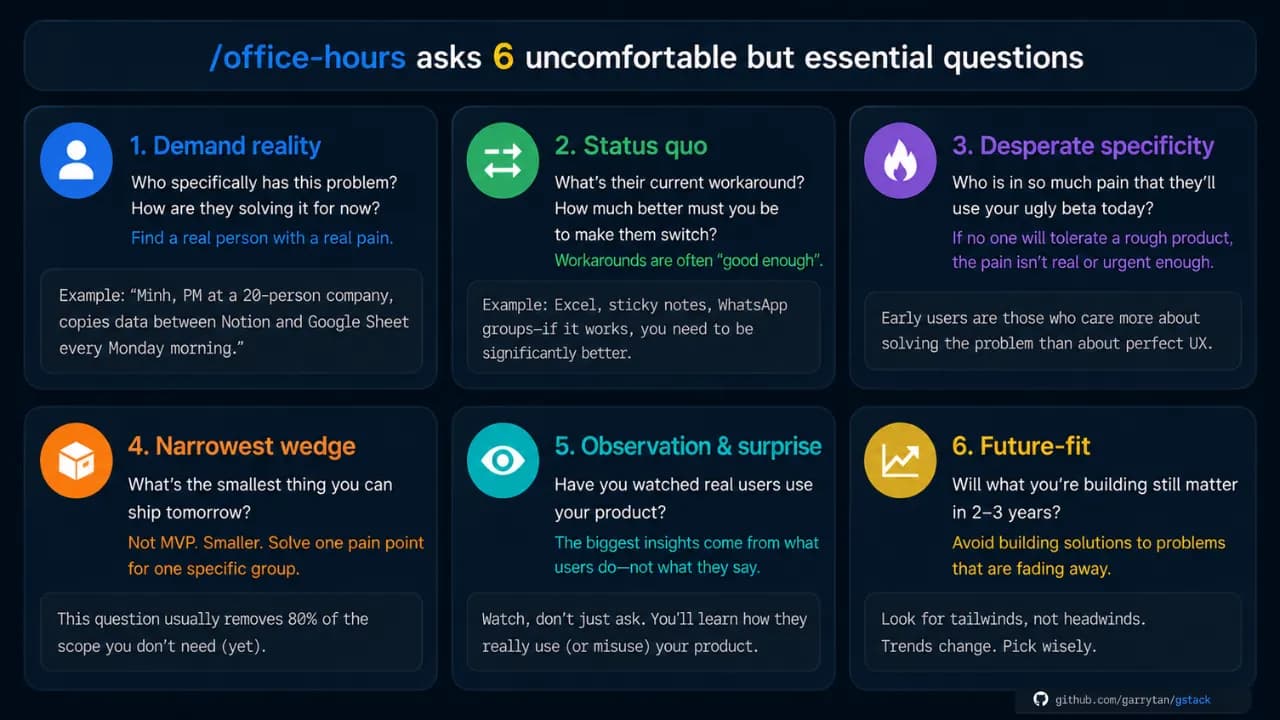
Why Garry Tan puts /office-hours first
Garry Tan placed /office-hours at the top of the workflow based on a simple observation: most products fail not because of poor code, but because they build the wrong thing. Teams spend weeks on a feature nobody needs, or build the right feature for the wrong audience, or solve a problem users already handle better another way.
The command has two modes: Startup mode for founders and people building real products with real users, and Builder mode for side projects, hackathons, and open source. This article focuses on Startup mode, where the 6 questions are most directly applicable.
6 questions that stop you from building the wrong thing
These aren't 6 questions to answer quickly and move on. They're designed to make you think honestly, because the more truthful your answers, the more accurately Claude can match what you actually need — saving you a significant amount of time later. You can read the full original prompts at office-hours/SKILL.md.tmpl.
Demand reality: Is there a real need?
Original question: "Who specifically has this problem? How are they solving it today?"
Not "users in general" or "the marketing team" — the goal is to name one real person, ideally by name, who is actively struggling with a specific problem. If you can't name someone like that, you don't yet understand what they actually need.
Status quo: What are they using instead?
Original question: "What is their current workaround? How much better do you need to be for them to switch?"
Everyone is already solving their problem somehow — whether with Excel, sticky notes, or a WhatsApp group. If their current solution is good enough, they have no reason to migrate their data and learn an entirely new platform. Your solution needs to be meaningfully better before they'll even consider switching.
Desperate specificity: Who needs this badly enough?
Original question: "Who needs a solution badly enough to use your ugly beta version today?"
This is the question that separates nice-to-have from must-have. If you can't find anyone willing to use an incomplete, rough, buggy version right now, the problem you're solving isn't urgent enough. Real early users are people who need a solution badly enough to tolerate an unpolished product — as long as it's moving in the right direction.
Narrowest wedge: What is the smallest possible piece?
Original question: "What is the smallest thing you could launch tomorrow? Not the full vision — the smallest piece."
Not the first full-featured version — something even smaller than that. This question typically cuts 80% of the scope people add because they think "might as well do it while I'm here." It's a trap many builders fall into, including myself. Launch the smallest meaningful piece first, listen to real users, then decide whether to expand.
Observation and surprise: Have you watched real people use it?
Original question: "Have you watched real people use your product? Did they use it in ways you didn't expect?"
This question is best saved for the second iteration onward, once you have something to test. Rather than asking for feedback through messages or surveys, sit and watch directly — or review screen recordings. The most valuable insights usually don't come from what users say, but from what they do that you didn't design for, or what they skip that you thought was important.
Future-fit: The 2 to 3 year view
Original question: "In 2-3 years, will what you're building still be relevant — or is the trend moving against you?"
This isn't about predicting the future precisely. It's about avoiding building something that's already fading. If the trend is making your problem less urgent over the next two years, that's a clear signal to reconsider from the start. That said, if your goal is to move fast and capture the market before big tech ships something similar, this question can reasonably be set aside.
A real example: a simple idea completely flipped
In the gstack documentation, Garry Tan walks through a practical example. You open /office-hours and say: "I want to build an app that summarizes my daily work calendar."
Claude doesn't agree and start executing. Instead, it pushes back: what you just described isn't a calendar summary app — it's actually a full personal AI chief of staff. These are entirely different in scope, technical complexity, and user expectations.
From that single opening description, /office-hours helps you see:
- 5 features you were describing without realizing it
- 4 assumptions that need to be validated before building
- 3 different implementation directions with varying levels of complexity
- 1 recommendation: launch the smallest piece first, treat the rest as a long-term roadmap
All of this happens before you write a single line of code. The output is saved as a document that subsequent steps in the workflow automatically pick up and continue from.
These 6 questions work even without gstack
The 6 questions from /office-hours don't require Claude Code or a gstack installation. They're a way of thinking — the same framework YC partners use to evaluate startups — and you can apply them right now with any AI tool you already have.
The difference when using them through gstack is that Claude won't let you give vague answers. It pushes for specifics and won't move forward until your response is grounded enough to be useful. That's why /office-hours tends to be the most uncomfortable command in the entire toolkit — not because it's difficult to use, but because it asks exactly what you've been avoiding.
gstack currently has over 117k stars on GitHub and is still growing. For me, the most valuable part isn't the technical commands like /review or /ship — it's /office-hours, because it's the only command in the entire toolkit that forces you to stop and think before doing anything else.