GPT-Live: What’s New and How Does It Feel?
Quick Summary
OpenAI launched GPT-Live on July 8, 2026, as a major upgrade to ChatGPT Voice. Its full-duplex architecture lets the AI listen and speak simultaneously while responding more naturally to pauses and interruptions. GPT-Live can keep a conversation moving while delegating search and deeper reasoning to GPT-5.5 in the background. Users can also choose reasoning levels, receive rich visual cards, and use nine remastered voices. GPT-Live-1 is intended for Go, Plus, and Pro plans, while Free users receive GPT-Live-1 mini. The rollout covers iOS, Android, and ChatGPT.com, although voice with video or screen sharing is not supported at launch. This article examines the user experience, strengths, limitations, and best use cases for GPT-Live.
OpenAI has brought GPT-Live to ChatGPT Voice, turning voice conversations from a speak-then-wait exchange into a continuous stream of interaction. The model can listen while speaking, notice when a user wants to interrupt, wait while they think, and delegate difficult work to GPT-5.5 in the background. The result feels closer to a real conversation, although there are important limitations to understand before using it.
How is GPT-Live different from earlier ChatGPT Voice?
OpenAI introduced GPT-Live on July 8, 2026, as a new generation of voice models consisting of GPT-Live-1 and GPT-Live-1 mini. Both are rolling out inside ChatGPT rather than as standalone products with separate interfaces. Users simply open the familiar Voice button to receive the new experience once their account is updated.
The biggest difference is the full-duplex architecture. Earlier cascaded voice systems had to convert speech into text, send the text to a language model, and then read the response through synthesized speech. That process introduced delay and could lose nuance. Advanced Voice Mode handled audio more directly, but conversations still operated in discrete turns: the AI generally waited for the user to stop completely before responding.
GPT-Live processes input continuously while generating output. Many times per second, the model can decide whether to speak, keep listening, pause, accept an interruption, or call a tool. A short silence therefore does not necessarily mean the user has finished speaking.
How does listening and speaking at once change a conversation?
When both sides can react continuously, users no longer need to package every request into a complete turn. You can add context midway, ask the AI to slow down, or correct an assumption before the response ends. GPT-Live can also offer brief acknowledgements to show it is following along or remain quiet when asked to listen.
Full duplex is also useful for live translation, language practice, and fast-moving exchanges. However, more natural interaction does not mean the AI understands every signal like a person. Regional accents, heavy background noise, unstable connectivity, or underspecified requests can still send a conversation in the wrong direction.
What does using GPT-Live actually feel like?
The clearest difference comes from conversational rhythm rather than one isolated feature. If you hesitate while remembering a number, GPT-Live is designed to wait instead of jumping in. If you change the question while it is explaining something, the model can stop and redirect more quickly. OpenAI also says it is better at focusing on the user’s voice when traffic or nearby conversations create background noise.
More natural dialogue still needs a clear goal
GPT-Live fits tasks such as planning while walking, practicing interviews, improving pronunciation, asking for help while cooking, or exploring an idea without typing. Users can start with an objective, add constraints while speaking, and ask the model to summarize decisions at the end.
For a more reliable session, state the role and desired outcome. Instead of saying only “help me practice English,” ask GPT-Live to act as an interviewer, speak slowly, correct each answer, and provide feedback at the end. Continuous listening makes the exchange flexible, but a specific goal still determines output quality.
Difficult work is delegated to GPT-5.5 in the background
GPT-Live separates immediate interaction from deeper reasoning. When a request requires web search, complex analysis, or multi-step processing, the voice model can delegate it to GPT-5.5 and bring the result back into the conversation. GPT-Live can keep talking and preserve context while that work runs instead of leaving the user in a long silence.
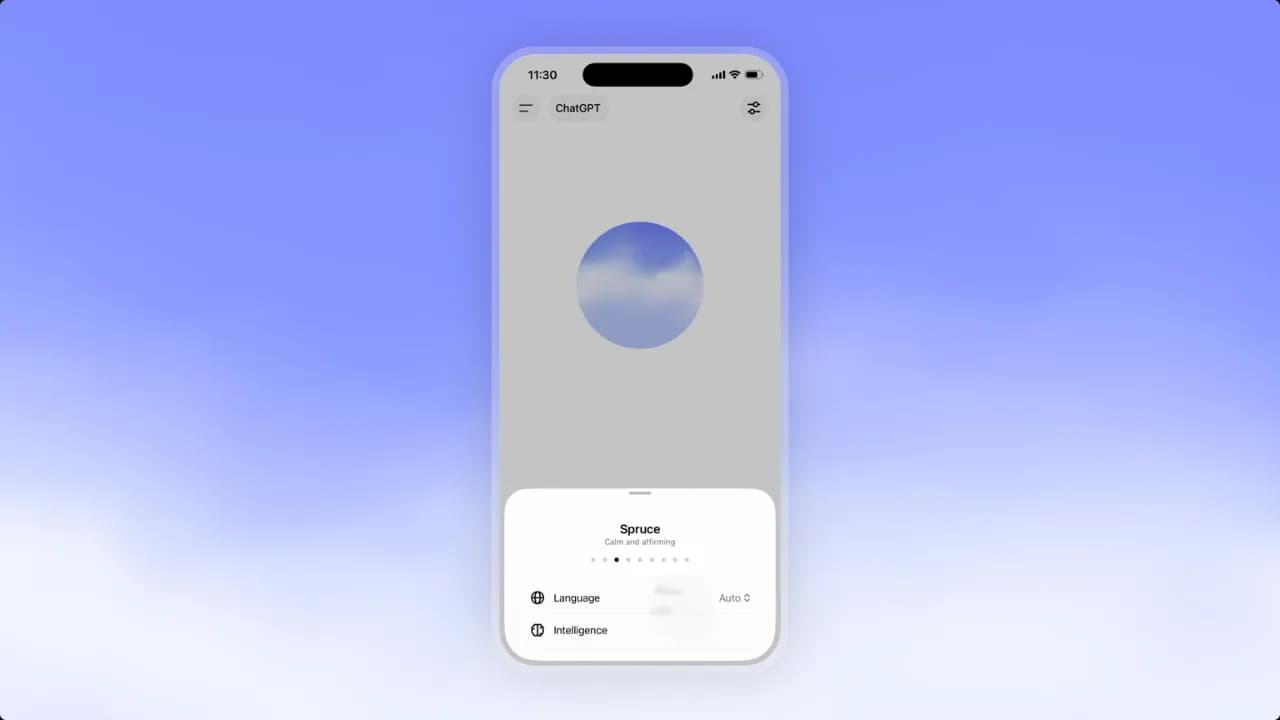
At launch, Instant mode and GPT-Live-1 mini use GPT-5.5 Instant in the background, while Medium and High use GPT-5.5 Thinking with corresponding reasoning effort. Users can choose Instant for everyday questions or Medium and High when they want the model to spend more time on a difficult problem.
What else does GPT-Live add?
OpenAI remastered the nine voices available in ChatGPT for GPT-Live. The goal is not only clear pronunciation but also more natural pacing, expression, and short acknowledgements. Users still choose from predefined voices; GPT-Live is not designed to imitate a real person’s voice.
During a conversation, ChatGPT can display rich visual cards for weather, stocks, sports, and other topics. Voice continues to work with search, memory, images, and file uploads. The experience is therefore no longer limited to audio: users can hear an explanation while viewing figures or details that need checking.
- Everyday work: ask quick questions, plan, create lists, and summarize decisions when typing is inconvenient.
- Learning: practice languages, simulate interviews, explain concepts, and test knowledge through conversation.
- Creative work: develop ideas, explore alternatives, and ask the AI to record the final direction.
- Search: ask follow-up questions while GPT-5.5 processes more complex information in the background.
Two versions for two user groups
GPT-Live-1 becomes the default ChatGPT Voice model for Go, Plus, and Pro plans. Free users receive GPT-Live-1 mini. OpenAI is rolling out both versions across iOS, Android, and ChatGPT.com in stages, so some accounts may not see the change immediately.
For developers, GPT-Live was not broadly available through the API at announcement time. OpenAI says API access will come later and is accepting notification sign-ups from developers and enterprises. GPT-Live is currently primarily a ChatGPT Voice experience rather than an immediate replacement for every voice agent built on the Realtime API.
Which limitations are most noticeable?
At launch, GPT-Live does not support voice together with video or screen sharing. Users who need those capabilities can switch to legacy Standard Voice or Advanced Voice Mode. This matters for remote-support workflows that depend on the AI seeing a camera feed or screen content.
OpenAI also acknowledges that the model was initially optimized for some of ChatGPT’s most popular languages. In other languages, it may have a non-native accent or gaps in fluency. The Vietnamese experience may therefore vary with voice, speaking speed, environment, and rollout stage.
Safety during continuous conversation
Voice can feel more personal than text, making emotional reliance a more significant concern. OpenAI added evaluations for self-harm, psychosis and mania, violence, sexual content, and emotional attachment to AI. The system can steer a response, surface appropriate support, or end a conversation in higher-risk situations.
The GPT-Live System Card also describes protections for teen users and parental controls. Even so, GPT-Live is not a medical professional or a replacement for human relationships. It should be treated as a support tool, with qualified help sought for sensitive issues.
Does GPT-Live really change ChatGPT Voice?
GPT-Live addresses the most frustrating parts of AI voice interaction: waiting for turns, being interrupted while thinking, and sitting through silence while the system handles difficult work. Full-duplex interaction combined with delegation to GPT-5.5 makes the experience fast at the conversational layer while retaining stronger intelligence for complex questions.
Its greatest value may not be a voice that sounds more human, but the ability to maintain a workflow through conversation. Users can think aloud, revise requests while speaking, and receive both spoken responses and visual information. That opens the door to longer sessions for practice, idea development, and coordinating multiple tasks.
GPT-Live is still in its first rollout stage. The API is not broadly available, language support is uneven, and video or screen sharing is temporarily absent. For hands-free conversation, practice, and continuous questions, it is a compelling upgrade. For work that requires screen observation, absolute accuracy, or immediate enterprise integration, users will still need to combine it with other modes and tools. If you need to build a voice application through the API today, consider gpt-realtime while waiting for GPT-Live developer access.