4AIVN
Back to News

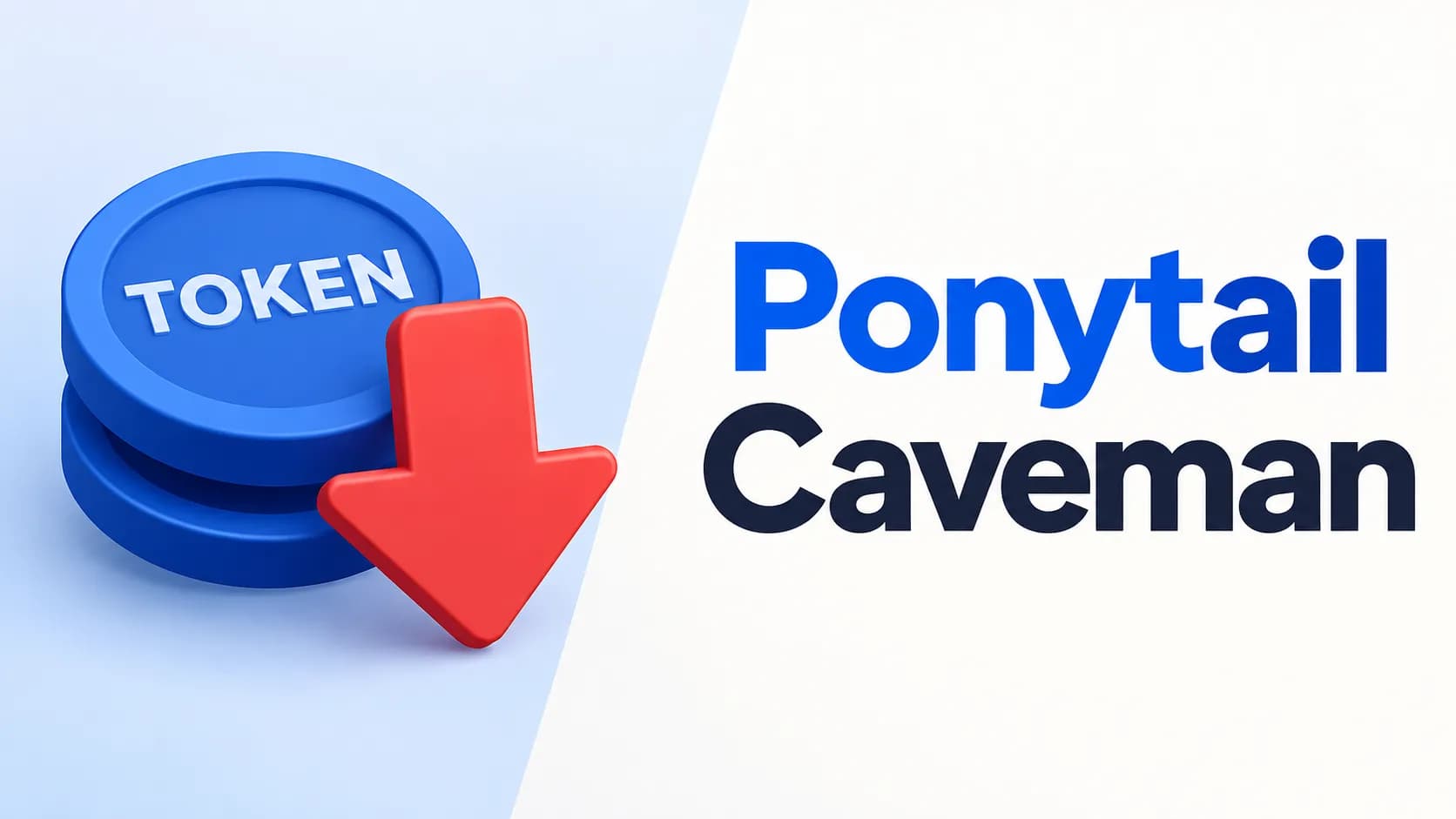
Save AI Agent Tokens with Ponytail and Caveman
Published on 26 August, 2026
Save AI Agent Tokens with Ponytail and Caveman

Quick Summary

In the summer 2026 AI community, open-source toolkits Ponytail and Caveman are attracting major attention for solving token waste in AI coding agents like Claude Code, Codex, and Gemini CLI. Ponytail reduces generated code by up to 54% via a 7-rung anti-over-engineering ladder. Meanwhile, Caveman targets input reading (saving 33.2% input tokens via local proxy) and verbose responses (cutting output tokens by up to 65%), alongside Pixel Mode for converting SKILL.md files into images. However, advertised figures should be read with context as they stem from specific benchmark scenarios. Combining both tools offers complementary benefits to maximize token savings and maintain clean context windows.

Token management is a hot topic in the AI community. In summer 2026, two open-source skills for saving tokens are being widely discussed: Ponytail cuts generated code lines by up to 54%, while Caveman slashes agent response tokens by 65%. Both target a familiar pain point for users of AI coding agents like Claude Code, Codex, or Gemini CLI—ballooning token costs—yet solve it from completely different angles: one trims unnecessary code, while the other trims unnecessary words.

The Token Waste Problem in the AI Agent Era

Today's AI Agents do not just answer single prompts; they operate in autonomous agentic loops by reading files, analyzing project structures, writing code, running builds, and checking for errors. Throughout this process, tokens are wasted mainly across three channels:

  • Over-engineering (Excess Code): Instead of using native language or browser features, agents frequently install extra dependencies or construct unnecessarily complex components.
  • Input Overhead (Excess Context): Build logs, JSON payloads, search results, and instruction files (SKILL.md) consume tens of thousands of input tokens on every API call.
  • Output Bloating (Verbose Prose): Agents explain basic concepts at length before delivering the core answer.

Ponytail: Turning your AI Agent into a "Lazy Senior Dev"

Created by Dietrich Gebert, Ponytail is designed with a core philosophy: "The best code is the code you never wrote." Ponytail forces an AI Agent to think like a seasoned senior developer who always looks for the simplest, lowest-effort solution.

Self-Questioning Ladder Before Writing Code

Before touching any code, Ponytail requires the agent to run through a self-questioning ladder:

  • YAGNI: Is this feature really necessary? If not, skip it immediately.
  • Reusability: Is there an existing function or component in the codebase?
  • Standard Library: Can the language's standard library handle it?
  • Native Platform: Is it supported natively by the browser or OS? (e.g., using a native <input type="date"> instead of installing a heavy Flatpickr library)
  • Installed Dependencies: Can already installed packages in package.json resolve it?
  • One-liner: Can it be written in a single line of code?
  • Only when the above steps fail will the Agent proceed to write the minimal working code required.

Do Benchmark Results Match Reality?

In tests using Claude Code (Haiku 4.5) on a full-stack FastAPI + React template, Ponytail reduced lines of code by 54% while maintaining 100% application safety.

Caveman: A Token Compression Ecosystem, Not Just a Skill

While Ponytail targets generated code, Julius Brussee's Caveman attacks both agent input and output with the catchy slogan: "why use many token when few token do trick". Current Caveman is no longer a single skill, but a multi-layered toolkit.

Caveman Proxy: Compressing Input Data

A local proxy sits between the Agent and the API provider, automatically routing all traffic. It detects payload types like JSON, error logs, git diffs, or search results, compressing them to keep only essential content needed for the answer, while saving copies on disk for byte-exact recovery when required. In a 54-run pinned benchmark on Claude Code, this mechanism used 33.2% fewer input tokens than direct runs while passing all exact-answer checks.

Caveman Skill: Compressing Response Language

This part returns agent communication to primal caveman-speak: dropping conversational filler and getting straight to the point without altering code or command integrity. Code, commands, and error logs remain byte-exact, with only explanatory prose compressed.

Pixel Mode: Rendering Skill Files to Images

Verbose SKILL.md files are rendered into PNG images upon skill installation, leveraging vision capabilities of modern LLMs to lower prompt token loads. Measured on Caveman's own skill file, this reduced size from ~1,069 down to an estimated 415 tokens, or 61%.

Caveman Learn: Self-Diagnosing Token Bottlenecks

The caveman learn command automatically reads local agent session history (running locally without accounts), scores the current setup, and pinpoints exact token sinks for user remediation.

Numbers to Keep in Mind Reading Caveman Marketing

Can Ponytail and Caveman Be Combined in One Session or Project?

Ponytail and Caveman do not conflict. Caveman keeps what the agent reads (input) and says (output) as concise as possible, while Ponytail ensures what the agent writes (code) is strictly minimal. Because their mechanisms do not overlap, they can be used side-by-side in the same session.

While no independent benchmark has measured the exact savings of using both simultaneously, combining their individual metrics theoretically reduces overall session tokens significantly—making it well worth testing on your real codebase.

Workflow Integration Guide

Both Ponytail and Caveman support quick installation for popular AI coding tools like Claude Code, Codex, Gemini CLI, Cursor, and Windsurf.

Installing Ponytail

For Claude Code:

  • claude plugin marketplace add DietrichGebert/ponytail && claude plugin install ponytail@ponytail

For other agents without plugin marketplace support, copy rule files directly from the GitHub repository into your project directory.

Installing Caveman

For Claude Code:

  • claude plugin marketplace add JuliusBrussee/caveman && claude plugin install caveman@caveman

For Gemini CLI:

  • gemini extensions install https://github.com/JuliusBrussee/caveman

Installing for Cursor, Windsurf, Cline, and Others

Caveman can be installed via the unified registry:

  • npx skills add JuliusBrussee/caveman -a <agent-name>

Will You Choose Ponytail, Caveman, or Both?

Token optimization is not just about saving money; it keeps AI Agent context clean and prevents context drift during long sessions. However, the larger takeaway from both skills is not to blindly accept advertised percentages—even from authors—since each figure typically measures a specific scenario rather than a general average. The surest approach is running benchmarks on your own codebase before adding Ponytail, Caveman, or both to your daily workflow.
Discussion (0)

Log in to join the discussion.

No comments yet. Be the first!

Related Articles

Claude Opus 5 Launches, Closing In on Fable 5

Anthropic has launched Claude Opus 5 at the same price as Opus 4.8 while raising response quality close to Fable 5, a model that costs twice as much. In other words, with near-Fable performance at half the price, most users will likely choose Opus 5 as their default and reserve Fable 5 for the small number of tasks that truly require the highest capability ceiling. What upgrades does Claude Opus 5 bring? According to Anthropic's launch announcement, Claude Opus 5 is the most capable Opus model to date and the first Opus release in the Claude 5 generation. Anthropic describes it as proactive and capable of deep reasoning, approaching the highest intelligence of Claude Fable 5 across many domains while using only half the token budget. The API model ID is claude-opus-5. Like Opus 4.8 and Fable 5, it has a default and maximum context window of one million tokens, a 128,000-token output limit, and thinking enabled by default. It has become the default model on Claude Max and the most powerful model available on Claude Pro. It is also offered through the Claude API, Amazon Bedrock, Google Cloud, Microsoft Foundry, and GitHub Copilot. Why will many users choose Opus 5 over Fable 5? The answer is not limited to price. Four factors make Opus 5 likely to become the default choice for daily work while Fable 5 moves into a specialized role for a small number of exceptional cases. It wins more real-world evaluations than it loses On Frontier-Bench v0.1, Anthropic's automated coding evaluation, Opus 5 scores 43.3% while Fable 5 reaches only 33.7%, a gap of almost ten points in favor of Opus 5. On CursorBench 3.2 at maximum effort, Opus 5 reaches about 70.1%, less than half a percentage point behind Fable 5 while costing only half as much. Across evaluations where both models have published results, Opus 5 wins more often than it loses, and its victories are generally larger than its defeats. The fastest way to verify this is to run the same task on both models at comparable effort levels and compare the output quality instead of relying only on published benchmarks. No mandatory 30-day data retention Fable 5 and Mythos 5 are Covered Models that require prompts and outputs to be retained for 30 days for safety purposes. They do not support zero data retention (ZDR) on any platform, even when an organization already has a ZDR agreement. Opus 5, by contrast, can still operate under ZDR like Opus 4.8. For teams handling legal, medical, or financial data, this difference alone may remove Fable 5 from consideration without any performance comparison. Fewer interruptions from safety filters Anthropic says the cybersecurity classifier intervenes about 85% less often with Opus 5 than with Fable 5. For coding agents that run for hours or overnight, a request being blocked midway because it touches a safety threshold is a real workflow risk, and Opus 5 significantly reduces that frequency. Adjustable effort makes budgets easier to predict Opus 5 supports adaptive thinking with effort ranging from low to maximum. Low or medium works for fast responses and high-volume workloads, while high or maximum suits complex coding, deep research, and multi-step workflows. Because teams pay according to the selected effort instead of being locked into a fixed Fable 5 cost level, they can optimize the budget for each task rather than paying the highest rate on every request. Initial impressions after trying Opus 5 After using Opus 5 for daily writing and coding work, the clearest impression is that it is substantially smarter than Opus 4.8, especially in understanding intent on the first request without repeated explanation. For tasks such as summarizing long documents, writing code with complex branching logic, or preparing a multi-step plan, Opus 5 works smoothly and loses the thread less often than the earlier version. There is still a gap compared with Fable 5, although it is smaller than expected. On work that demands deep reasoning or autonomous execution across many consecutive steps without intervention, Fable 5 remains slightly more dependable and makes fewer mistakes. For most daily work, however, that difference is difficult to notice without placing both models side by side. If you are using Opus 4.8, this is a sensible time to upgrade. If you are choosing between Opus 5 and Fable 5 for ordinary work, Opus 5 is almost certainly sufficient without paying the premium. When is Fable 5 still the right choice? Fable 5 retains an advantage on the hardest work. On SWE-bench Pro, which uses real GitHub issues and is considered one of the strictest measures of practical coding, Fable 5 scores about 80% while Opus 5 reaches roughly 79%, a small gap that still favors Fable. Fable 5 is also the only model Anthropic positions in the Mythos class, meaning its overall capability is designed to exceed Opus. This distinction is clearest in specialized fields such as expert medical analysis and autonomous research that continues for days without supervision. In other words, Opus 5 wins in daily coding and knowledge work, while Fable 5 retains its edge on the hardest problems and fields requiring the highest possible reliability. For most users and small teams, those problems represent a small portion of daily work, making the twofold price difference difficult to justify unless their workload falls directly into that category. Quick comparison: Opus 5 vs. Fable 5 CriterionClaude Opus 5Claude Fable 5 Input price$5/million tokens$10/million tokens Output price$25/million tokens$50/million tokens Context1 million tokens1 million tokens Maximum output128,000 tokens128,000 tokens Frontier-Bench v0.1 (coding agent)43.3%33.7% SWE-bench Pro (practical coding)~79%~80% Data retentionSupports zero data retentionMandatory 30-day retention, no ZDR Safety-filter interventionAbout 85% lowerHigher Best fitDaily work, coding agents, sensitive dataDifficult research, multi-day autonomous projects, specialized medical analysis Can Opus 5 really compete with GPT-5.6? On paper, the answer is yes, but not across every category. Opus 5 leads GPT-5.6 Sol in reasoning about novel situations, computer use, and most public coding evaluations, while GPT-5.6 Sol remains ahead on some command-line and information-retrieval tests. Neither wins outright, but for the first time a mid-priced Anthropic model stands level with, and in several areas ahead of, OpenAI's flagship model. The more useful question is not which model is stronger overall but which one fits your work. If daily tasks center on code, long documents, and multi-step execution, Opus 5 is a compelling choice on both price and quality. If you already rely on the OpenAI ecosystem or need a specific GPT-5.6 strength, the switching cost may not be worthwhile. The most reliable answer is still to run the same job on both models, because benchmark tables do not always reflect real experience.

Nam
25 Jul, 2026
Gemini 3.6 Flash Launches but Disappoints in Practice

Google announced Gemini 3.6 Flash on July 21, 2026, with sharp benchmark gains over 3.5 Flash: DeepSWE rose from 37% to 49%, MLE Bench from 49.7% to 63.9%, and OSWorld Verified reached 83%. Yet 4AIVN's hands-on experience tells a very different story. The model handles small jobs reasonably well, but a multi-step plan can make it forget the objective, skip steps, and drift halfway through the work. Stronger benchmarks do not reflect real-world use According to Google's official announcement, Gemini 3.6 Flash uses 17% fewer output tokens than 3.5 Flash on the Artificial Analysis Index, while tests such as DeepSWE show token reductions of up to 65%. Its input window reaches 1,048,576 tokens and its output limit is 65,536 tokens, impressive numbers on paper. The problem is that these figures come from designed tests with a fixed objective and a relatively contained run. That is not how a real plan operates. Production work changes continuously in response to feedback rather than ending after one self-contained attempt. Following a long plan is the critical weakness In hands-on use, Gemini 3.6 Flash performs poorly as soon as it moves beyond a single task. Give it a small job with explicit checks and it can work well with few unnecessary loops. Give it a multi-step plan and it may forget the original objective, skip previously agreed steps, or drift after several turns. When corrected, it sometimes apologizes and then repeats the same mistake instead of actually fixing it. A one million token window describes input capacity, not memory quality. The model may be able to “see” the full context and still miss details during execution; one overlooked constraint can push the entire plan off course. This is not a rare random failure but a repeated weakness that is difficult to ignore. Gemini 3.6 Flash is strong at completing one job quickly, but it is not yet dependable at completing a sequence of jobs correctly. That is the gap the benchmarks do not measure. A 17% price cut may not match the quality Gemini 3.6 Flash is priced at $1.50 per million input tokens and $7.50 per million output tokens, about 17% below the $9 output price of 3.5 Flash. On the surface, this is a sensible improvement: lower cost and higher benchmark scores. But if long tasks are executed poorly, the savings can quickly disappear through repeated reminders, corrections, and complete reruns of the plan. Gemini 3.5 Flash Lite is cheaper still at $0.30 per million input tokens and $2.50 per million output tokens, but it targets simple classification and data transformation workloads that do not require the model to preserve a long plan. What do you gain and lose with Gemini 3.6 Flash? Objectively, this is not a failed upgrade. Google has likely made careful tradeoffs among output quality, speed, and cost, even if real-world behavior does not fully meet the high expectations attached to its engineering team. The improvements are real rather than purely theoretical: responses are faster, output costs are lower, and the model is efficient on short, narrow tasks such as content classification, writing one code function, or answering a specific question. In those cases, it keeps unnecessary loops to a minimum. The cost becomes visible when work extends beyond a few steps. The more constraints and earlier decisions the model must preserve, the more likely it is to drift. For coding agents or long workflows already running reliably on Claude Fable 5 or GPT 5.6, there is not yet a convincing reason to switch to Gemini 3.6 Flash solely because of benchmarks or lower pricing. Gemini 3.5 Pro is still the model to wait for Google says Gemini 3.5 Pro is still being tested with partners and will be released broadly when it is ready. The central story of this launch is therefore the sizeable gap between benchmarks and real work. Anyone looking for a dependable agent for long-running workflows may still need to wait and see whether 3.5 Pro delivers a genuine step forward. If future releases remain underwhelming in practice, Google risks surrendering its advantage to competitors including Anthropic, OpenAI, and Meta.

Nam
23 Jul, 2026
Hermes Agent and MCP: Automate Real Workflows

An AI agent may plan extremely well, yet it still cannot update Notion, read GitHub issues, or retrieve reports from Google Drive without the right connection. By combining Hermes Agent with MCP, users can turn a conversation into a practical workflow while clearly controlling which tools and permissions the agent may use. If you are not yet familiar with Hermes memory and its ability to create skills, our guide to what Hermes Agent is provides the necessary foundation. This article focuses on how MCP extends Hermes beyond the terminal so it can work with everyday data and services. What does MCP add to Hermes Agent? MCP is a connection standard between an AI application and a server that provides tools or data. It can be understood as an adapter layer: Hermes remains the agent responsible for understanding the goal and choosing the next step, while each MCP server contributes specific actions such as searching Notion, reading a pull request, creating an issue, or querying files. According to the Hermes Agent MCP documentation, Hermes supports local servers over stdio and remote servers over HTTP. At startup or after a configuration reload, Hermes discovers the tools exposed by each server and registers them in its normal tool system. Users therefore do not need to write a native Hermes tool for every service that already has a suitable MCP server. MCP does not automatically make a workflow safe. A server may expose tools that read, write, create, and delete data. Hermes supports filtering per server, allowing users to enable only the operations they need instead of exposing every capability to the model. How to connect MCP without granting excessive access The standard Hermes installation already includes MCP support. Users can open the picker with hermes mcp, view the catalog with hermes mcp catalog, and test a connection with hermes mcp test. Nous Research reviews entries before they enter the Hermes catalog, but its documentation still recommends reading the manifest, source repository, and installation commands before use. For a server outside the catalog, users can add an HTTP connection or a stdio command to config.yaml. After completing OAuth or configuring the required environment variables, reload MCP and ask Hermes to list the available tools. This simple check reveals servers that failed to connect or tools that were accidentally filtered out. Begin with read access The safest setup is to connect one server, enable read only tools, and test with nonsensitive data. Add create or update permissions only after results are stable. Deletion, sharing changes, and outbound publishing should require human approval. Notion initially needs only search and page reading access. GitHub can be limited to reading repositories, issues, and pull requests. Google Drive access should be limited by folder, account, and required OAuth scope. Three practical workflows with Notion, GitHub, and Google Drive Turn Notion into a knowledge center The official Notion MCP allows an agent to search, read, and update workspace content under the authenticated user's permissions. A useful workflow lets Hermes collect meeting notes, find relevant decisions, and prepare a summary on the project page. Hermes can create a draft first so a user can review it before updating status or assigning work. Notion MCP uses user based OAuth, so it does not fit every unattended process. For scheduled automation, verify how the server maintains authentication and avoid designing a workflow around operations that OAuth cannot support in a headless environment. Coordinate development work through GitHub The GitHub MCP Server is provided and maintained by GitHub, allowing AI tools to work with software development data according to account permissions. Hermes can read new issues, compare them with repository changes, and draft a progress report. It can then prepare issue text or release notes while waiting for an owner to approve the write operation. This workflow works best with clear criteria. For example, Hermes can summarize only pull requests merged during the previous seven days, group them by label, and connect each change to its related issue. A second MCP server can then send the result to Notion as a weekly report. Summarize files and reports from Google Drive With a compatible Google Workspace MCP server, Hermes can find Drive files, read permitted content, and feed data into a reporting process. For example, the agent can locate a sales report in a fixed folder, extract selected metrics, and create a summary for Notion or a GitHub issue. Google collects its official MCP projects in the Google MCP repository, including a path for Google Workspace integration. However, several community Drive servers have different maintenance histories. Check the source, update history, and OAuth scopes of the specific server instead of installing one based only on its name. Combine multiple MCP servers into a controlled workflow A complete workflow can begin in GitHub, use Drive as a data source, and finish in Notion. Hermes reads an issue labeled for reporting, finds the corresponding spreadsheet in Drive, produces a summary, and updates the project page. Each stage uses a different MCP tool group, while Hermes plans the sequence and passes results between stages. Do not enable parallel execution merely because a server supports it. Hermes documentation allows servers to declare parallel tool support but warns that operations reading and writing shared state can conflict. Independent read operations may run together, while Notion updates, issue creation, and file changes should remain sequential. Important: An MCP server is software that can run commands and receive credentials. Install only trusted servers, keep tokens out of prompts, filter dangerous tools, and require approval for deleting, sharing, or publishing data. How should you start the first workflow? Do not connect Notion, GitHub, and Google Drive on the same day and immediately assign a critical process. Choose one input, one output, and one completion criterion that is easy to verify. A first workflow could read closed GitHub issues and create a draft report in Notion without deletion or publishing permissions. After several stable runs, you can turn the procedure into a reusable Hermes skill and add a schedule. The real value of MCP is not the number of connected servers. It is the ability to complete a recurring workflow with a small permission surface, verifiable results, and a clear data path.

Nam
16 Jul, 2026
Comparing Hermes Agent, OpenClaw, and Claude Cowork

Hermes Agent, OpenClaw, and Claude Cowork are all called AI agents because they do more than answer questions. They can break an objective into multiple steps, call tools, read data, and produce a complete result. However, comparing these three products using only a feature table can easily lead to the wrong choice. Hermes Agent is designed as an agent that can learn how you work. OpenClaw is designed as a personal assistant that is always available through messaging channels, while Claude Cowork is intended for users who want to delegate office work in natural language within an environment managed by Anthropic. Therefore, the important question is not which tool is the most powerful, but how much you want to manage yourself and where you want the agent to appear in your daily workflow. Three products with different designs The differences among these three AI agent tools do not lie only in the model that performs the work. They also come from the framework surrounding the model, which manages tools, memory, access permissions, and the execution loop. This concept is explained in detail in our article What is an agent harness?, which helps explain why three products that are all called AI agents can behave so differently. Hermes Agent prioritizes a learning loop and execution environments The notable point about Hermes is that skills are not merely a list of skills that have already been installed. After completing a task, the agent can extract a useful process, save it, and improve it the next time. Our article What is Hermes Agent? explains this self learning mechanism separately. The accumulated value of this mechanism grows over time when users have recurring tasks such as analyzing projects, monitoring information sources, standardizing reports, or operating a chain of internal tools. Hermes also supports several types of sandboxes, including local execution, Docker, SSH, Singularity, and Modal. A sandbox is an isolated environment in which the agent executes commands and works with files. This flexibility lets users choose among speed, control, and isolation, but it also requires an understanding of infrastructure, access permissions, and secret management. OpenClaw uses the Gateway as its coordination center In OpenClaw, the Gateway is the control layer between the agent, devices, and communication channels. A message can become a request for the agent to read a calendar, process a file, call a service, or respond in the correct conversation. This approach feels natural for people who want to message an assistant from their phone without needing to remember where the server is running. OpenClaw is most suitable when the agent needs to react as soon as work appears, without requiring the user to open a computer or enter a separate application. Instead of waiting for you to start a work session, it remains available in the messaging channels you already use and begins processing as soon as a message arrives or a configured event is triggered. Claude Cowork provides a managed workspace Cowork reduces the amount of infrastructure that users must manage themselves. In the desktop application, users can grant access to a local folder and ask Claude to read, organize, or create files. With remote sessions, work takes place in an isolated environment on Anthropic servers, which suits long tasks that do not require a personal computer to remain active continuously. In return, the level of customization and control over the execution layer is not as broad as in a self hosted project. Cowork is better suited to people who want quick results within the Claude ecosystem and do not want to maintain a server or design a Gateway themselves. How the memory of the three tools works differently Memory in an agent should not be understood simply as storing every conversation. A useful system must know which information is worth retaining, which information matters only in the current session, and when old data should be retrieved. If it stores too little, the agent must ask the same questions repeatedly. If it stores too much, costs will certainly increase and sensitive data can easily be used in the wrong context. Hermes stands out by combining persistent memory with skills that can improve. Memory records preferences and context, while a skill records how to complete a type of task. These two layers make the agent feel as if it increasingly understands the user, but quality still depends on whether the user reviews what has been stored and removes processes that are no longer appropriate. OpenClaw runs across several channels at once, and that is also its most complicated aspect. Remembering conversation content is only one part of the problem. The harder issue is distinguishing who is speaking, which channel they are using, and which scope the work belongs to. A command sent in a company Slack group should not automatically pull in private context previously discussed on Telegram. If session configuration and identity policies should be established clearly from the beginning, even a strong model cannot rescue a system when everything remains ambiguous. Cowork limits context to each work session, reads only the files for which you grant access, and uses only the connections you allow. For people who are not accustomed to building systems, this approach is easier to control because the boundaries of each task are relatively clear. However, clear boundaries do not mean automatic understanding. You still need to explain what you want, what completion should look like, and where the data should come from. Cowork cannot infer your company context unless you actively provide it. Which type of work each tool automates best Hermes includes web tools, terminal access, MCP, scheduled runs, and subagents. MCP is a connection standard that helps an agent communicate with external data sources or applications through a consistent interface. By combining MCP with skills, users can turn an experiment into a repeatable process, such as collecting data each morning, analyzing changes, and sending a summary. OpenClaw is strong at workflows that begin with a message or an event. For example, a user can send an invoice to a private channel, after which the agent extracts the information and updates a storage system. Another example is receiving a service alert, gathering additional diagnostic data, and returning a summary directly to the operations group. Its value comes from reducing the gap between the moment a need appears and the moment the agent begins acting. Cowork suits structured office outputs. It can research a topic, synthesize data, create a document, and continue revising it according to feedback. Long running or scheduled tasks help Cowork move beyond short question and answer interactions. Even so, organizations need to inspect each connector and its access permissions before allowing the agent to work with real data stores. When deep integration with private infrastructure is required, Hermes and OpenClaw generally provide more room. When the priority is reducing the time from a request to a finished document, Cowork usually has an advantage. This is the difference between a platform intended for assembly and a product that has already been packaged. How secure are these three AI agents? There is no simple answer to the question of which one is safer because the security risks of each tool come from completely different areas. Hermes Agent: Self hosting does not automatically mean safety. The greatest risk comes from automatically generated skills because, in essence, they are pieces of code that the agent writes and then runs by itself. If they are not reviewed before scheduled execution, a skill with terminal access or permission to send data externally can do things without your knowledge. In addition, API keys and sensitive folders should not appear in prompts or be mounted directly into a sandbox when the skill does not actually need them. OpenClaw: The more channels you connect, the wider the attack surface becomes. The point most easily overlooked is sender authentication. If the Gateway trusts only a display name or a channel that has not been properly secured, a compromised messaging account may be enough for someone to issue commands to your agent. The list of people allowed to send commands and the permissions of each bot need to be reviewed whenever you add a new channel. Claude Cowork: The most concerning risk is prompt injection, which occurs when the agent reads a document or webpage containing hidden instructions intended to redirect it away from your original request. Anthropic provides safeguards and asks for confirmation before sensitive actions, but those measures do not replace your own review of the results or the need to avoid granting broader permissions than the task actually requires. Note: With any agent, do not grant permission to delete files, send external messages, or perform sensitive transactions. Start with read only mode, enable complete logging, and retain human approval for actions that require human judgment. Should you choose Hermes Agent, OpenClaw, or Claude Cowork? Every tool has its own strengths and weaknesses, so selecting the most suitable one depends on the user and the work that needs to be done. Choose Hermes Agent when you want the agent to understand how you work increasingly well Hermes suits developers, researchers, and technical teams that want an agent to learn their own processes and run on flexible infrastructure. It is particularly worth considering when tasks recur often enough for skills to create accumulated value. You need to be prepared to read logs, review skills, and manage execution environments. Best suited when: You want the agent to remember and improve work processes through repeated use. You can manage sandboxes, select models, and control access permissions yourself. Choose OpenClaw when work requires continuous communication through messages OpenClaw is suitable when the assistant needs to be present on Telegram, WhatsApp, Slack, Zalo, or similar channels. It is useful for alerts, rapid collection of requests, and automation that begins with a conversation. In return, you must manage identity, channel permissions, and Gateway stability. Best suited when: Requests usually arrive as messages or automated alerts. You need one coordination point for several different communication channels. Choose Claude Cowork when you need quick results without building a system Cowork suits content creators, analysts, and managers who need complete documents, spreadsheets, and slides without wanting to think about servers or Gateways. In return, you should understand the limits of your plan, where data travels, and which connections are enabled before introducing real work. Best suited when: You want to describe the required outcome in natural language and receive a complete output. You prioritize the convenience of a managed service over full control of the infrastructure.

Nam
14 Jul, 2026