NotebookLM: a powerful tool for learning and research
Quick Summary
NotebookLM is an AI assistant from Google Labs focused on supporting learning and research. The tool uses the Gemini model and RAG principles, analyzing only documents provided by the user — PDFs, Docs, Google Docs, links, and videos — to ensure accuracy and minimize hallucination. NotebookLM can summarize, answer questions with citations, generate mind maps, and produce a wide range of flexible output formats including audio and video overviews, diverse report types, all with Vietnamese language support and sharing capabilities for collaboration.
The rise of large language models (LLMs) has created a paradigm shift in how people interact with AI technology, offering unprecedented potential to boost productivity and reduce tedious tasks for knowledge workers. As these powerful tools become more widespread, specialized applications are emerging to meet specific needs across different fields. One such tool is NotebookLM, developed by Google Labs, which stands out as a promising AI assistant designed specifically to enhance learning and research by streamlining how people interact with documents and information.
What is NotebookLM? A research assistant powered by Gemini
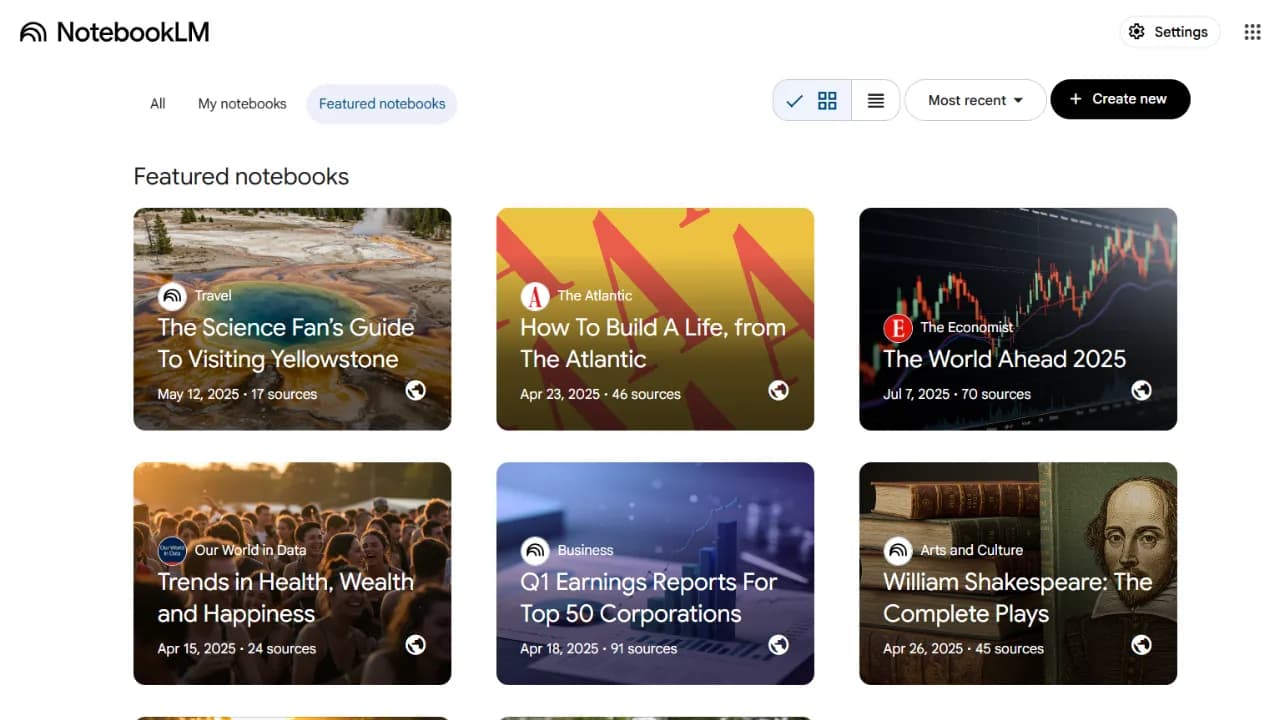
NotebookLM is a tool that helps users take notes, conduct research, and work with documents. Integrated with Google's latest Gemini model, it allows users to perform a wide range of tasks including summarizing long texts, answering questions based on uploaded content, and suggesting related information to expand on a topic. One key differentiator is that NotebookLM operates on RAG (Retrieval-Augmented Generation) principles, meaning it only analyzes data sources provided by the user. This significantly reduces the risk of "hallucination," the tendency of LLMs to generate inaccurate or fabricated information, by ensuring that all responses are grounded in verifiable sources — a critical factor for academic and research accuracy.
NotebookLM offers a set of capabilities that directly address common challenges in learning and research workflows.
Diverse input support
Like general-purpose LLMs, NotebookLM accepts text-based input, but what sets it apart is the range of document formats it can handle. Users can upload files directly from their computer such as PDFs, Word documents, and plain text files, select documents from Google Docs or Google Slides, or provide links to websites and even YouTube videos. It can also automatically discover relevant sources through its Discover feature based on a user's query and add them to the workspace for analysis. This broad intake capability makes it a flexible hub for synthesizing research materials, distinct from the Deep Research features growing in other LLMs like Gemini and ChatGPT. With NotebookLM, you choose exactly what sources go in, whereas Deep Research handles that selection automatically without user control.
Intelligent information processing
- Summarization: Researchers and anyone who needs fast, accurate results often need to condense long content. NotebookLM excels at this. When a user finds a useful summary, two clicks — Add to Note and then Convert to Source — turn it into a new input for further analysis, making source control impressively convenient. One limitation worth noting: if you don't save a summary to a note, it won't be preserved when the page reloads, so useful outputs can be lost if you navigate away.
- Source-grounded question answering: Users can ask questions directly related to uploaded documents and NotebookLM provides answers with clearly numbered citations pointing to specific sources. This direct linking builds trust in the generated information and makes verification straightforward, with the added reliability that comes from RAG-based responses.
- Idea generation and expansion: Beyond direct answers, NotebookLM can suggest related information or help expand on a given topic, functioning more like a general-purpose AI assistant in these moments.
- Mind map generation: A distinctive feature is the ability to create mind maps from uploaded content. This visual representation of information helps users grasp an overview of a topic, identify key concepts, and retain complex details, making research more intuitive and memorable.
Flexible output formats
Highly flexible output is a core strength of NotebookLM, and what makes it even more useful is that all outputs including podcasts and videos fully support Vietnamese.
- Audio overview: For anyone who commutes or prefers listening over reading, NotebookLM can generate spoken audio from your own research documents or trusted sources. Listeners can customize the conversation style: in-depth exploration, concise presentation, critical review, open debate, and can even adjust the length of the audio.
- Video overview: For users who prefer video for deeper understanding, NotebookLM can generate video content as well. Users can customize the focus through the Customize option when the video drifts from their research intent or when they want AI to zoom in on a specific aspect of the topic.
- Diverse report types: After consuming audio and video overviews, learning and research naturally calls for structured reporting. NotebookLM's Reports section offers several options:
- Briefing Doc: A quick, condensed summary of key points from all your source documents, designed for busy readers who need the core content fast.
- Study Guide: A report built for review, which can include definitions, key concepts, Q&A pairs, and important points to remember when preparing for an exam or assessment.
- FAQ: A list of frequently asked questions and answers drawn from your documents, useful when you need quick answers to common questions about a topic.
- Timeline: Arranges key events or milestones mentioned in your documents in chronological order, particularly useful for historical research or projects that require tracking progression over time.
- Infographic (beta): Automatically designs a visual graphic including diagrams, charts, and illustrations to summarize complex data points and concepts, though this feature is still in beta.
- Slide Deck (beta): Generates a professional presentation deck with structure, headings, and bullet points drawn from your NotebookLM content, compatible with PowerPoint and Google Slides formats. Also currently in beta.
Collaborative knowledge sharing
NotebookLM supports sharing, allowing users to share their notebooks with others. This can transform a personal research space into a shared knowledge base for a team, or even an internal chatbot for a company where employees can quickly query company policies or organizational knowledge. Users who want others to interact with a shared notebook rather than just view it will need a NotebookLM Pro subscription, as the free plan only allows read-only access. Google also maintains commitments to security and privacy throughout the platform.
NotebookLM in the broader context
NotebookLM's capabilities align closely with the growing needs of knowledge workers for LLM-based tools. Surveys indicate that workers are increasingly using LLMs for information-oriented tasks such as searching, learning, and summarizing, and they want future capabilities to analyze their own proprietary data. NotebookLM directly addresses these needs by letting users upload their own data and interact with it, and with its sharing capabilities, integrating NotebookLM into larger collaborative workflows becomes straightforward when the goal is building a shared knowledge base.
NotebookLM's arrival signals that the space won't stay exclusive to Google. LLMs supported by Ollama or Hugging Face running locally in environments like Jupyter Notebook will offer similar capabilities. However, those alternatives are aimed squarely at developers with coding knowledge and Python proficiency, and they come with the added benefit of allowing fine-tuning to produce results tailored more precisely to specific research goals and needs.