Claude Code, NotebookLM, and Obsidian for Smarter Research
Quick Summary
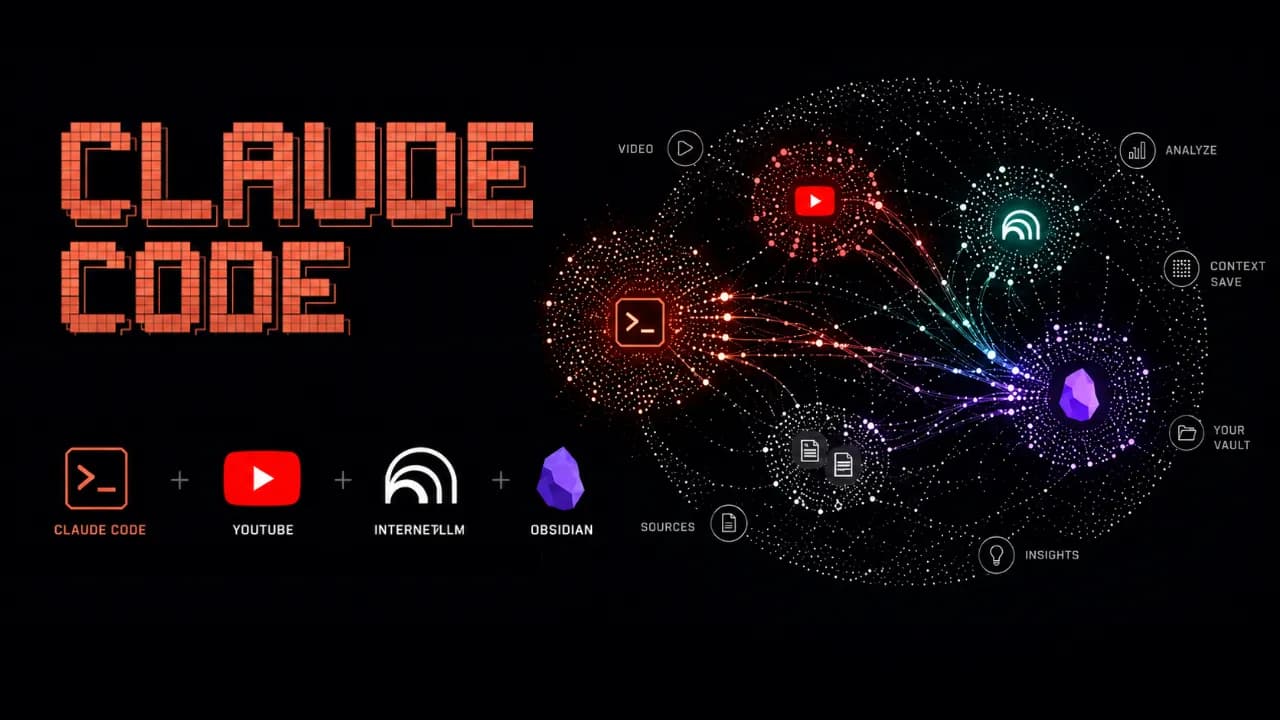
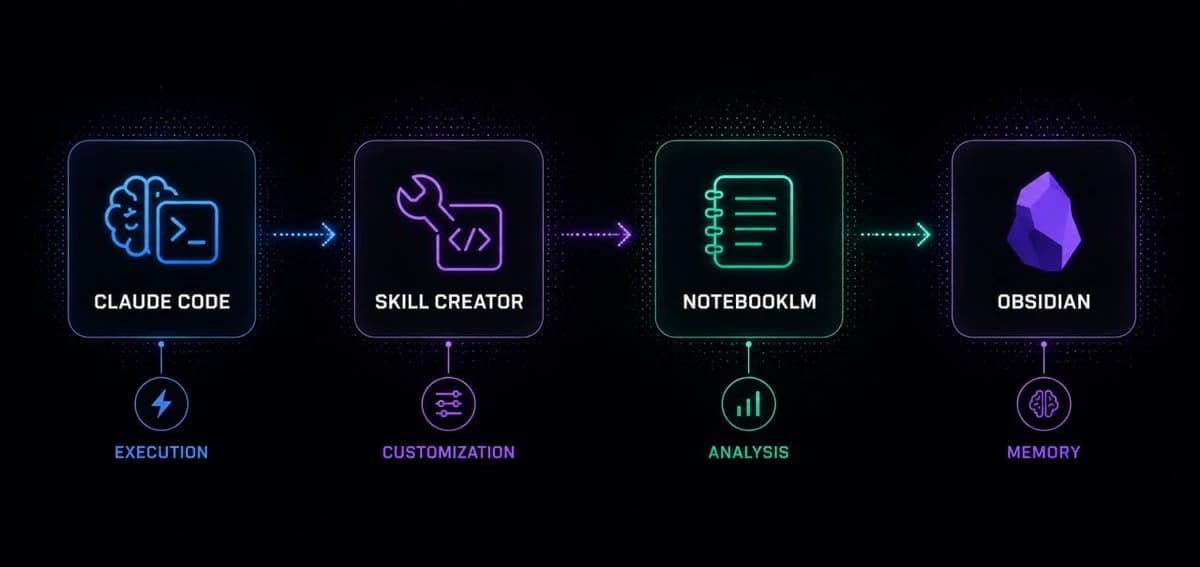
Combining Claude Code, NotebookLM, and Obsidian transforms research from a manual information-gathering process into an AI-powered system capable of automation and long-term knowledge accumulation. Claude Code orchestrates the entire workflow, from source discovery to final deliverables; NotebookLM handles reading, analyzing, and synthesizing information; while Obsidian stores every insight in a structured personal knowledge base. Instead of producing a one-off answer, this approach creates a research pipeline with persistent memory that becomes more intelligent over time, continuously improving its context and effectiveness while providing a solid foundation for future AI agents.
Many people still do research manually: opening a dozen tabs, watching videos, reading articles, taking notes in scattered places, and then spending even more time trying to synthesize the result. A long-form post by monokern on X suggests a different pattern: use Claude Code to orchestrate the workflow, NotebookLM to analyze sources, and Obsidian to store long-term memory. Done correctly, this is not just a search session. It becomes an AI workflow that compounds over time.
The core idea is practical: Claude Code does not need to do everything inside an expensive context window. It can call tools, run skills, create files, and offload heavy source processing to NotebookLM. The output is then saved back into Obsidian as markdown, giving the next research session better context. According to the original post, the initial setup can be completed in under 30 minutes if the required tools are already available.
Why does this stack work?
The strength of the workflow is that each tool owns a clear layer. Claude Code acts as the execution engine: it receives plain-language instructions, calls skills, runs commands, manages files, and coordinates the pipeline. Instead of forcing the user to operate each step manually, Claude Code becomes the system operator.
NotebookLM is the analysis layer. Google's research tool can read sources, summarize them, generate analysis, flashcards, mindmaps, infographics, or audio overviews. When Claude Code sends source processing to NotebookLM, the user benefits from Google's processing layer rather than spending Claude tokens on every piece of long-form digestion.
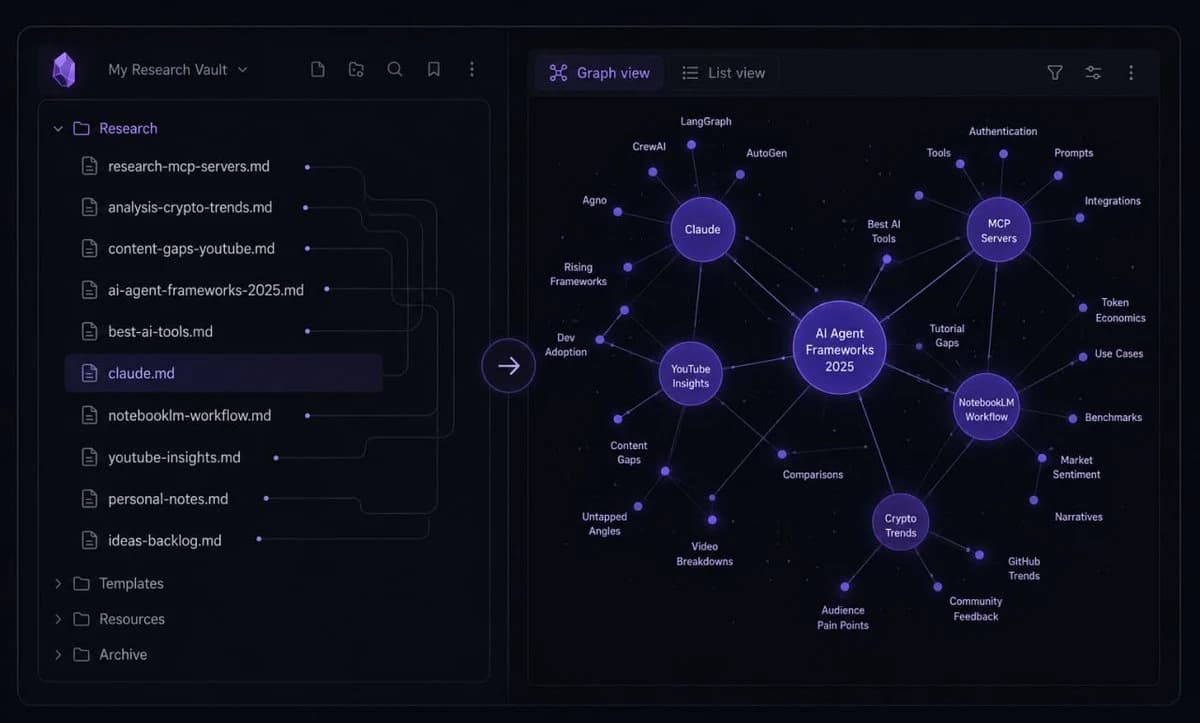
Obsidian is the memory layer. Every analysis result is saved as markdown in a personal vault. Over time, that vault becomes a structured knowledge base of topics, sources, observations, patterns, and conclusions. Claude Code can read those files later to understand what the user cares about, what formats they prefer, and how they tend to evaluate a topic.
Skill Creator turns the workflow into a reusable tool
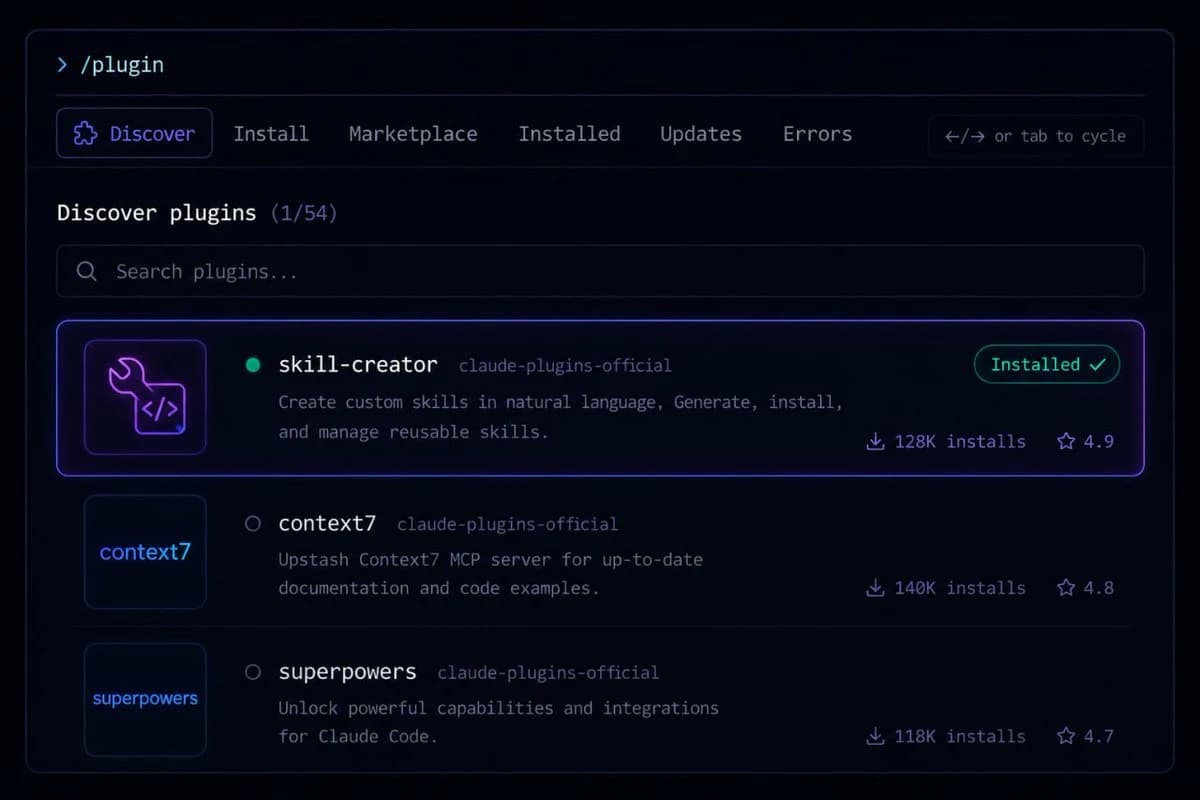
The first major step in the guide is installing Skill Creator inside Claude Code. This layer lets users describe a new capability in natural language, after which Claude Code creates the skill structure, installs it, and makes it available as a reusable command. In other words, instead of rebuilding the research prompt every time, the user packages the workflow as a dedicated skill.
The first example is a YouTube search skill. It uses yt-dlp to search videos by query and return metadata such as title, channel, views, duration, upload date, URL, and a views-to-subscribers ratio. For content or market research, this is more useful than a plain list of links because it shows which sources are actually attracting attention.
NotebookLM handles the heavy analysis
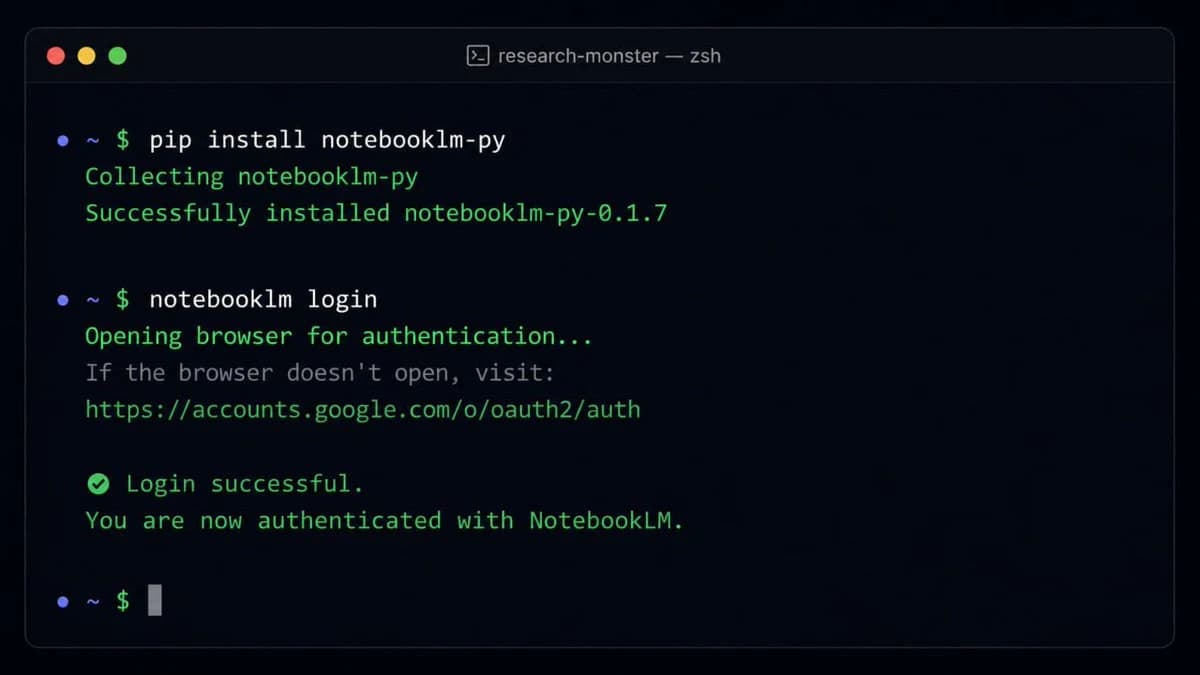
The post proposes connecting Claude Code to NotebookLM through notebooklm-py because NotebookLM does not currently provide an official public API. After installation and Google account authentication, Claude Code can use a custom skill to create a new notebook, add sources such as YouTube URLs, text, or files, and then ask NotebookLM to generate analysis or deliverables.
The key point is that NotebookLM is not only a summarizer. In a real research pipeline, it can receive 10 videos on a topic, analyze which frameworks are gaining traction, which ones are overhyped, where the community disagrees, and what content gaps remain uncovered. That processing takes time, but most of the work happens on the NotebookLM side.
The full pipeline: one command for a complete research task
Once the YouTube search skill and NotebookLM skill exist, the next step is to create a pipeline skill that combines both. The user gives a topic, such as researching AI agent frameworks in 2026, and the pipeline searches for relevant sources, creates a notebook, adds those sources, runs the analysis, and returns the result as markdown.
In monokern's example, the pipeline finds 10 video sources, sends them into NotebookLM, generates analysis, creates an infographic, and saves the result into Obsidian. The total processing time is described as around 6 minutes, most of which is NotebookLM processing. The practical value is that the user does not need to open every tab, copy every link, or manually combine the metadata.
The final output is more than a chat answer. It includes full analysis, source lists, engagement metrics, trend observations, a visual deliverable, and a markdown file saved into the vault. That is what separates this workflow from a normal chatbot interaction.
Obsidian makes the system smarter over time
Obsidian is the most interesting part. If the workflow runs only once, it already saves time. But if it runs regularly, every new markdown file makes the personal knowledge base richer. After a month, Claude Code can see recurring topics, the types of insights the user values, and the preferred format for results.
The post also highlights the role of the claude.md file inside the vault. This can become a configuration file describing working conventions, analysis style, and output preferences. After several research sessions, the user can ask Claude Code to read recent work and update that file so it better reflects the user's current process.
The real value is the structure, not YouTube
YouTube is only the data source in the example. The pipeline structure is the valuable part. Users can replace YouTube with academic PDFs, industry reports, public documentation, web pages, local files, transcripts, or Google Drive documents. As long as Claude Code can access the source and pass it into the analysis layer, the operational template stays the same.
This opens many practical uses: researching a crypto ecosystem through whitepapers and public documentation, analyzing an emerging technology through conference talks, mapping content gaps in a niche, or tracking market dynamics from public reports. In every case, the same three layers remain: collect sources, analyze them, and store knowledge.
What should you watch out for?
This workflow is powerful, but it is not for everyone. It assumes the user is comfortable with Claude Code, has an Obsidian vault, can install CLI tools such as yt-dlp, and is willing to use an unofficial library to connect to NotebookLM. Also, because NotebookLM and YouTube can change access patterns, these skills should be treated as maintained tools rather than install-and-forget automation.
Still, the underlying idea is important: instead of using AI as a disconnected chat box, turn it into a research system with memory, a pipeline, and the ability to learn from your own work history. For people who regularly analyze markets, technology, or content, this is far more practical than opening 10 tabs and manually stitching everything together.