4AIVN
Back to News

Chip Huyen's AI Engineering Book: Building Applications with Foundation Models

Published on 24 January, 2026
Chip Huyen's AI Engineering Book: Building Applications with Foundation Models

Quick Summary

Chip Huyen's book, 'AI Engineering: Building Applications with Foundation Models,' is a comprehensive guide to taking AI from the lab into production. It defines AI engineering as the process of building applications on top of existing models, giving software engineers an accessible path into the field. Across 10 chapters, the book covers model foundations, system evaluation, prompt engineering, RAG and agents, model fine-tuning, operations, and architecture. Drawing on practical Silicon Valley experience and a timeless approach, it addresses enterprise pain points, helps bridge gaps between teams, and has earned strong reviews from international and Vietnamese readers.

As artificial intelligence (AI) rapidly shifts from the lab to enterprise practice, the question is no longer "What can AI do?" but "How can AI be effectively integrated into products?". The book "AI Engineering: Building Applications with Foundation Models" (original title: AI Engineering: Building Applications with Foundation Models) by author Huyen Chip (Chip Huyen) emerges as a perfect solution, becoming a phenomenon in the global and Vietnamese tech communities.

The Rise of AI Engineering: When AI Isn't Just for PhDs

Previously, when AI was mentioned, people often thought of laboratories with mathematics PhDs focused on model training. However, the era of foundation models like GPT-4, Llama, or Claude has changed the game.

The book defines AI Engineering as the process of building applications based on existing models. The core difference from traditional ML Engineering is that engineers don't need to "reinvent the wheel." Instead, they act as connectors (wiring), optimizing and operating models to solve real-world problems. According to Huyen Chip, AI has now become a common component in software engineering, similar to how we use databases or JavaScript libraries. This opens up enormous opportunities for software engineers who want to transition into the field of AI without needing advanced degrees in higher mathematics.

Core Content: Systematizing the Entire AI Application Lifecycle

With approximately 750 pages in the Vietnamese version, the book doesn't stop at mere theory. The author has scientifically systematized 10 chapters of content, ranging from the most basic concepts to practical operational techniques:

Chapters 1 & 2 - Model Foundations

Understand the nature of LLMs (Large Language Models) and why they possess astonishing reasoning capabilities in the new era.

Chapters 3 & 4 - System Evaluation

This is the most crucial part. How do you know your AI is better after each modification? The author delves into quantitative evaluation methods, a huge challenge in generative AI due to the inconsistency of its output.

Chapter 5 - Prompt Engineering

Beyond simple prompting tips, this chapter provides programming mindset and optimization for interacting with models through natural language.

Chapter 6 - RAG & Agents (AI Agents)

Deciphering the RAG (Retrieval Augmented Generation) technique that helps AI access internal enterprise data and Agents capable of independently performing complex tasks.

Chapter 7 - Model Fine-tuning

Determine when enterprises need to fine-tune models. The book explains the LoRA technique in detail, making fine-tuning significantly cheaper and faster.

Chapters 8, 9 & 10 - Operations, Architecture & Feedback

Focuses on data engineering, inference optimization to reduce costs and latency, and how to establish a sustainable AI architecture based on user feedback.

Why This Book Is an Indispensable Companion in 2026

1. Practical Insights from Silicon Valley

Huyen Chip doesn't just write books based on research. She is an expert who has held important positions at NVIDIA, Netflix, and taught at Stanford University. Her experiences deploying AI at a scale of millions of users are distilled into every page, helping readers avoid real-world pitfalls.

2. Timeless Thinking

In an industry that changes weekly, the book focuses on foundational principles. Instead of chasing ephemeral tools, it teaches you systemic thinking that can be applied to any AI technology that emerges in the future.

3. Addressing Enterprise "Pain Points"

The book dedicates significant effort to analyzing real-world risks such as "hallucinations," data security, and AI ethics. These are concrete roadmaps that help enterprises confidently integrate AI into commercial production.

Bridging the Gap Between Departments in an Organization

An added value of the book is its ability to connect roles within an enterprise. This resource is extremely useful for:

  • Product Managers (PM): Understand technical limitations to design feasible AI product roadmaps.
  • Technology Leaders (CTO/Tech Lead): Gain a comprehensive overview of necessary costs, personnel, and infrastructure.

Reviews from International and Vietnamese Readers

Luke Metz, co-creator of ChatGPT at OpenAI, commented that this is a "comprehensive and holistic guide" for deploying generative AI. In Vietnam, the translation by Lê Thanh Hưng is highly praised by the community for its meticulousness in rendering specialized terminology in an easy-to-understand manner.

The Vietnamese version, published by Times in collaboration with Science - Technology - Communications Publishing House, quickly became a focal point on major bookstore systems like Fahasa and NetaBooks.

Conclusion

"AI Engineering: Building Applications with Foundation Models" is not just a technical book but also a roadmap for anyone looking to position themselves in the AI era. If you want to transition from an AI user to a professional AI system builder, this is an unparalleled starting point.

Discussion (0)

Log in to join the discussion.

No comments yet. Be the first!

Related Articles

Humans beat Figure AI's robot in a goods sorting race

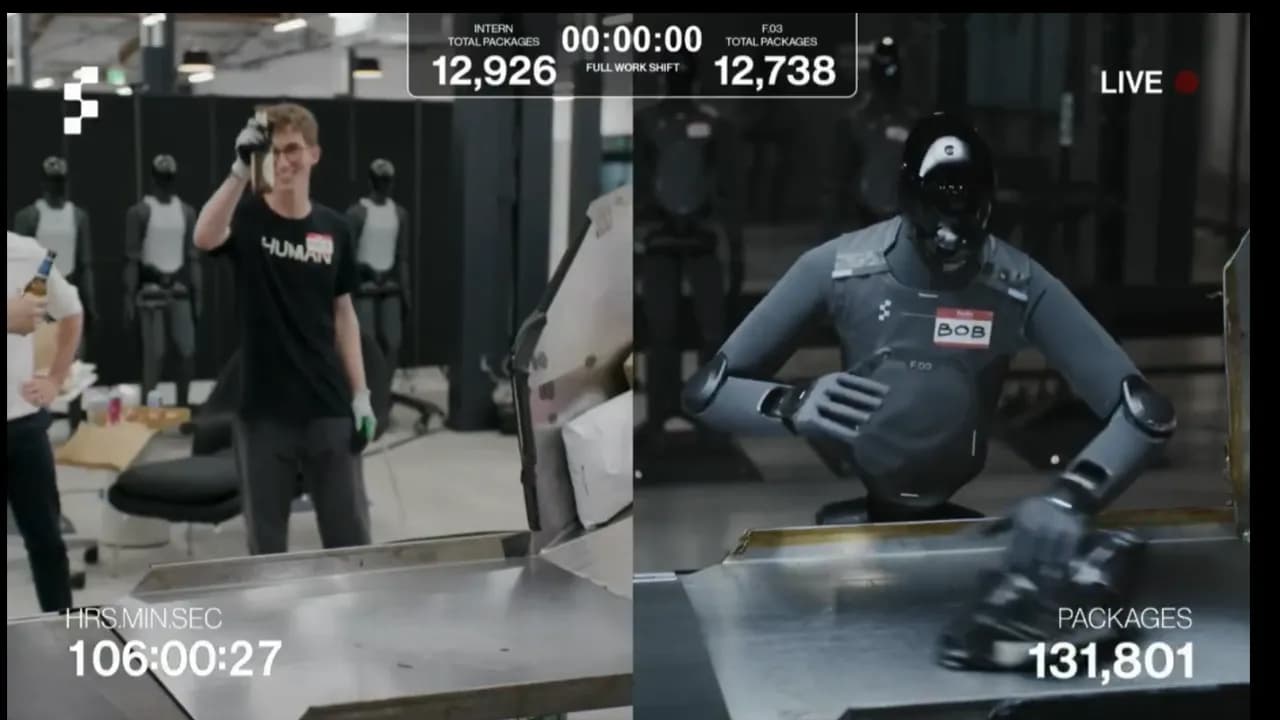
The human won. But his left arm was nearly broken, his fingers blistered, and he admitted he was about 30 minutes away from giving up during a live goods-sorting competition at Figure AI. The robot, of course, was still running — no fatigue, no pain, no need for a break. That's the story behind the human "victory" medal in this head-to-head sorting showdown. A 10-hour showdown between human and machine Figure AI — the humanoid robotics company valued at $39 billion — staged a live test called "Man vs. Machine": robot F.03 (Figure 03) versus an intern named Aime in a 10-hour goods-sorting shift. The task was repetitive to the point of monotony: scan a barcode, pick up a package, place it barcode-down onto the conveyor belt — over and over, without stopping. End-of-shift results: Aime (human): 12,924 packages — averaging 2.79 seconds per item F.03 (robot): 12,732 packages — averaging 2.83 seconds per item The margin: 192 packages and 0.04 seconds per cycle. By the literal scoreboard, the human won. But what does "winning" actually mean here? CEO Brett Adcock wrote on X after the match: "Congrats Aime! He said his left arm is basically broken 😂 This is the last time a human will ever win." During the competition, F.03 briefly overtook Aime around the fifth hour — exactly when he stood up to use the bathroom. The robot doesn't need that. It just needs a power supply. [VIDEO:CvkcPKlnQY4|Livestream of the human vs. robot sorting match|Livestream of the human vs. robot sorting match] And that's precisely the point the 12,924 vs. 12,732 scoreline fails to capture. The robot doesn't high-five or crack open a beer After 10 hours, Aime sat down, rubbed his arm, and exhaled. He admitted another 30 minutes would have forced him to quit due to lower back pain and forearm strain. F.03 kept running — no celebration, no rest, no one needed to pat it on the back. And almost certainly, while Aime slept that night, the robot was still sorting the next shift. Under California labor law, Aime is entitled to a paid lunch break and rest periods during his shift. The robot falls outside the scope of any labor code. This isn't an injustice — it's the nature of the problem: humans and machines are playing by two entirely different sets of rules. One shift versus a full work week Performance comparisons typically focus on an 8–10 hour window. But extend the measurement to a full work week and the picture changes entirely. Figure AI had previously demonstrated that F.03 can run continuously for 24 hours, processing over 30,000 packages without a single downtime error. Humans work five days a week; the robot can run seven days, across three shifts. An expert at Ohio State University noted that during the livestream, F.03 still made errors — misplacing packages and dropping items off the conveyor. Humanoid robots remain a "science project" for many real-world deployment environments. What kind of robot is Figure 03? F.03 was unveiled by Figure AI in October 2025. The robot stands 5'8" (about 173 cm), weighs 61 kg, can carry up to 20 kg, and charges wirelessly through a pad integrated into the sole of its foot. A standout feature is its tactile fingertips, which can sense forces as light as 3 grams — sensitive enough to handle fragile objects without breaking them. At BMW's Spartanburg plant, the previous generation (F.02) assembled over 30,000 vehicles with 99% accuracy. Figure is now building a factory called BotQ with an initial capacity of 12,000 robots per year, targeting 100,000 robots per year within a few years. Why does this result matter — even though the human won? Not because robots are about to take every warehouse job tomorrow, but because the performance gap between humans and machines in repetitive physical labor is narrowing at a concerning pace. A year ago, F.03 likely would have lost by a much wider margin — today the gap is just 0.04 seconds per package. Adcock has already announced improvements to both hardware and AI software for next year, and according to him, next time humans won't have a chance. Worth noting: this competition wasn't designed for the robot to win immediately. It was designed to prove the robot is close enough to keep pace with a human — and from there, create both psychological and commercial pressure across the logistics market. Microsoft AI CEO Mustafa Suleyman has forecast that AI will automate most office work within 12–18 months. For physical labor, this competition suggests the boundary is thinning fast — and "the last time a human will ever win," in the most literal sense, may not be far off. What remains after the race The trial's results have sparked lively debate about the future of the logistics labor market. Now that humanoid robots have reached near-human performance levels, scaling their deployment is largely a question of time and manufacturing cost. Businesses will increasingly shift repetitive, physically demanding tasks to machines. That said, this doesn't mean humans will be entirely replaced in smart warehouses. Rather, human workers and intelligent AI systems will migrate toward roles in system supervision, handling complex edge cases, and managing supply chains at a higher level. The right combination of robotic endurance and human judgment will define the next generation of high-efficiency warehouse operations.

Nam
19 May, 2026
Building a second brain with Karpathy's LLM Wiki

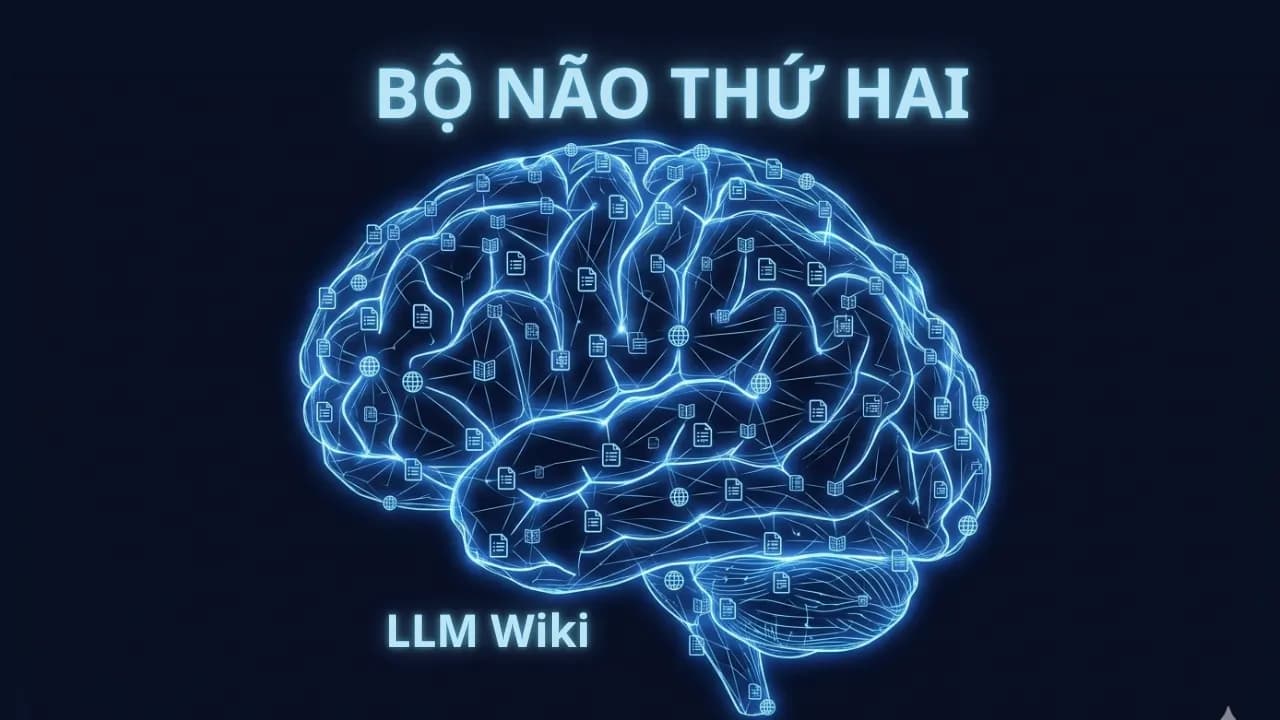
Andrej Karpathy, co-founder of OpenAI, former Director of AI at Tesla, and the person who coined the term "vibe coding," shared on X how he uses AI, and the answer isn't writing code faster. It's building a self-maintaining, self-linking, self-updating knowledge system for a second brain, which he calls LLM Wiki. His research wiki on a single topic has reached 100 articles and 400,000 words, and notably, every word was written by AI without him typing a single character. The problem with how we currently use AI to organize knowledge Does RAG accumulate knowledge over time the way our brains do? Most current AI tools process documents using a RAG model: you upload a document, ask a question, the system finds relevant passages, and the AI synthesizes an answer. Google's NotebookLM, ChatGPT with file uploads, and most AI workflows use this approach because it's simple and easy to deploy. But Karpathy points to a core problem that few people notice: RAG does not accumulate knowledge. Every time you ask a question, the system starts from scratch, reading the documents again, finding relevant passages, assembling an answer. Ask the same question the next day and it repeats the entire process as if nothing happened before. A document from March and a document from October don't connect to each other on their own. Nothing accumulates and nothing is learned from the previous session, which is nothing like how our brains actually work. Karpathy describes the shift in his own thinking with one short sentence that says a lot: most of the tokens he now consumes are no longer going into manipulating code but into manipulating knowledge. How does LLM Wiki work? LLM Wiki is not software, it's an Obsidian thinking architecture Karpathy's idea is not a new piece of software or library. He published it as an "idea file" to create an Obsidian-like architecture. He created a GitHub Gist designed to be copy-pasted directly into an AI agent like Claude Code or OpenAI Codex, then let the agent build the system according to that architecture together with the user. This means you install nothing. Instead, you describe the architecture to the AI and the AI implements it for you. Three core architectural layers of the Wiki The system is organized into three distinct layers, each playing an irreplaceable role: Raw source folder (raw/): Where you drop any document, whether PDF, article, transcript, note, or tweet, and AI reads it but never modifies this folder. The design principle here is important: collect first, organize later. You don't need to sort or prepare documents before adding them. Wiki folder (wiki/): This holds all the Markdown files that AI creates and maintains. It's where knowledge is compiled, linked, and synthesized. Every document in raw/ gets read by AI and integrated into the wiki, updating existing pages, noting contradictions, and creating backlinks to related concepts. Configuration file (CLAUDE.md or equivalent): A ruleset that tells the AI how to organize the wiki, format articles, handle contradictions, and maintain consistency across the entire system. Karpathy describes the relationship between components with one vivid sentence: "Obsidian is the IDE. The LLM is the programmer. The wiki is the codebase." You don't write the wiki yourself. Instead, you ask questions and explore while AI handles the tedious work of maintaining and updating the knowledge base. The self-maintaining loop is the real differentiator Three operations running continuously without intervention What makes LLM Wiki different from ordinary AI note-taking tools is the active loop that runs after the wiki is built. AI doesn't just summarize documents once and stop. It runs three continuous operations: Ingest: When you drop a new document into the source folder, AI reads it, extracts key information, and integrates it into the wiki by updating existing pages, creating new ones where needed, and flagging where new information contradicts old information rather than arbitrarily deleting either. Query: You ask in natural language, and because the wiki has already been compiled and structured, AI answers with high accuracy and can cite specific pages rather than assembling an answer from scattered passages the way standard RAG does. Lint: AI periodically scans the entire wiki to detect broken links, isolated pages with no connections to the rest, contradictions between pages, and knowledge gaps not yet covered. Karpathy calls this "CI/CD for the knowledge base," meaning the system audits its own quality continuously. Karpathy explains why this system is more sustainable than human-maintained wikis with one simple but precise observation: "People give up on wikis because the maintenance burden grows faster than the value they deliver. LLMs don't get tired, don't forget to update cross-references, and can edit 15 files in a single run." Why RAG isn't needed at personal scale Context windows are now large enough to replace vector databases The most debated argument in Karpathy's proposal is that RAG is unnecessary at personal scale. His logic is this: a comprehensive second brain covering an entire research domain typically compiles to somewhere between 500,000 and 2 million tokens in Markdown. With the long context windows available in current models, that entire wiki can fit into a single query context without needing any complex vector search infrastructure. Karpathy reports that at around 100 articles and 400,000 words, the system handles complex questions well without any vector database or RAG infrastructure, because AI builds and maintains its own index and summary files and navigates the full text collection efficiently through that self-built structure. One important caveat: this limit is real. When a wiki grows past a certain threshold, perhaps a few million tokens, the context window does become a genuine bottleneck, and at that point search tools like qmd (a hybrid BM25/vector search tool for Markdown) will need to be integrated to maintain performance. How to get started in 15 minutes The first steps to building your first wiki Karpathy designed this system so that anyone with Claude Code or an equivalent AI agent tool can deploy it immediately without deep technical knowledge. The basic process has four steps: Create a new Obsidian vault. This is simply a folder on your computer where all Markdown files will be stored. Obsidian is just the interface you use to read and navigate. Create two subfolders: raw/ for source documents and wiki/ for AI to write and maintain. These two folders are all you need to set up manually. Copy Karpathy's GitHub Gist at GitHub and paste it into Claude Code or whichever AI agent you're using. The Gist is written as a set of instructions for the agent, letting the agent build the detailed implementation together with you rather than you doing everything yourself. Drop a few initial documents into raw/ and let the agent begin compiling the wiki. From here everything runs on its own. The entire system runs locally with just two dependencies: Obsidian for viewing and navigation, and an AI agent for writing and maintenance. This means no vendor lock-in, no data sent to the cloud if you use a local model, and no subscription fees beyond the API costs of whichever model you choose. LLM Wiki compared to MemPalace, Mem0, and Zep Four different philosophies for the same problem Around the same time Karpathy's LLM Wiki gained attention, the AI community was also discussing MemPalace, an open-source memory system built by actress Milla Jovovich and engineer Ben Sigman that scored 96.6% on the LongMemEval benchmark. All four systems, LLM Wiki, MemPalace, Mem0, and Zep, address the problem of AI not remembering context between sessions, but they do so through four very different philosophies suited to four different needs. The easiest way to understand the differences is through a concrete scenario: you have six months of AI conversations about a research project, covering every decision, every argument, every discarded option. You open a new session and ask: "Why did we choose direction A over B back then?" Each system answers in a completely different way. Mem0 works like a secretary who takes meeting notes. It uses AI to read conversations, extract important facts such as preferences and decisions made, and stores them in a vector database. When you ask again, it finds the fact closest to your question and returns it. Fast, easy to integrate, and well suited to commercial chatbots, but the reasoning behind a decision and the chain of logic that led there is usually gone because the AI already decided that part wasn't important. Zep goes one step further with a time-aware knowledge graph. It doesn't just remember "you preferred X" but "in January you thought X, in March you switched to Y because of Z." Its strength is understanding change over time and it suits applications that need to track user progress, but Zep still uses AI to decide what enters the graph, so there's still a risk of losing important context, especially complex reasoning the AI judged as unnecessary. MemPalace takes the opposite philosophy entirely: store everything, then make it findable. Instead of letting AI decide what's worth remembering, MemPalace stores the full verbatim text of every conversation into ChromaDB and organizes it in a hierarchical structure inspired by the ancient Greek memory palace technique: Wing, Hall, Room, Closet, Drawer. Nothing is filtered out but everything has a clear address for retrieval, and the system runs entirely locally without sending data anywhere. Karpathy's LLM Wiki solves a fundamentally different problem from the other three. Instead of remembering conversations, it compiles documents into structured knowledge. You don't feed it chat history but rather articles, transcripts, and research notes, and AI builds a linked, summarized, queryable Markdown wiki. Each new document isn't just stored but integrated into existing knowledge, creating new connections between concepts and enriching what is already known. Comparison table to choose the right tool for the right need table { width: 100%; border-collapse: collapse; margin: 20px 0; font-family: Arial, sans-serif; } th, td { border: 1px solid #ddd; padding: 12px; text-align: left; } th { background-color: #f4f4f4; font-weight: bold; } tr:nth-child(even) { background-color: #fafafa; } tr:hover { background-color: #f1f1f1; } Criteria LLM Wiki MemPalace Mem0 Zep Data source Research documents, articles, transcripts AI conversation history Conversation history Conversation history Storage method Structured Markdown, AI compiled Full verbatim text, spatial hierarchy Facts extracted by AI Time-aware knowledge graph Does AI filter information? Yes, AI decides how to organize No, everything is stored Yes, AI selects important facts Yes, AI selects entities and relations Runs locally? Yes, only Obsidian and a model needed Yes, ChromaDB and SQLite on device No, cloud service No, cloud service Best suited for Research, learning, document synthesis Long-term AI context memory Chatbots, commercial applications Apps tracking user progress over time Weaknesses Doesn't remember conversations, requires initial setup Storage-heavy, no visual UI yet Loses complex reasoning Cloud dependency, still risks losing context The most important thing to remember when choosing: LLM Wiki and MemPalace solve two different problems and can be used together rather than choosing one over the other. MemPalace remembers the history of your conversations with AI, meaning it knows what you said, what you decided, and how your thinking changed. LLM Wiki organizes knowledge from the outside world, the articles you read, the videos you watched, the documents you collected. Combining both lets AI understand both who you are and what field you're researching, and together they form a more complete second brain. The most thought-provoking insight from LLM Wiki Most of us use AI as a tool for generating temporary answers. Each session starts from scratch and nothing accumulates. Karpathy's LLM Wiki suggests a different direction: using AI as a knowledge compiler, where each new document isn't just stored but integrated into an existing structure, creating new connections and enriching what is already known. If you're researching a specific domain, whether AI, technology, finance, or anything else, this is worth trying today. Create a folder, drop in five articles you've read recently, and let Claude Code begin building the first wiki. After one week of adding documents consistently, you'll see the difference between an archive and an actual knowledge base.

Nam
11 Apr, 2026
What is Google Stitch AI? A beginner's guide to UI design

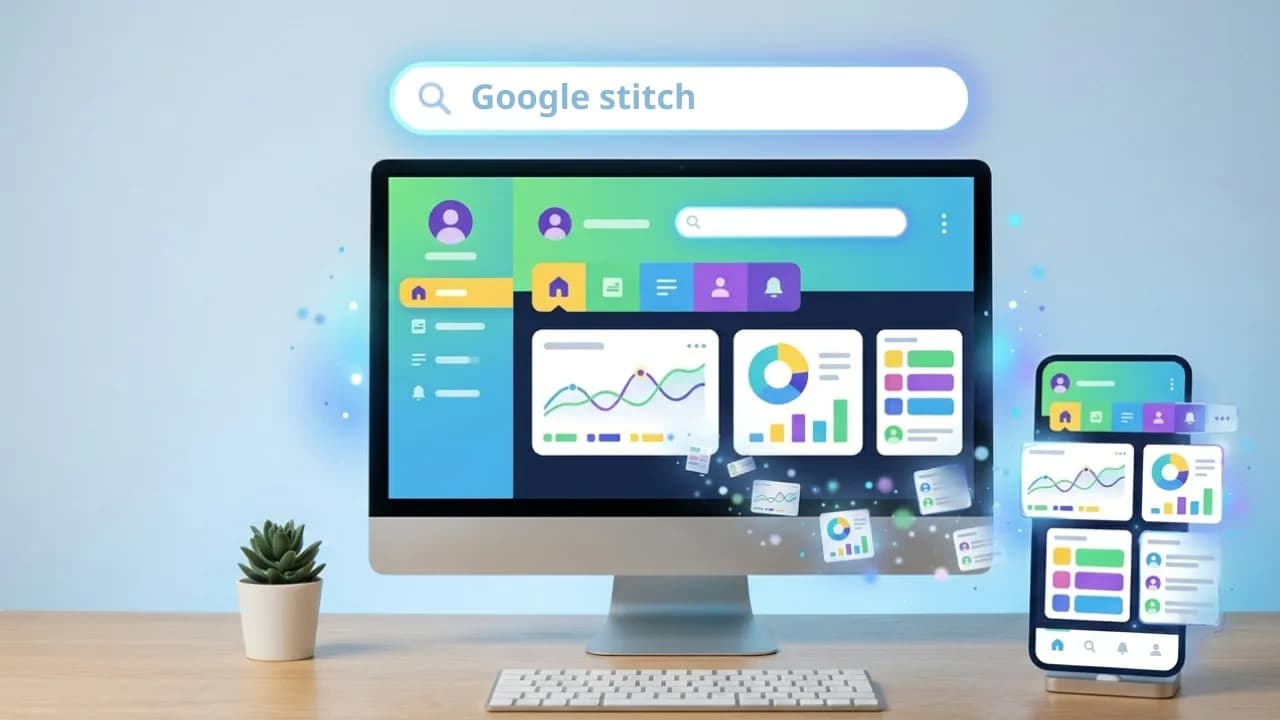
You have an idea for an app or website in your head but don't know Figma, don't know how to code, and don't want to spend weeks learning either. Google Stitch was built for exactly that situation: you describe an interface in plain English and AI generates a complete screen in under a minute. What is Google Stitch? Google Stitch is a free AI UI design tool developed by Google Labs, launched at Google I/O 2025 and currently powered by Gemini. You access it entirely through a browser at stitch.withgoogle.com with no installation required, just sign in with a Google account. What sets it apart from Figma or Canva is that Stitch doesn't ask you to drag, drop, or select individual components. You simply describe what you want, for example "a landing page for a space technology app using purple as the primary color," and Stitch generates a complete interface with colors, fonts, and layout already in place. The output is real HTML and CSS, not a screenshot. Getting started with vibe design in Google Stitch in 3 steps Step 1: Write an effective prompt The quality of your vibe design depends heavily on how you describe your prompt. A good prompt needs three elements: the type of screen, the target user, and the emotion or style you want to convey. Weak prompt example: "Create a homepage for an app." Strong prompt example: "Design a modern landing page for a SaaS product from a space technology startup called LaunchPad. Use a deep navy and neon purple color palette. Include a hero section with a 'Get Started' button, a 3-column feature grid, and a pricing section with a frosted glass effect." Here is what that produced: Stitch also supports uploading hand-drawn sketches, reference screenshots, or even voice input so AI can better understand the direction you have in mind. Step 2: Flash or Pro mode? Google Stitch currently offers two generation modes. Flash uses Gemini Flash, produces results faster, and works well for simple screens or when you want to explore multiple ideas quickly. Pro uses Gemini Pro, delivers more detailed and complex interfaces but consumes more quota. With a free account you currently get 350 standard generations and 50 experimental generations per month. For beginners this is more than enough to experiment freely, though if you are working on a real project it is worth saving Pro quota for your most important screens. Step 3: Where to export? Once you have a design you are happy with, Stitch gives you four export options. Paste into Figma: Stitch generates a code snippet you copy and paste directly into Figma. Best if you are working with a team that has designers or need more detailed editing in a familiar environment. Download as ZIP: You receive the complete HTML, CSS, and image files packaged together, ready to open locally or drop into any development environment. Export via MCP to Antigravity: This is the best option if you want to go from design to a working product. Antigravity shares Google's ecosystem so connecting to Stitch via MCP requires minimal setup, and from there an AI agent reads the full design directly and generates complete React or Flutter code without you copying or pasting any files. A detailed guide on this workflow is coming soon. Copy prompt for an AI agent: Because Google Stitch supports MCP, any platform that supports MCP can pull the full design description from Stitch directly, including Claude Code, ChatGPT, and Grok. What Google Stitch does well and where it still falls short The clearest strength is the speed and quality of the output. A complex screen with multiple components can appear in 30 to 60 seconds, with clean and immediately usable HTML and CSS. It also does a good job of maintaining consistent colors, fonts, and spacing within the same project, making multiple screens feel like they belong to the same design system. There are a few practical caveats worth knowing. Layouts can sometimes shift or components overlap, especially on screens with many layers of information, so reviewing carefully before going to production is important. The output is plain HTML and Tailwind CSS rather than React components or Vue, so if your project uses a specific framework you will need an additional conversion step unless you use Antigravity to handle that automatically. Image upload for incorporating into designs is also still fairly limited compared to Figma. Where to start with Google Stitch Don't try to design an entire app in one session. Start with the simplest screen in your idea, whether that is a login page, a homepage, or a product detail view. Write a detailed prompt following the guidance above, run both Flash and Pro to compare results, then refine by continuing to chat with AI inside the same Stitch interface. Once you have a screen you are satisfied with, that is the right moment to try exporting to an AI agent platform and turning that design into something real. The full journey from prompt to working demo can be completed in around three to four hours once you are familiar with the workflow. The refinement work afterward still takes time, but it is significantly faster than the traditional approach.

An
24 Mar, 2026