Google Antigravity AI tool changing the workflow
Quick Summary
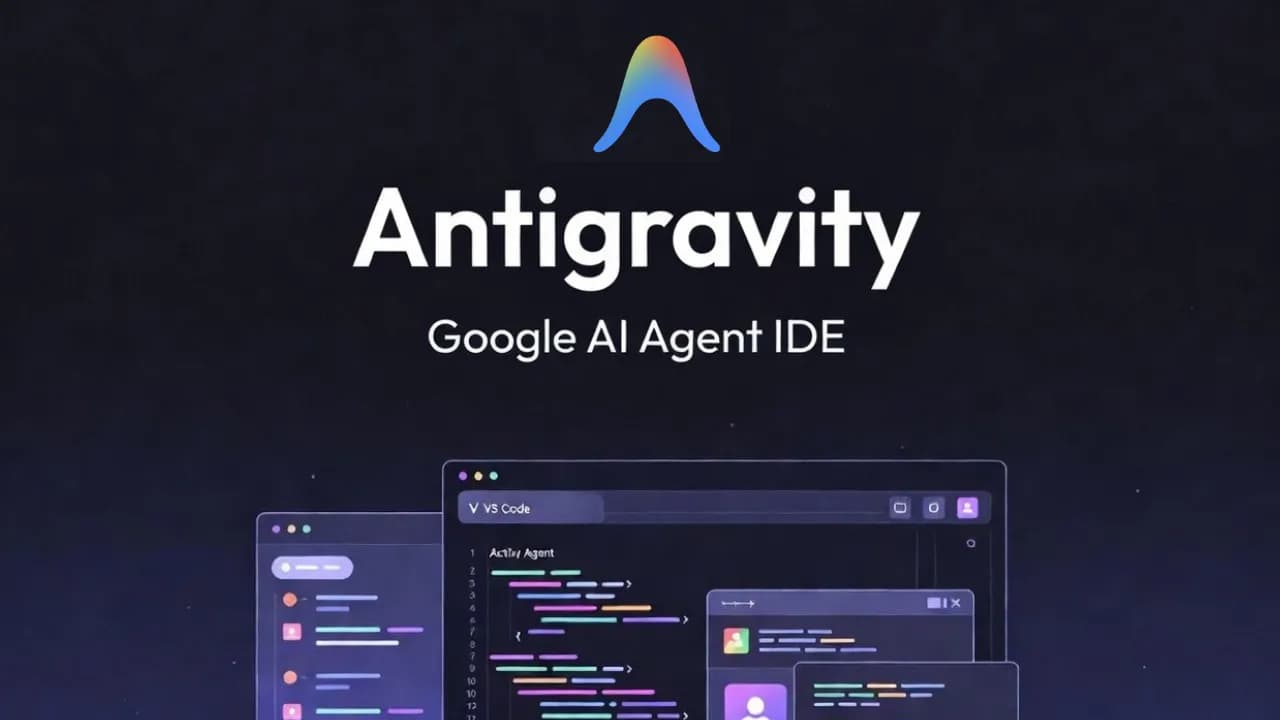
Google Antigravity IDE is a next-generation AI agent tool from Google, operating asynchronously to automate the programming workflow, orchestrating multiple agents running in parallel, and interacting directly with web browsers to optimize work performance significantly.
You type a command, AI plans it out, opens the terminal, writes code, opens the web browser to test, and reports the results back. Antigravity does all this while you are drinking coffee. That is not a future scenario; it's how Google Antigravity works, and it has completely changed how I approach building products and automated workflows.
What is Google Antigravity?
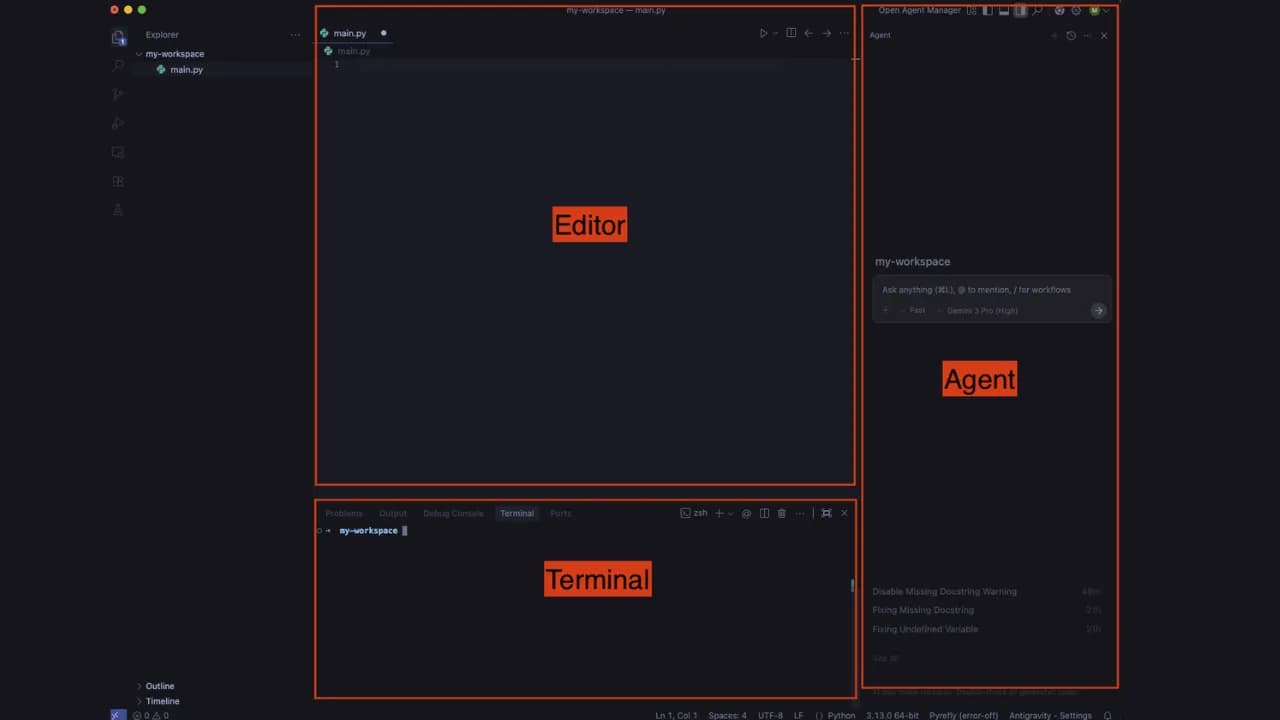
Antigravity is a next-generation IDE launched by Google in late November 2025, alongside Gemini 3. It is built on VS Code but with a completely different architecture: instead of AI sitting in the sidebar suggesting lines of code, the AI in Antigravity works as a true agent once granted permissions. We can assign tasks, and Antigravity completes them on its own, yielding results very similar to Manus and Flowith, but here Antigravity is more geared toward a coding workspace.
The biggest difference from Cursor or GitHub Copilot is that Antigravity does not ask you step-by-step but operates asynchronously. When you assign a task, the agent runs in the background while you do other things and then return to see the results. Antigravity completed a typical Next.js + Supabase feature in 42 seconds compared to Cursor's 68 seconds, and its refactoring accuracy reached 94% compared to Cursor's 78%.
Antigravity already has software supporting macOS, Windows, and Linux, so users do not need to worry about software compatibility but only about API calling costs. Besides using the default Gemini 3 and Gemini 3 Pro, Antigravity also supports Claude Sonnet, Claude Opus, and GPT-OSS quite well, which is great to not be locked into Google's ecosystem when Claude Sonnet and Claude Opus are leading the market.
Key features of Antigravity IDE
Direct editing with AI assistance
With a familiar interface like VS Code, developers can edit code manually or have AI assist with specific sections. Suitable when you want to control every step or handle code sections that require high attention.
Orchestrating parallel agents
This is what truly sets Antigravity apart with its "mission control". You don't need to write code here but coordinate multiple agents running in parallel. For example, one agent is refactoring module A, another is writing tests for module B, and a third is debugging a UI error on the web browser. You monitor progress, leave comments just like on Google Docs, and the agent adjusts itself without needing to stop and wait.
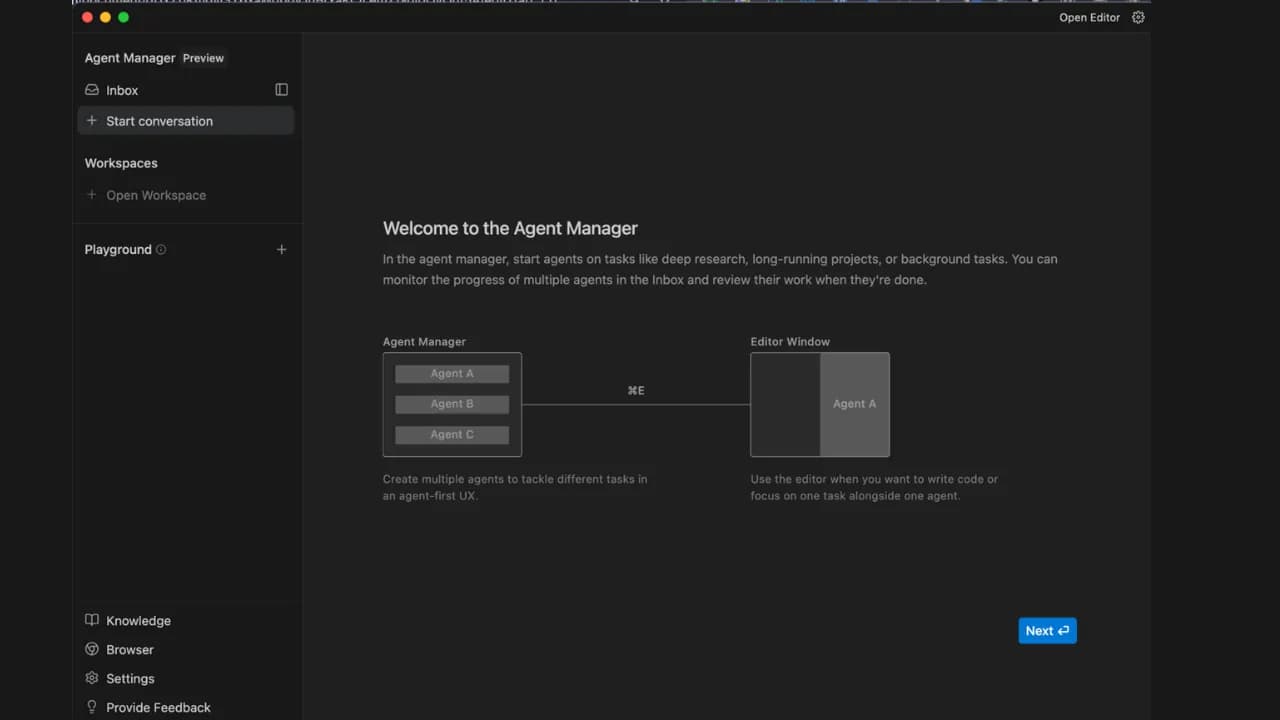
Accessing and controlling web browsers
This is the feature I found most impressive when I first used it. Antigravity can open web browsers like Chrome, Firefox, etc., when granted permissions. From there, it can navigate websites, fill out forms, and check interfaces completely automatically. However, note that Antigravity operates exactly like Puppeteer, so it can only interact with tasks on the browser, and when necessary, it can process images and take screenshots, and of course, it doesn't work with websites that have bot blocking enabled.
Antigravity's logic is very clear
This is my favorite feature when working with Antigravity. Instead of dumping raw code onto the screen, the agent generates readable deliverables like task lists, implementation plans, and screenshots of the running app so you can check the agent's logic both before and after completing the task. This helps you always know what the agent is doing to evaluate it.
What is Antigravity being used for in practice?
Many people hear about Antigravity and immediately think it's a tool exclusively for professional programmers. In reality, that's not true because its application scope is much broader than its technical appearance.
Building and deploying websites
This is the most popular use case. You describe the website you want to build — tech stack, features, design style — the agent writes the code, tests it on the browser, and fixes errors itself. Combined with Google Stitch via MCP, you can go from UI design to an actually running product without switching back and forth between multiple tools.
Example prompt used in Antigravity: "Build me a landing page using Next.js and Tailwind CSS for a team task management SaaS product. Include a hero section, a 3-tier pricing table, and an email registration form. Deploy it to localhost and take a screenshot of the result."
Automating repetitive workflows
One of the most practical strengths. You can ask Antigravity to automatically crawl data from multiple sources, compile and send reports on a schedule, or automatically fill out forms and perform repetitive actions on the browser — things that previously required writing custom scripts or using complex automation tools.
Example prompt: "Every morning at 8 AM, go to my website's analytics page at [URL], get the pageview count and the top 5 articles, and check the info of the 5 articles on my Facebook fan page at [URL], compile it into a markdown file, and save it in the /reports/daily folder."
Building AI agent systems
This is a use case where Antigravity truly outshines other tools. Instead of just writing a single piece of code, you can describe an entire pipeline — for example, "create a system to analyze product reviews from multiple sources, classify sentiment, and automatically tag them into the database" — and then let Antigravity design the agent architecture, divide tasks, and deploy it step by step.
Example prompt: "Create a system with 3 agents: agent 1 crawls product reviews from Shopee and Lazada every day, agent 2 analyzes sentiment and classifies them by topic, agent 3 compiles them into a weekly report and saves it to Google Sheets."
Refactoring and improving existing codebases
If you have an old project that needs upgrading, Antigravity is especially useful when doing large-scale refactoring that can change the entire file structure, update dependencies, and write test coverage for untested code. The agent reads the entire codebase, understands the context, and makes consistent changes across multiple files at once instead of fixing them one by one.
Example prompt: "Read the entire codebase in the /src folder, act as a security expert to check for SQL injection flaws, OWASP vulnerabilities, and propose fixes so that the logic remains unchanged and ensure there are no errors after refactoring."
Researching and compiling information from the web
Since Antigravity can control the browser, you can use it to automatically access multiple websites, extract information according to your predefined structure, and compile it into a report or database — suitable for research tasks that require gathering data from multiple sources, which would be very time-consuming if done manually.
Example prompt: "Go to these 10 AI news websites [list of URLs] and fan pages [list of URLs], find posts in the past 7 days, extract the title, a 2-sentence summary, and the original link, and save them in a CSV file ordered from newest to oldest."
Frequently asked questions when using Antigravity
Is Antigravity free?
There are both free and paid plans.
- The free plan has a weekly quota reset with limited rate limits, enough for testing and small projects.
- The Pro/Ultra plan has a quota reset every 5 hours and receives the highest priority, which is very suitable if you use Antigravity daily for actual work.
Can Antigravity work with Word, Excel, PDF files?
Antigravity installs Puppeteer, so it mainly operates through web browsers and cannot directly impact file types like Word, Excel, or PDF yet. If you need to process these files, you must add them to the workflow and mention them in the configuration so the agent knows the correct approach.
What to do if AI is unresponsive or freezes?
This is a fairly common error, especially during peak hours when many users are online simultaneously. In most cases, just restarting Antigravity is fine, no need to worry about losing data or having to set everything up from scratch. Additionally, use git and commit frequently before assigning large tasks to avoid losing code if the agent stops midway.
Antigravity is truly a very powerful tool, so why don't we try it right now. Users can download it at antigravity.google/download and start with a small project — not just to test features but to understand this new working mindset before applying it to real projects.