4AIVN
Back to News

Nvidia NemoClaw: the security platform of OpenClaw for enterprises
Published on 17 March, 2026
Nvidia NemoClaw: the security platform of OpenClaw for enterprises

Quick Summary

Nvidia shocked GTC 2026 by launching NemoClaw, an enterprise-grade AI agent platform addressing OpenClaw's security flaws. Developed alongside Peter Steinberger, NemoClaw uses OpenShell to prioritize privacy and data security. Nvidia also introduced the new Vera CPU with superior performance for agentic AI, expects $1 trillion in AI chip revenue by 2027, and formed the Nemotron Alliance to drive open-source AI, solidifying its leadership in the AI agent era.

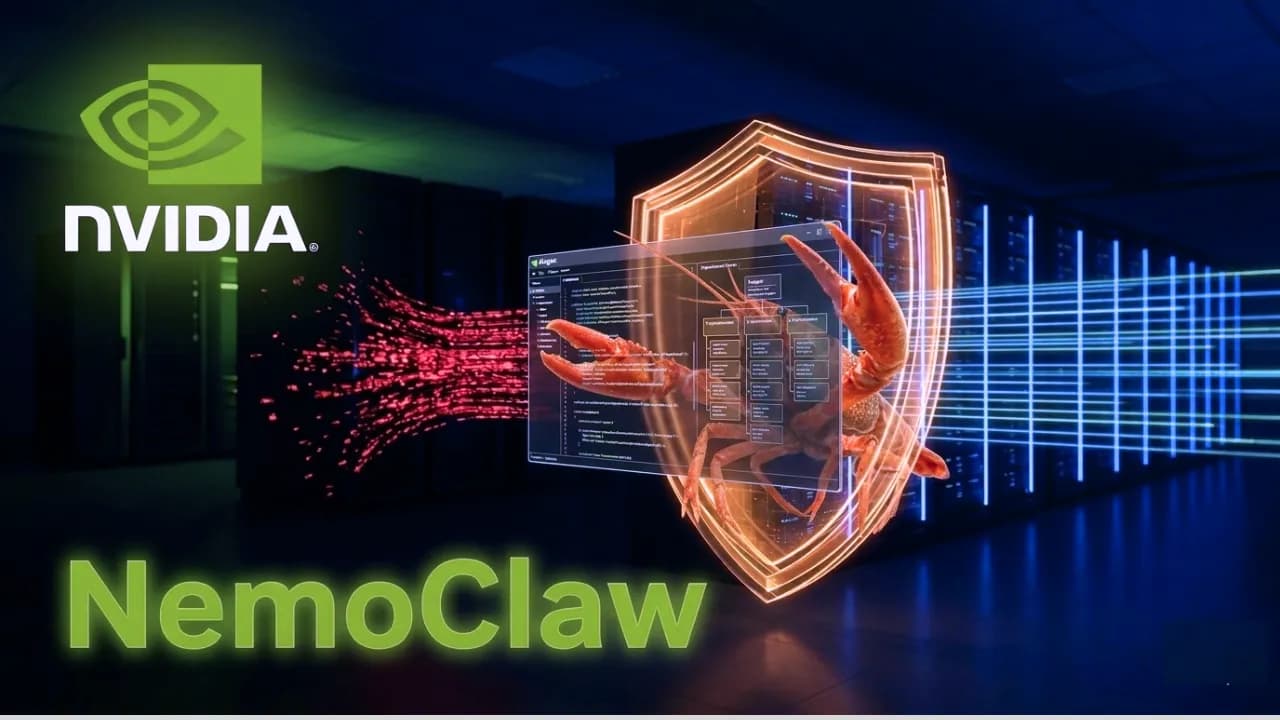
Enterprise IT departments surely ban OpenClaw on internal computers. The reason is not that the tool is ineffective, but because nobody can control what company data flows through it. This is a risk that businesses face when deploying AI agents without a reliable security solution. At GTC 2026, Nvidia answered directly with NemoClaw, a platform built on OpenClaw but adding the entire enterprise-grade security layer that the original version lacked.

What is OpenClaw and why enterprises are hesitant to use it?

If you don't know what OpenClaw is, here is the quickest way to understand: instead of sitting and instructing the AI step-by-step, OpenClaw allows you to create autonomous AI agents that work continuously without your intervention. Developed by engineer Peter Steinberger, who has since joined OpenAI, this platform still grows strongly globally, especially in China, even though tech giants like Gemini and Claude have blocked its API connections.

The problem is that OpenClaw was designed for individuals and small teams, not for enterprises with sensitive data. When incorrectly installed or run with default configurations, the AI agent can access and process internal data without any control layers. Governments in many countries and giants like Google and Anthropic have repeatedly issued security warnings about this issue, which is why most enterprises still stay on the sidelines despite knowing the tool's potential. This is exactly the gap that Nvidia saw and decided to fill.

How NemoClaw solves the security puzzle

Instead of building a brand-new agent platform, Nvidia collaborated directly with Peter Steinberger to develop NemoClaw on the existing OpenClaw foundation. CEO Jensen Huang stated at GTC 2026 that every company needs an OpenClaw strategy, and NemoClaw is Nvidia's way of bringing that strategy into reality safely.

The heart of NemoClaw is an open-source execution environment called OpenShell. Imagine it simply: instead of letting the AI agent run freely across the system like an unsupervised new employee, OpenShell locks it in a separate workspace with rules defined by the business itself. Specifically, OpenShell does three main things:

  • Enforces guardrails based on each organization's internal policies, meaning each business decides what the AI agent can and cannot do.
  • Keeps AI models running in a separate sandbox environment, preventing them from accessing data beyond their permitted scope.
  • Adds data privacy protections before any information is processed, while increasing scalability as demand grows.

What do enterprises specifically gain when using NemoClaw?

Three practical benefits NemoClaw brings compared to using OpenClaw, as provided by Nvidia:

  • Data control: The IT department can define exactly which documents and systems the AI agent is allowed to access and what it can do with that data. No more AI agents running wild without anyone knowing what they are reading.
  • Flexible AI model selection: Businesses are not locked into a single vendor. NemoClaw supports Nvidia's NemoTron, Anthropic's Claude, OpenAI's GPT, and any other open AI models, allowing cloud model access right on local devices without relying on specific hardware.
  • No infrastructure changes needed: NemoClaw runs on top of existing OpenClaw setups, meaning teams currently using OpenClaw can upgrade to NemoClaw without starting over.

NemoClaw is currently in the alpha stage, meaning it is still being finalized before the official launch. Currently, NemoClaw has open-sourced its code on GitHub for those who need higher customization. This is a point to note if you are considering enterprise deployment right now.

What else is notable at GTC 2026 besides NemoClaw?

NemoClaw is just one part of Nvidia's massive wave of announcements at GTC 2026. Other key highlights include:

  • Next-generation Vera CPU: Designed specifically for the AI agent era with double the performance and 50% faster speed than traditional CPUs, optimized for complex reinforcement learning tasks.
  • $1 trillion revenue forecast: Nvidia expects revenue from Blackwell and Vera Rubin AI chips to reach this level by 2027, reflecting the company's massive bet on the booming AI agent wave.
  • Nemotron Alliance: An open collaborative initiative to share resources and computing capacity in the open-source AI domain, drawing the participation of many industry giants.
  • Groq 3 and DLSS 5: The Groq 3 language processing unit and DLSS 5 graphics technology were also announced, expanding Nvidia's AI ecosystem beyond agents and into game graphics.

NemoClaw is the bridge bringing AI agents from individuals to enterprises

OpenClaw has proven that AI agents work effectively in practice. The issue is not the technology, but trust—and trust in an enterprise environment comes from control, transparency, and internal policy compliance. NemoClaw does not try to replace OpenClaw, but builds exactly that layer on top of it.

If NemoClaw works as promised when officially released, this could be the key to getting AI agents widely deployed in enterprises, instead of being blocked by IT departments for security reasons. That is precisely the real market Nvidia is targeting.
Discussion (0)

Log in to join the discussion.

No comments yet. Be the first!

Related Articles

Hermes Agent and MCP: Automate Real Workflows

An AI agent may plan extremely well, yet it still cannot update Notion, read GitHub issues, or retrieve reports from Google Drive without the right connection. By combining Hermes Agent with MCP, users can turn a conversation into a practical workflow while clearly controlling which tools and permissions the agent may use. If you are not yet familiar with Hermes memory and its ability to create skills, our guide to what Hermes Agent is provides the necessary foundation. This article focuses on how MCP extends Hermes beyond the terminal so it can work with everyday data and services. What does MCP add to Hermes Agent? MCP is a connection standard between an AI application and a server that provides tools or data. It can be understood as an adapter layer: Hermes remains the agent responsible for understanding the goal and choosing the next step, while each MCP server contributes specific actions such as searching Notion, reading a pull request, creating an issue, or querying files. According to the Hermes Agent MCP documentation, Hermes supports local servers over stdio and remote servers over HTTP. At startup or after a configuration reload, Hermes discovers the tools exposed by each server and registers them in its normal tool system. Users therefore do not need to write a native Hermes tool for every service that already has a suitable MCP server. MCP does not automatically make a workflow safe. A server may expose tools that read, write, create, and delete data. Hermes supports filtering per server, allowing users to enable only the operations they need instead of exposing every capability to the model. How to connect MCP without granting excessive access The standard Hermes installation already includes MCP support. Users can open the picker with hermes mcp, view the catalog with hermes mcp catalog, and test a connection with hermes mcp test. Nous Research reviews entries before they enter the Hermes catalog, but its documentation still recommends reading the manifest, source repository, and installation commands before use. For a server outside the catalog, users can add an HTTP connection or a stdio command to config.yaml. After completing OAuth or configuring the required environment variables, reload MCP and ask Hermes to list the available tools. This simple check reveals servers that failed to connect or tools that were accidentally filtered out. Begin with read access The safest setup is to connect one server, enable read only tools, and test with nonsensitive data. Add create or update permissions only after results are stable. Deletion, sharing changes, and outbound publishing should require human approval. Notion initially needs only search and page reading access. GitHub can be limited to reading repositories, issues, and pull requests. Google Drive access should be limited by folder, account, and required OAuth scope. Three practical workflows with Notion, GitHub, and Google Drive Turn Notion into a knowledge center The official Notion MCP allows an agent to search, read, and update workspace content under the authenticated user's permissions. A useful workflow lets Hermes collect meeting notes, find relevant decisions, and prepare a summary on the project page. Hermes can create a draft first so a user can review it before updating status or assigning work. Notion MCP uses user based OAuth, so it does not fit every unattended process. For scheduled automation, verify how the server maintains authentication and avoid designing a workflow around operations that OAuth cannot support in a headless environment. Coordinate development work through GitHub The GitHub MCP Server is provided and maintained by GitHub, allowing AI tools to work with software development data according to account permissions. Hermes can read new issues, compare them with repository changes, and draft a progress report. It can then prepare issue text or release notes while waiting for an owner to approve the write operation. This workflow works best with clear criteria. For example, Hermes can summarize only pull requests merged during the previous seven days, group them by label, and connect each change to its related issue. A second MCP server can then send the result to Notion as a weekly report. Summarize files and reports from Google Drive With a compatible Google Workspace MCP server, Hermes can find Drive files, read permitted content, and feed data into a reporting process. For example, the agent can locate a sales report in a fixed folder, extract selected metrics, and create a summary for Notion or a GitHub issue. Google collects its official MCP projects in the Google MCP repository, including a path for Google Workspace integration. However, several community Drive servers have different maintenance histories. Check the source, update history, and OAuth scopes of the specific server instead of installing one based only on its name. Combine multiple MCP servers into a controlled workflow A complete workflow can begin in GitHub, use Drive as a data source, and finish in Notion. Hermes reads an issue labeled for reporting, finds the corresponding spreadsheet in Drive, produces a summary, and updates the project page. Each stage uses a different MCP tool group, while Hermes plans the sequence and passes results between stages. Do not enable parallel execution merely because a server supports it. Hermes documentation allows servers to declare parallel tool support but warns that operations reading and writing shared state can conflict. Independent read operations may run together, while Notion updates, issue creation, and file changes should remain sequential. Important: An MCP server is software that can run commands and receive credentials. Install only trusted servers, keep tokens out of prompts, filter dangerous tools, and require approval for deleting, sharing, or publishing data. How should you start the first workflow? Do not connect Notion, GitHub, and Google Drive on the same day and immediately assign a critical process. Choose one input, one output, and one completion criterion that is easy to verify. A first workflow could read closed GitHub issues and create a draft report in Notion without deletion or publishing permissions. After several stable runs, you can turn the procedure into a reusable Hermes skill and add a schedule. The real value of MCP is not the number of connected servers. It is the ability to complete a recurring workflow with a small permission surface, verifiable results, and a clear data path.

Nam
16 Jul, 2026
Comparing Hermes Agent, OpenClaw, and Claude Cowork

Hermes Agent, OpenClaw, and Claude Cowork are all called AI agents because they do more than answer questions. They can break an objective into multiple steps, call tools, read data, and produce a complete result. However, comparing these three products using only a feature table can easily lead to the wrong choice. Hermes Agent is designed as an agent that can learn how you work. OpenClaw is designed as a personal assistant that is always available through messaging channels, while Claude Cowork is intended for users who want to delegate office work in natural language within an environment managed by Anthropic. Therefore, the important question is not which tool is the most powerful, but how much you want to manage yourself and where you want the agent to appear in your daily workflow. Three products with different designs The differences among these three AI agent tools do not lie only in the model that performs the work. They also come from the framework surrounding the model, which manages tools, memory, access permissions, and the execution loop. This concept is explained in detail in our article What is an agent harness?, which helps explain why three products that are all called AI agents can behave so differently. Hermes Agent prioritizes a learning loop and execution environments The notable point about Hermes is that skills are not merely a list of skills that have already been installed. After completing a task, the agent can extract a useful process, save it, and improve it the next time. Our article What is Hermes Agent? explains this self learning mechanism separately. The accumulated value of this mechanism grows over time when users have recurring tasks such as analyzing projects, monitoring information sources, standardizing reports, or operating a chain of internal tools. Hermes also supports several types of sandboxes, including local execution, Docker, SSH, Singularity, and Modal. A sandbox is an isolated environment in which the agent executes commands and works with files. This flexibility lets users choose among speed, control, and isolation, but it also requires an understanding of infrastructure, access permissions, and secret management. OpenClaw uses the Gateway as its coordination center In OpenClaw, the Gateway is the control layer between the agent, devices, and communication channels. A message can become a request for the agent to read a calendar, process a file, call a service, or respond in the correct conversation. This approach feels natural for people who want to message an assistant from their phone without needing to remember where the server is running. OpenClaw is most suitable when the agent needs to react as soon as work appears, without requiring the user to open a computer or enter a separate application. Instead of waiting for you to start a work session, it remains available in the messaging channels you already use and begins processing as soon as a message arrives or a configured event is triggered. Claude Cowork provides a managed workspace Cowork reduces the amount of infrastructure that users must manage themselves. In the desktop application, users can grant access to a local folder and ask Claude to read, organize, or create files. With remote sessions, work takes place in an isolated environment on Anthropic servers, which suits long tasks that do not require a personal computer to remain active continuously. In return, the level of customization and control over the execution layer is not as broad as in a self hosted project. Cowork is better suited to people who want quick results within the Claude ecosystem and do not want to maintain a server or design a Gateway themselves. How the memory of the three tools works differently Memory in an agent should not be understood simply as storing every conversation. A useful system must know which information is worth retaining, which information matters only in the current session, and when old data should be retrieved. If it stores too little, the agent must ask the same questions repeatedly. If it stores too much, costs will certainly increase and sensitive data can easily be used in the wrong context. Hermes stands out by combining persistent memory with skills that can improve. Memory records preferences and context, while a skill records how to complete a type of task. These two layers make the agent feel as if it increasingly understands the user, but quality still depends on whether the user reviews what has been stored and removes processes that are no longer appropriate. OpenClaw runs across several channels at once, and that is also its most complicated aspect. Remembering conversation content is only one part of the problem. The harder issue is distinguishing who is speaking, which channel they are using, and which scope the work belongs to. A command sent in a company Slack group should not automatically pull in private context previously discussed on Telegram. If session configuration and identity policies should be established clearly from the beginning, even a strong model cannot rescue a system when everything remains ambiguous. Cowork limits context to each work session, reads only the files for which you grant access, and uses only the connections you allow. For people who are not accustomed to building systems, this approach is easier to control because the boundaries of each task are relatively clear. However, clear boundaries do not mean automatic understanding. You still need to explain what you want, what completion should look like, and where the data should come from. Cowork cannot infer your company context unless you actively provide it. Which type of work each tool automates best Hermes includes web tools, terminal access, MCP, scheduled runs, and subagents. MCP is a connection standard that helps an agent communicate with external data sources or applications through a consistent interface. By combining MCP with skills, users can turn an experiment into a repeatable process, such as collecting data each morning, analyzing changes, and sending a summary. OpenClaw is strong at workflows that begin with a message or an event. For example, a user can send an invoice to a private channel, after which the agent extracts the information and updates a storage system. Another example is receiving a service alert, gathering additional diagnostic data, and returning a summary directly to the operations group. Its value comes from reducing the gap between the moment a need appears and the moment the agent begins acting. Cowork suits structured office outputs. It can research a topic, synthesize data, create a document, and continue revising it according to feedback. Long running or scheduled tasks help Cowork move beyond short question and answer interactions. Even so, organizations need to inspect each connector and its access permissions before allowing the agent to work with real data stores. When deep integration with private infrastructure is required, Hermes and OpenClaw generally provide more room. When the priority is reducing the time from a request to a finished document, Cowork usually has an advantage. This is the difference between a platform intended for assembly and a product that has already been packaged. How secure are these three AI agents? There is no simple answer to the question of which one is safer because the security risks of each tool come from completely different areas. Hermes Agent: Self hosting does not automatically mean safety. The greatest risk comes from automatically generated skills because, in essence, they are pieces of code that the agent writes and then runs by itself. If they are not reviewed before scheduled execution, a skill with terminal access or permission to send data externally can do things without your knowledge. In addition, API keys and sensitive folders should not appear in prompts or be mounted directly into a sandbox when the skill does not actually need them. OpenClaw: The more channels you connect, the wider the attack surface becomes. The point most easily overlooked is sender authentication. If the Gateway trusts only a display name or a channel that has not been properly secured, a compromised messaging account may be enough for someone to issue commands to your agent. The list of people allowed to send commands and the permissions of each bot need to be reviewed whenever you add a new channel. Claude Cowork: The most concerning risk is prompt injection, which occurs when the agent reads a document or webpage containing hidden instructions intended to redirect it away from your original request. Anthropic provides safeguards and asks for confirmation before sensitive actions, but those measures do not replace your own review of the results or the need to avoid granting broader permissions than the task actually requires. Note: With any agent, do not grant permission to delete files, send external messages, or perform sensitive transactions. Start with read only mode, enable complete logging, and retain human approval for actions that require human judgment. Should you choose Hermes Agent, OpenClaw, or Claude Cowork? Every tool has its own strengths and weaknesses, so selecting the most suitable one depends on the user and the work that needs to be done. Choose Hermes Agent when you want the agent to understand how you work increasingly well Hermes suits developers, researchers, and technical teams that want an agent to learn their own processes and run on flexible infrastructure. It is particularly worth considering when tasks recur often enough for skills to create accumulated value. You need to be prepared to read logs, review skills, and manage execution environments. Best suited when: You want the agent to remember and improve work processes through repeated use. You can manage sandboxes, select models, and control access permissions yourself. Choose OpenClaw when work requires continuous communication through messages OpenClaw is suitable when the assistant needs to be present on Telegram, WhatsApp, Slack, Zalo, or similar channels. It is useful for alerts, rapid collection of requests, and automation that begins with a conversation. In return, you must manage identity, channel permissions, and Gateway stability. Best suited when: Requests usually arrive as messages or automated alerts. You need one coordination point for several different communication channels. Choose Claude Cowork when you need quick results without building a system Cowork suits content creators, analysts, and managers who need complete documents, spreadsheets, and slides without wanting to think about servers or Gateways. In return, you should understand the limits of your plan, where data travels, and which connections are enabled before introducing real work. Best suited when: You want to describe the required outcome in natural language and receive a complete output. You prioritize the convenience of a managed service over full control of the infrastructure.

Nam
14 Jul, 2026
YC CEO's 6 forcing questions before starting any project

I'd heard a lot about the gstack repo from the CEO of Y Combinator, so I got curious and installed it to try. What surprised me most wasn't the polished workflows — it was the genuinely different mindset behind them. That mindset shows up in the very first command: /office-hours, with six questions that don't ask about code at all, only the things most people haven't thought through before they start building. What is gstack and why did Garry Tan build it gstack is an open-source toolkit by Garry Tan, CEO of Y Combinator, built primarily for Claude Code. The core idea: instead of using AI as a plain code writer, Garry Tan wanted to turn Claude into a small AI agent team, where each member handles a different role — from product direction and security review to testing and release. The entire workflow runs in an ordered loop: Think → Plan → Build → Review → Test → Ship → Reflect. More specifically, gstack splits Claude Code into 23 specialized roles, and the output of each step is automatically passed to the next — no manual handoff needed. Some of the standout commands: /office-hours 6 questions that force you to rethink your feature before writing a single line of code /plan-ceo-review checks whether you're overbuilding or underbuilding relative to what's actually needed /review catches serious bugs that standard automated checks miss /qa opens a real browser, performs real interactions, finds real bugs /cso runs an automated security audit against international standards /ship syncs, tests, pushes code and opens a pull request in a single command How effective is gstack? Garry Tan says his working speed in 2026 is roughly 810 times faster than in 2013, measured by lines of completed code per day (11,417 vs 14). In 60 days, he shipped 3 production services and over 40 features — all while running Y Combinator full-time. Andrej Karpathy, co-founder of OpenAI, confirmed a similar trend, sharing that he hasn't typed a single line of code himself since December 2025 thanks to AI agents. But among all those commands, /office-hours stands out for the opposite reason from the rest, it doesn't help you work faster and it helps you avoid building the wrong thing from the start. Why Garry Tan puts /office-hours first Garry Tan placed /office-hours at the top of the workflow based on a simple observation: most products fail not because of poor code, but because they build the wrong thing. Teams spend weeks on a feature nobody needs, or build the right feature for the wrong audience, or solve a problem users already handle better another way. The command has two modes: Startup mode for founders and people building real products with real users, and Builder mode for side projects, hackathons, and open source. This article focuses on Startup mode, where the 6 questions are most directly applicable. 6 questions that stop you from building the wrong thing These aren't 6 questions to answer quickly and move on. They're designed to make you think honestly, because the more truthful your answers, the more accurately Claude can match what you actually need — saving you a significant amount of time later. You can read the full original prompts at office-hours/SKILL.md.tmpl. Demand reality: Is there a real need? Original question: "Who specifically has this problem? How are they solving it today?" Not "users in general" or "the marketing team" — the goal is to name one real person, ideally by name, who is actively struggling with a specific problem. If you can't name someone like that, you don't yet understand what they actually need. Concrete example: Instead of "users want better task management," it should be: "Minh, a project manager at a 20-person company, copy-pastes between Notion and Google Sheets every Monday morning because the two tools don't sync." Apply this to your own situation accordingly. Status quo: What are they using instead? Original question: "What is their current workaround? How much better do you need to be for them to switch?" Everyone is already solving their problem somehow — whether with Excel, sticky notes, or a WhatsApp group. If their current solution is good enough, they have no reason to migrate their data and learn an entirely new platform. Your solution needs to be meaningfully better before they'll even consider switching. Desperate specificity: Who needs this badly enough? Original question: "Who needs a solution badly enough to use your ugly beta version today?" This is the question that separates nice-to-have from must-have. If you can't find anyone willing to use an incomplete, rough, buggy version right now, the problem you're solving isn't urgent enough. Real early users are people who need a solution badly enough to tolerate an unpolished product — as long as it's moving in the right direction. Narrowest wedge: What is the smallest possible piece? Original question: "What is the smallest thing you could launch tomorrow? Not the full vision — the smallest piece." Not the first full-featured version — something even smaller than that. This question typically cuts 80% of the scope people add because they think "might as well do it while I'm here." It's a trap many builders fall into, including myself. Launch the smallest meaningful piece first, listen to real users, then decide whether to expand. Common mistake: Many people confuse "smallest piece" with "first full-featured version." The narrowest wedge truly means one small thing that solves one specific problem for one specific group of users — nothing more. Observation and surprise: Have you watched real people use it? Original question: "Have you watched real people use your product? Did they use it in ways you didn't expect?" This question is best saved for the second iteration onward, once you have something to test. Rather than asking for feedback through messages or surveys, sit and watch directly — or review screen recordings. The most valuable insights usually don't come from what users say, but from what they do that you didn't design for, or what they skip that you thought was important. Note: If you're in your first iteration and don't have a product yet, you can skip this question and come back after launching the smallest piece in step 4. Future-fit: The 2 to 3 year view Original question: "In 2-3 years, will what you're building still be relevant — or is the trend moving against you?" This isn't about predicting the future precisely. It's about avoiding building something that's already fading. If the trend is making your problem less urgent over the next two years, that's a clear signal to reconsider from the start. That said, if your goal is to move fast and capture the market before big tech ships something similar, this question can reasonably be set aside. A real example: a simple idea completely flipped In the gstack documentation, Garry Tan walks through a practical example. You open /office-hours and say: "I want to build an app that summarizes my daily work calendar." Claude doesn't agree and start executing. Instead, it pushes back: what you just described isn't a calendar summary app — it's actually a full personal AI chief of staff. These are entirely different in scope, technical complexity, and user expectations. From that single opening description, /office-hours helps you see: 5 features you were describing without realizing it 4 assumptions that need to be validated before building 3 different implementation directions with varying levels of complexity 1 recommendation: launch the smallest piece first, treat the rest as a long-term roadmap All of this happens before you write a single line of code. The output is saved as a document that subsequent steps in the workflow automatically pick up and continue from. These 6 questions work even without gstack The 6 questions from /office-hours don't require Claude Code or a gstack installation. They're a way of thinking — the same framework YC partners use to evaluate startups — and you can apply them right now with any AI tool you already have. The difference when using them through gstack is that Claude won't let you give vague answers. It pushes for specifics and won't move forward until your response is grounded enough to be useful. That's why /office-hours tends to be the most uncomfortable command in the entire toolkit — not because it's difficult to use, but because it asks exactly what you've been avoiding. Try it today: Before starting your next project, paste these 6 questions into Claude, Gemini, or ChatGPT along with your idea. Ask it to go through each question one at a time and not let you skip any. The results are often more surprising than you'd expect — even for ideas you've already thought through carefully. gstack currently has over 117k stars on GitHub and is still growing. For me, the most valuable part isn't the technical commands like /review or /ship — it's /office-hours, because it's the only command in the entire toolkit that forces you to stop and think before doing anything else.

Nam
27 Jun, 2026
How to control Codex from your phone with ChatGPT app

You're out and suddenly remember a small detail in your project that needs fixing — you don't have to open your laptop or remote desktop in. With the right connection set up, ChatGPT app on your phone can become a control panel for Codex, while your computer at home or the office keeps running the actual code. ChatGPT app doesn't run Codex on your phone The easiest thing to misunderstand is thinking Codex is running directly on your phone. In reality, your phone only sends prompts, replies, approvals and follow-up messages, while the actual working environment lives on your Mac or Windows machine running Codex. In other words, ChatGPT app is the remote controller, and the host machine is where your repo, terminal, credentials, plugins, MCP servers and other tools actually live. This makes complete sense because codebases typically live on your development machine, not your phone. When you send a request like fixing a TypeScript error, running tests or checking a diff, Codex processes it inside the selected project on the host and sends results back for you to review. If you want to understand the foundation before using remote access, check out What is Codex and how to use Codex to get a clear picture of where this tool fits in your workflow. What do you need before connecting ChatGPT app to Codex? According to the latest Codex documentation from OpenAI, ChatGPT app supports controlling Codex on both macOS and Windows, though Linux is not supported yet. Notably, this feature works with all ChatGPT account types, including Free and Go — no paid plan required. You only need to make sure you're signed into the same account or workspace on both devices: ChatGPT mobile (latest version on iOS or Android) and Codex (latest version on your host machine, online and running). Your host machine must stay on and Codex must keep running for the entire time you're controlling it remotely. If the machine goes to sleep, loses its connection or Codex is closed, the connection from your phone drops immediately and any tasks in progress may be interrupted. What's worth noting is that the entire setup process starts from Codex App on the host machine and is surprisingly simple — just scan a QR code and you're done. Inside Codex App, select the mobile setup option in the sidebar, scan the QR code with your phone, then complete the confirmation in ChatGPT app. For enterprise workspaces, an admin may need to enable Remote Control permissions before you can connect. This QR code grants control over your computer, so keep it private and never share it with anyone to avoid unauthorized access to your machine. To summarize, connecting ChatGPT app to Codex is straightforward: Host machine must be online and running Codex ChatGPT app and Codex must be signed into the same account or workspace Generate the QR code in Codex on the host and complete setup on your phone MFA, SSO or passkey requirements may still apply depending on your workspace What can you do once connected? Once the host appears in Codex on your phone, you can start a new thread inside a project on the host or pick up an existing one. This is where the experience becomes genuinely useful: you can send follow-ups, answer Codex's questions, approve commands, view output, check diffs, review test results and even receive notifications when a task finishes or needs your attention. A real example: you're at a coffee shop and remember the login form has a validation bug. You open ChatGPT app, select the connected host, and ask Codex to check the auth flow, fix the email validation error and run the related tests. Codex works directly on the repo sitting on your host machine, while you review the results, approve actions when needed and decide whether to request further changes. This is also why people are starting to think of Codex and other AI-powered IDEs as a colleague working inside a real environment, not just a code suggestion tool anymore. Its strength lies in reading files, running commands, editing code and maintaining context across multiple rounds of back-and-forth. Limitations to keep in mind when using Codex from your phone Remote control depends entirely on the host machine — if your computer goes to sleep, loses its connection, closes Codex or gets signed out of the workspace, your phone loses its working environment immediately. That said, if Codex is mid-task when the connection drops, it will continue running on the host and notify you once your phone reconnects, so there's less to worry about if your phone suddenly loses signal during a running task. One more thing to note: on Windows, tasks using Computer Use require an appropriate foreground session, so this setup is not a complete replacement for sitting directly in front of your machine. It also helps to draw a clear line between handing off a focused task and reviewing large changes. Your phone works well for small bugs, running tests, quick questions about a specific file, reviewing short tasks or checking task status. However, anything requiring a high level of attention should still be reviewed on a larger screen to avoid missing details. How to use it effectively in practice The most effective approach is to hand off tasks with a clear scope and specific expected outcomes. Instead of saying "fix the login", describe exactly where the error occurs, what the expected behavior should be after the fix, which tests to run and which parts of the codebase to leave untouched. Codex performs better when it knows the boundaries of a task, especially since remote mobile means each feedback loop takes longer than when you're sitting right at your machine. A clean working rhythm might look like this: describe the task in detail whether small or medium-sized, ask Codex to read the relevant files, let it propose a solution, only approve when necessary and wait for the result report. Once you get used to this rhythm, you'll find that idle time outside can handle real work — while keeping the final decision firmly in your hands. Compared to Claude Code Remote and Telegram bot There are many ways to control an AI coding agent from your phone, though the three most common approaches each serve a different need. Criteria ChatGPT app + Codex Claude Code Remote Telegram + Codex Natural conversation ✅ Excellent ✅ Good ❌ Requires exact syntax Granular control Moderate Highest Low Connection stability Stable Stable Frequent drops Mobile UI Well optimized Not fully optimized Uses existing Telegram app Initial setup Easy, scan QR Easy Requires manual bot configuration Computer must stay on ✅ Required ✅ Required ✅ Required Claude Code Remote Control offers the strongest level of control — you get direct terminal output, can intervene mid-task and generally feel much closer to what the agent is doing. That said, the UI on small phone screens isn't fully optimized yet, and some interactions are still difficult to perform without a physical keyboard. Telegram bot has the advantage of not requiring a separate app and is easy to get started with, but the real-world experience has clear limits: it's prone to slowdowns, occasional silent disconnections mid-task, and because it lacks genuine AI context, anything slightly more complex than a simple command quickly falls apart — forcing you to type precise instructions rather than describe what you need naturally. ChatGPT app + Codex sits at the best balance point for most users — smooth enough, smart enough, quick to set up with a QR scan and no new syntax to learn before you can get to work. Connecting ChatGPT app to Codex doesn't turn your phone into a development machine — it turns your phone into a control surface for a development machine that's already ready to work. As long as the host stays on, permissions are configured correctly and the task is scoped tightly enough, this is the most practical way to handle real coding work when you're away from your laptop.

Nam
22 Jun, 2026