4AIVN
Back to News

Claude integrates across Microsoft 365: Excel, PowerPoint, Word, and Outlook all get AI assistants
Published on 8 May, 2026
Claude integrates across Microsoft 365: Excel, PowerPoint, Word, and Outlook all get AI assistants

Quick Summary

Claude has enabled full integration with Microsoft 365 across Excel, PowerPoint, and Word, while bringing Outlook into public beta. The key highlight is that conversation context is seamlessly maintained as users move between applications—updating a number in Excel will automatically update the corresponding Word memo and PowerPoint slides. Each application is individually optimized: Excel tracks changes cell-by-cell, PowerPoint works directly within the user's existing templates, Word edits using tracked changes, and Outlook automatically prioritizes and drafts messages. This feature is available for all paid plans and can be installed directly via Microsoft AppSource.

Anthropic had previously introduced Claude to Excel, PowerPoint, and Word, and has now opened the public beta for Outlook. If you've been following Anthropic's release history in recent months, the question is no longer what feature they will launch next, but rather if there is any software they haven't jumped into yet.

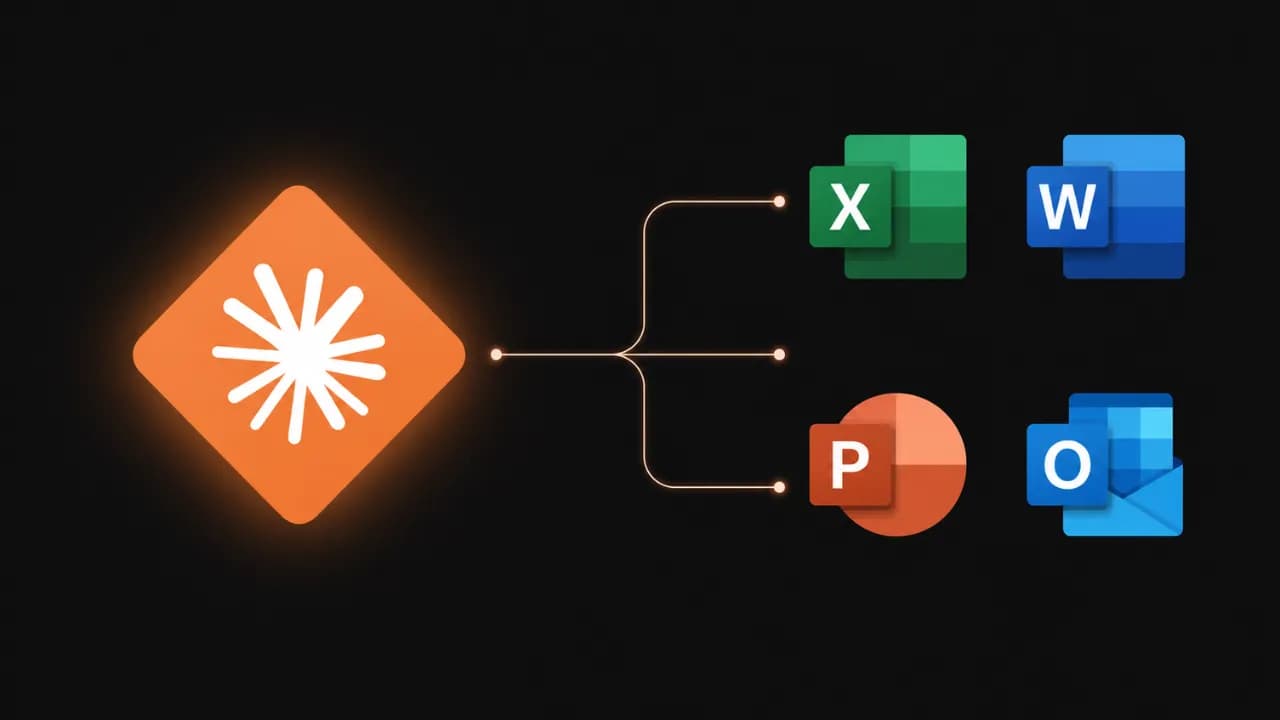
Claude is now available across all Microsoft Office applications

From now on, all paid plan users can install Claude into Microsoft's office suite. Claude for Excel, PowerPoint, and Word have been available for a while, while Claude for Outlook is entering public beta for all paid tiers.

The biggest difference compared to other Office AI assistants is that Claude does not act like a chatbot locked in individual apps. Instead, conversation context is maintained seamlessly as you move between applications—from Outlook to Word, then Excel, and on to PowerPoint—without needing to explain yourself from scratch.

Claude for Microsoft 365 (Anthropic)

What can Claude do in each application?

Excel: Far beyond just explaining formulas

Claude for Excel can read multi-sheet workbooks, explain formulas with cell-by-cell references, build financial models with live formulas, and update assumptions without breaking dependency structures. Every change is tracked and clearly displayed so users always know which cells Claude used.

PowerPoint: Working directly within your slides

This is the most notable feature: Claude for PowerPoint reads the native slide structure, detects existing fonts, colors, and layouts, and then generates new content in that exact style. The charts it produces are native PowerPoint charts that are fully editable, not pasted screenshots from elsewhere.

Word: Tracked edits and replying to comments

Claude for Word works the way editors like: all edits appear as tracked changes, and Claude can reply directly to comment threads, including explaining what it changed and why. Nothing is saved or sent until you accept it.

Outlook (Beta): Organizing your inbox with a single command

Claude for Outlook categorizes emails into three groups: requires your reply, can be drafted on your behalf, and can be skipped. The drafted emails appear directly in Outlook's compose window, complete with recipients, subject lines, and body text—you just need to review and hit send, which is fully equivalent to what Claude can do with Gmail.
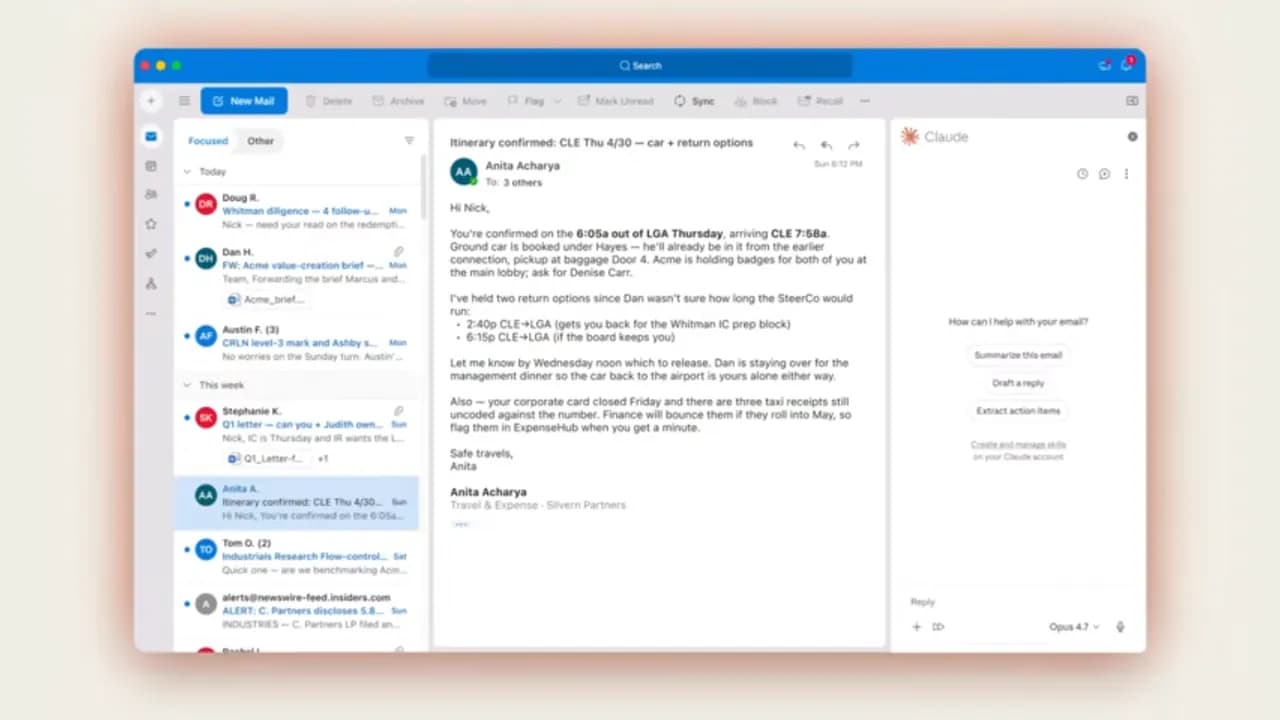
Claude and Outlook integration as described by Anthropic

Cross-application context: A familiar feature that rarely works in reality

Anthropic describes a typical scenario: receiving an email in Outlook, opening the attachment in Word to draft a memo, switching to Excel to perform an analysis, and finally transforming it all into a slide deck in PowerPoint—and of course, Claude remembers all the context across every single step.

More importantly, files can be opened side-by-side and changes will sync: adjusting an assumption in Excel will automatically update the numbers in the Word memo and the charts in PowerPoint.

Built for enterprise: Complete control and compliance

For enterprise administrators, Anthropic has added configuration capabilities to route all prompts, tool calls, and document references to the organization's own auditing system—helping the security team know exactly what Claude did in each session. The analytics dashboard also breaks down activity by user, application, and day.

In terms of routing, organizations can connect Claude via direct accounts or existing cloud platforms like Amazon, Google Cloud, or Microsoft. Microsoft 365 Copilot customers can also access Claude models directly within Excel and PowerPoint.

The software world is chasing Anthropic

It is no exaggeration to say that Anthropic is releasing at a speed that startles many competitors. In just the past few months: the Claude Code programming tool has been constantly updated, the integration ecosystem is expanding rapidly, browser and desktop tools have been added, and now, all four Microsoft Office applications are supported at once.

Microsoft, which has long placed a massive bet on Copilot with exclusive ChatGPT models, is now opening the door to Claude within its own ecosystem. This speaks volumes about Anthropic's current standing, but the real story will be decided by the users: whether Claude in Excel, Word, Outlook, and PowerPoint will truly shift the office habits of Microsoft 365 users.

Discussion (0)

Log in to join the discussion.

No comments yet. Be the first!

Related Articles

What is an agent harness? The framework that helps AI work efficiently

Imagine having an AI assistant that is incredibly smart but forgets everything between sessions and cannot check the quality of its own work. To solve this problem, developers created a protective management layer around AI models called an agent harness. This is what enables AI agents to complete complex, multi-step tasks autonomously without requiring constant human intervention. What is an agent harness? Think of an AI model as a brilliant new employee with no long-term memory and zero familiarity with the workplace. They can solve complex problems in seconds but will just as easily forget what they were working on, or accidentally send a confidential document to the wrong client. In that scenario, an agent harness acts as the experienced manager sitting right beside them, keeping things on track. Put simply, an agent harness is the software layer wrapping around an AI model that handles all administrative and logistical work so the model itself can focus entirely on reasoning and problem-solving. It connects the AI to external tools, maintains a complete record of work across sessions, and verifies results before considering a task done. In practice, an agent harness handles the following: Connecting the AI model to external tools such as web search, email, and calendars Persisting progress across sessions so the AI never has to start from scratch Filtering out irrelevant information and supplying only the data the AI actually needs at each step Monitoring AI actions to prevent dangerous mistakes Logging activity in detail so humans can audit what happened when needed Origin of the term: The concept of "agent harness" was formally named by technology engineer Mitchell Hashimoto in early 2026. Before that, many development teams had built similar systems but had no shared term for this layer of infrastructure. Why do AI agents fail at long-running tasks? The biggest weakness in today's AI models is the complete absence of long-term memory. Every new conversation starts from zero with no recollection of anything that happened before. Imagine hiring an employee who wakes up every morning having forgotten every agreement, every deadline, and every piece of progress from the day before. When Anthropic tested Claude building a complex web application without harness support, the results were consistently disappointing. Two failure modes kept appearing: The AI tried to do everything at once, ran out of working memory midway through, and left the project unfinished. The next session wasted time trying to figure out what had already been done. The AI declared the task complete without actually running the result to verify it worked. Beyond those two core failures, long-horizon tasks expose three additional problems: Context clog: Accumulated conversation history and tool outputs crowd out the original instructions, causing the AI to gradually lose focus on the actual goal Tool misuse: The AI sometimes searches for information that does not exist or submits incorrect inputs to forms, and without anything to stop it, repeats the same error in a loop Total progress loss on failure: Any network error or system crash wipes out whatever was stored in temporary memory, forcing a full restart Stanford research (2023): AI models tend to overlook information buried in the middle of long text, even when that text is not particularly long. This is why feeding too much data to an AI all at once often backfires without a filtering layer in place. How does an agent harness work in practice? An agent harness operates in two distinct phases to keep work flowing continuously without interruption. Setup phase (runs once) The harness prepares the full working environment before the AI begins: building a structured task list, initializing storage, and recording the starting point. Think of it as the manager drawing up a detailed project plan before handing anything off. This phase only needs to happen once. Execution phase (repeats) Each time the AI begins a new session, the harness automatically reloads all saved progress and assigns only the next relevant task. When the AI wants to take an action such as searching for information or sending a notification, the harness checks whether that request is valid, executes it safely, cleans the returned result, and passes it back to the AI. The model never touches external systems directly without going through this control layer first. The four core components of an agent harness For an AI to operate reliably over extended periods, a standard agent harness needs four essential components: External tool gateway: Allows the AI to interact with the real world by reading documents, searching the web, or sending messages. The harness acts as an intermediary, validating every request before execution and ensuring returned results are clean and usable. Layered memory management: Maintains three types of memory serving different needs: short-term working memory for the current session, a task log recording what has been completed and what remains, and a long-term knowledge store that accumulates across multiple projects over time. Intelligent context filter: Summarizes long conversation histories down to key points and supplies only the data relevant to the current step rather than loading everything at once, keeping the AI focused on the right task at the right moment. Safety checker and human approval gate: Automatically verifies results before marking a task as complete. For sensitive actions such as deleting important data or sending bulk emails, the harness pauses and waits for human confirmation before proceeding. Note on accumulated knowledge: If an AI agent's memory is stored entirely within a closed third-party platform, all the knowledge it builds up over time belongs to that platform. Switching to a different system means starting from zero. This is worth thinking through carefully when choosing a long-term AI agent solution. Harness engineering and the secret behind millions of lines of code Harness engineering is the practice of treating every AI failure as a system problem to fix permanently rather than something to retry or ignore. As Mitchell Hashimoto put it: if the agent makes a mistake, redesign the environment so that mistake becomes physically impossible to repeat. In practice, when OpenAI built large software projects with three engineers producing 3.5 pull requests each per day without typing a single line of code, they had set up automatic verification checks after every AI action. When the AI produced something incorrect, the system returned error messages written in a specific structure so the AI immediately understood what needed to change on the next attempt. Every error message became a learning signal, not just a warning. A study presented at ICML 2025 further confirmed that the same AI model equipped with a harness consistently outperformed itself running without one, even with identical training weights and identical prompts. The environment surrounding the AI matters just as much as the model itself. A telling data point: Anthropic's Claude Code has grown past 512,000 lines of code and continues to expand. More capable models do not make the harness simpler. They make it larger, because there is more capability to orchestrate and more failure modes to guard against. When do you actually need an agent harness? For simple one-off tasks like summarizing a document or answering a specific question, calling an AI directly is perfectly fine. But the moment work extends beyond a single conversation, requires memory from a previous session, or involves multiple steps that need to happen in a specific order, a harness becomes necessary. One thing worth reflecting on: the built-in web search in ChatGPT and Gemini is itself a form of harness. When AI automatically looks something up, there is infrastructure behind the scenes making the tool call, processing the result, and feeding clean information back into context. The harness is invisible to the user but indispensable to the system. Agent harness is not a short-term technical trend. It is the answer to fundamental limitations that AI cannot resolve on its own: no long-term memory, finite working context, and a tendency to misuse external tools without guardrails. 4AIVN has also started applying harness to our own workflows — and what we have found is that it does not just help AI finish tasks. It turns AI into a system that learns from failure and gets more reliable over time.

Nam
1 Jun, 2026
Anthropic Increases Claude Usage Limits After SpaceX Partnership

Anthropic has just announced a partnership with SpaceX to access over 220,000 NVIDIA GPUs and will immediately use this new computing power to increase usage limits for both Claude Code and API. Here's what's changing and why it matters to users. Why Did Anthropic Partner with SpaceX? In recent months, Anthropic has continuously signed large-scale computing agreements with Amazon, Google, Microsoft, and NVIDIA. This time, the company has added another unexpected name: SpaceX. According to the announcement on May 6, Anthropic signed an agreement to use the entire computing capacity at SpaceX's Colossus 1 data center, equivalent to over 300 megawatts of power and more than 220,000 NVIDIA GPUs. This entire capacity will be put into use within one month and will directly improve the experience for Claude Pro and Claude Max users. Colossus 1 is SpaceX's AI data center, currently one of the largest GPU clusters in the world. Anthropic is the sole tenant of its entire capacity. Specific Changes to Usage Limits Thanks to the new computing resources, Anthropic has implemented three changes effective immediately from the announcement date Doubling Hourly Claude Code Limits The 5-hour rate limit for Claude Code is doubled for Pro, Max, Team, and Enterprise plans. If you previously could only run 10 complex Claude Code commands, this is now doubled to 20, which will be significantly helpful. However, it's important to note that the weekly limit remains unchanged, so while increasing the 5-hour limit allows for more intensive work in a short period, it might cause you to hit the weekly cap faster. Removing Peak Hour Limits Previously, Claude Code automatically reduced usage limits during peak hours (typically from 9 AM to 3 PM) for Pro and Max accounts. This limit has been completely removed, so users can now use Claude Code at full speed regardless of the time of day. For users who often work in the evening (which coincides with US peak hours), this change is likely to have the most noticeable impact. Significantly Increasing API Limits for Claude Opus Models The API rate limit for Claude Opus models has been significantly increased. Details of the multiplier increase are published by Anthropic in the following table: This change is particularly important for developers building applications on the Claude Code platform Anthropic's Overall Computing Strategy The agreement with SpaceX is not an isolated move. In recent months, Anthropic has built a remarkable infrastructure portfolio: An agreement for up to 5 gigawatts with Amazon, with nearly 1 GW operational before the end of 2026 A 5 GW agreement with Google and Broadcom, expected to be operational from 2027 Strategic partnerships with Microsoft and NVIDIA, including $30 billion in Azure capacity A $50 billion investment in AI infrastructure in the US with Fluidstack And now, over 300 megawatts from SpaceX's Colossus 1 data center Anthropic runs Claude on various hardware platforms — AWS Trainium, Google TPUs, and NVIDIA GPUs — and states that it continues to seek additional computing power sources. Notably, within the framework of the agreement with SpaceX, both parties also expressed interest in developing orbital AI computing capabilities, i.e., placing GPUs on satellites. This is still a very early-stage idea, but if realized, it would be a major turning point for global AI infrastructure. Expanding to International Markets A portion of the expanded computing capacity will be used to serve international enterprise customers, especially in sectors requiring local data storage such as finance, healthcare, and government. The agreement with Amazon also includes additional inference capacity in Asia and Europe. Anthropic also emphasized that it only expands to countries with democratic legal frameworks and secure hardware supply chains, demonstrating a cautious stance amid increasingly fierce geopolitical competition in AI. What Does This Mean for Claude Users in Vietnam? From a practical perspective, the three changes to usage limits directly benefit those who use Claude Code daily — especially programmers and individuals who work continuously with Claude Code. The removal of peak hour limits also means that the experience for users in Vietnam (whose time zone often coincides with peak load periods in the US) will be more stable. In the long term, greater computing power often means the ability to deploy more powerful models at lower costs. This is the foundation for Anthropic to continue competing with OpenAI and Google in the 2026 AI race. Anthropic is Always Evolving Anthropic is seriously investing in infrastructure, and the partnership with SpaceX is the latest step in that strategy. The most immediate result users can feel is that Claude Code will be less restricted, and API speeds will certainly improve. In the long run, the computing race among major AI companies promises many more interesting developments in 2026.

Nam
8 May, 2026
Will HTML replace Markdown when working with AI?

Markdown has been the default standard when working with AI for years, but an engineer from Anthropic's Claude Code team just raised a thought-provoking question: is that habit really the best choice? Thariq Shihipar's short post gathered over 15,000 likes on X in just a few days, and the reason is more convincing than you might think. Markdown was born in the era of token-poor AI Looking back at the days of GPT-4 with a context window of only 8,192 tokens, Markdown was an entirely reasonable choice. HTML was bulkier, consumed more resources, and in that constrained context, Markdown's simplicity was a real advantage for saving tokens. Thus, Markdown became the implicit standard, and that habit has stayed with us ever since. Even when Anthropic created the concept of Skills on Claude, they also set Markdown as the standard with the SKILL.md file—anyone who works with skills is surely familiar with this default. However, current AI models operate on a completely different scale. Many models now support context windows from 200,000 to 1 million tokens, and the cost of processing is no longer a major barrier (as Thariq Shihipar points out). He argues that this is the perfect time to reconsider that default. What can HTML do that Markdown cannot? The core reason Thariq presents is simple: some types of information are inherently spatial, but Markdown forces them to be linear text. When you compare three technical approaches, you need to see them side-by-side, not read them one after another and try to keep them in your head. When you review a code diff, you need to see the structure of the changes, not just a wall of text. HTML solves exactly that problem, which is why Thariq listed 9 specific groups of scenarios where HTML outclasses Markdown: Discovery and Planning: Comparing multiple approaches side-by-side instead of sequentially, and then transforming them into an implementation plan complete with flowcharts and timelines. Code Review and Understanding Project Structure: Highlighting changes directly with colors based on severity, and showing module diagrams as boxes and arrows—rather than plain text. UI Design: Displaying actual color palettes that can be copied instantly, and rendering UI component variants directly instead of describing them in words. Rapid Prototyping: Creating interactive animation adjustment panels with slider controls, and screens that can actually be clicked—something Markdown cannot express. Diagrams and Illustrations: Utilizing inline vector graphics to draw actual flowcharts, rather than stitching together ASCII characters. Slide Decks: A few <section> tags and 20 lines of JavaScript can form a slide deck navigatable with arrow keys, without needing specialized software or export steps. Research and Learning: Structuring documents with collapsible sections, code tabs, and glossaries—rather than dumping the entire content in a single vertical stream. Periodic Reports: Weekly status summaries with sparklines and color-coded progress indicators that actually encourage people to read, rather than just skim. Custom Editing Interfaces: Building drag-and-drop task boards or feature flag dashboards with dependency alerts—making it a functional tool rather than just text to read and forget. Thariq has assembled 20 files illustrating all of these categories at thariqs.github.io/html-effectiveness, each of which opens directly in your browser without requiring any installation. How to use HTML with AI in practice? Applying this is not complicated; it just requires a shift in how you write prompts. Instead of letting the model choose the output format, explicitly specify HTML when the content is meant to be reviewed, interacted with, or shared with others. For example, here is a prompt Thariq suggests for reviewing code: Help me review this PR by generating an HTML document that describes it. I'm not very familiar with streaming/backpressure logic, so please focus on that part. Show the actual diff with inline margin comments, color-code findings by severity, and include anything else necessary to explain the concepts clearly. Similarly, you can ask the AI to generate an implementation plan as HTML with a timeline and data flow diagram, or a weekly status report with small charts and progress-colored indicators. Simon Willison, author of the famous tech blog, also admitted that this article made him reconsider his habit of using Markdown from the GPT-4 era until now. When modern AI models can embed vector graphics, interactive widgets, and in-page navigation, Markdown is no longer the obvious default choice. Markdown still has its place, but not everywhere Thariq is not saying we should always use HTML; rather, he makes a clear distinction: Markdown is suitable for casual chats, short code snippets, brief answers, and anything that is pure text. Meanwhile, HTML shines when the output requires spatial layouts, colors, interactivity, or complex structures—where the content is multi-dimensional enough that Markdown would start flattening the information rather than conveying it effectively. The community reacted quickly: a skill named html-artifacts has appeared on GitHub, helping AI automatically recognize when it should generate HTML files instead of Markdown. It includes the 9 scenarios from Thariq's original article and can be used with any model that supports reading skills. Notably, this skill has clear exclusions for short answers and code-only outputs. You can check it out at github.com/dogum/html-artifacts. Thariq doesn't mention JSON in his article, but it is also a very popular format when working with AI, especially for those who frequently use n8n, Make, or Zapier. Nevertheless, each format brings its own flavor to specific situations. How Markdown, HTML, and JSON divide their usage The debate is actually not just about Markdown or HTML. JSON is also a very popular format when working with AI, especially in data processing workflows and system integrations. These three formats serve three different purposes, and understanding those boundaries helps you choose the right tool for each situation. Markdown is best for text read directly in chat: notes, short explanations, code snippets, simple documents. Fast, lightweight, no need to open anything else. HTML is best when the output needs to be visualized, interacted with, or shared: reports with layouts, diagrams, comparison tables, slide decks, custom interfaces. Open with a browser and you are good to go. JSON is best when the output needs to be processed by a machine: storing structured data, transferring between systems, or feeding into the next step of a workflow. Humans can read it, but it is not meant for reading. In other words, JSON does not compete with HTML or Markdown in terms of presentation; it serves an entirely different purpose. The real issue is that many AI users default to receiving output in Markdown even when they need HTML to view it or JSON to process it. By simply specifying your preference in the prompt, the AI will adapt. Quick Decision Rule: Output to read in chat → Markdown. Output to view in a browser → HTML. Output to be processed by a machine → JSON. What does this change for the average AI user? If you use AI primarily for Q&A or writing, this change has less impact. But if you are using AI for more complex tasks like data analysis, project planning, document reviews, research synthesis, or creating reports for colleagues, this is a small prompt adjustment that creates a clear gap in output quality, regardless of which AI tool you are using. You should try it once: next time you need the AI to compare options or summarize a complex document, add "generate as an HTML file" to the end of your prompt. Open that file in your browser and compare it to how you usually do it with Markdown or JSON—the results will speak for themselves.

Nam
10 May, 2026
Claude Opus 4.8 launches: what is new in Anthropic's strongest model?

Anthropic has introduced Claude Opus 4.8, a release the company describes as its strongest generally available model. The update is not only about stronger reasoning for complex work; it also adds practical changes for developers building AI agent, coding assistants, and long-running automation workflows. The important point is that Claude Opus 4.8 is not just a renamed Opus 4.7. Anthropic is focusing on three practical areas: more stable long-context handling, more reliable tool use, and better cost control in agent loops. With the model ID claude-opus-4-8, it is already available for Claude API and supported cloud platforms. What is Claude Opus 4.8? Claude Opus 4.8 is targets multi-step reasoning, long-running agentic coding, and work that requires a higher level of autonomy. According to Anthropic's documentation, the model supports a default 1 million token context window on Claude API, Amazon Bedrock, and Google Vertex AI, while Microsoft Foundry supports 200,000 tokens. The model also supports up to 128,000 output tokens, adaptive thinking, and the same core tool capabilities as Claude Opus 4.7. This means teams already using Opus 4.7 can likely test the upgrade with limited changes, but they should still review behavior shifts and API constraints before moving production traffic. Key new features Claude Opus 4.8 introduces several updates that directly affect prompt design, long conversation management, and API cost optimization. These are especially relevant if you run deep chatbots, coding assistants, or multi-step agents. System messages during a conversation One major change is support for adding a message with role: "system" after a user turn in the messages array, as long as Anthropic's placement rules are followed. This lets developers update instructions during a long conversation without resending the entire original system prompt. In practice, this is useful for agents that run through many steps. Instead of breaking prompt cache efficiency by repeating a large instruction block, an application can add new instructions at the right moment, preserve cache for prior conversation context, and reduce input cost across long workflows. Fast mode for Claude API Anthropic is also bringing fast mode to Claude Opus 4.8 as a research preview on Claude API. By setting speed: "fast", users can receive higher output token throughput, with Anthropic describing speedups of up to 2.5 times under supported conditions. Fast mode is especially useful for products that need lower latency while staying on the same powerful Opus model. However, the documentation also notes that this mode carries premium pricing, so engineering teams should reserve it for high-value paths or workflows where response speed clearly matters. Prompt caching becomes easier to use With Claude Opus 4.8, the minimum prompt size for caching drops to 1,024 tokens. This small change has a practical impact: many prompts that were previously too short to create a cache entry on Opus 4.7 can now be cached without code changes. For products with stable system prompts, long internal documentation, or repeated API calls, prompt caching can reduce cost significantly. Combined with mid-conversation system messages, Claude Opus 4.8 is better suited for agents that need to preserve state across many steps. Documented refusal stop details Anthropic has also documented the stop_details object for refusal responses. When the model cannot complete a request, the application can receive not only a refusal stop reason but also more structured information about why the refusal happened. This helps products handle the user experience more gracefully. Instead of showing a generic error, an application can distinguish different refusal categories and guide users toward a more appropriate next step. API constraints to watch Although Anthropic says these constraints carry over from Claude Opus 4.7 and are not breaking changes for code that already works with the previous model, developers should still check them carefully. On the Messages API, Claude Opus 4.8 does not support non-default values for temperature, top_p, or top_k. Passing these sampling parameters will return a 400 error. Another point is that adaptive thinking is the only supported thinking mode. Older configuration patterns that set a fixed thinking token budget are no longer the right approach for Opus 4.8. Anthropic recommends using thinking: {"type": "adaptive"} and controlling reasoning depth through the effort parameter. On Claude Opus 4.8, the default effort is high across all surfaces, including Claude API and Claude Code. If an application already sets effort explicitly, the current configuration remains in place; if not, the default behavior may differ from prior expectations and should be tested. Why it matters for coding agents and long workflows Anthropic says Claude Opus 4.8 targets improvements in long-running coding agents, including better long-context handling, less frequent compaction, and stronger recovery after compaction. These are hard problems for large models: after many rounds of reading files, editing code, running tests, and summarizing state, agents can lose focus or miss important details. The new model is also optimized to trigger tools at the right time more reliably. For systems that need to call search, databases, terminals, browsers, or internal APIs, fewer missed tool calls can make a large difference in reliability. This matters more than a single benchmark score because real agent quality depends heavily on knowing when to use the right tool. Should you upgrade to Claude Opus 4.8? If you already use Claude Opus 4.7 for complex reasoning, programming, or autonomous agents, Opus 4.8 is worth testing early. Changes such as the 1 million token context window, lower prompt caching threshold, and mid-conversation system messages all target real production problems, not only short prompt quality. Still, engineering teams should not upgrade blindly. Review sampling parameters, thinking configuration, default effort expectations, and cost implications if you plan to use fast mode. For products handling sensitive data or critical workflows, run an A/B test on representative tasks before moving all traffic to Claude Opus 4.8. Conclusion Claude Opus 4.8 shows that Anthropic is putting more weight behind the agent and developer market. The improvements are not only about reasoning quality; they also cover operational details such as caching, mid-conversation system messages, output speed, and refusal classification. For teams building serious AI products, this is a release worth watching because it addresses real deployment issues in long-term AI applications.

Nam
29 May, 2026