Claude Opus 4.8 launches: what is new in Anthropic's strongest model?
Quick Summary
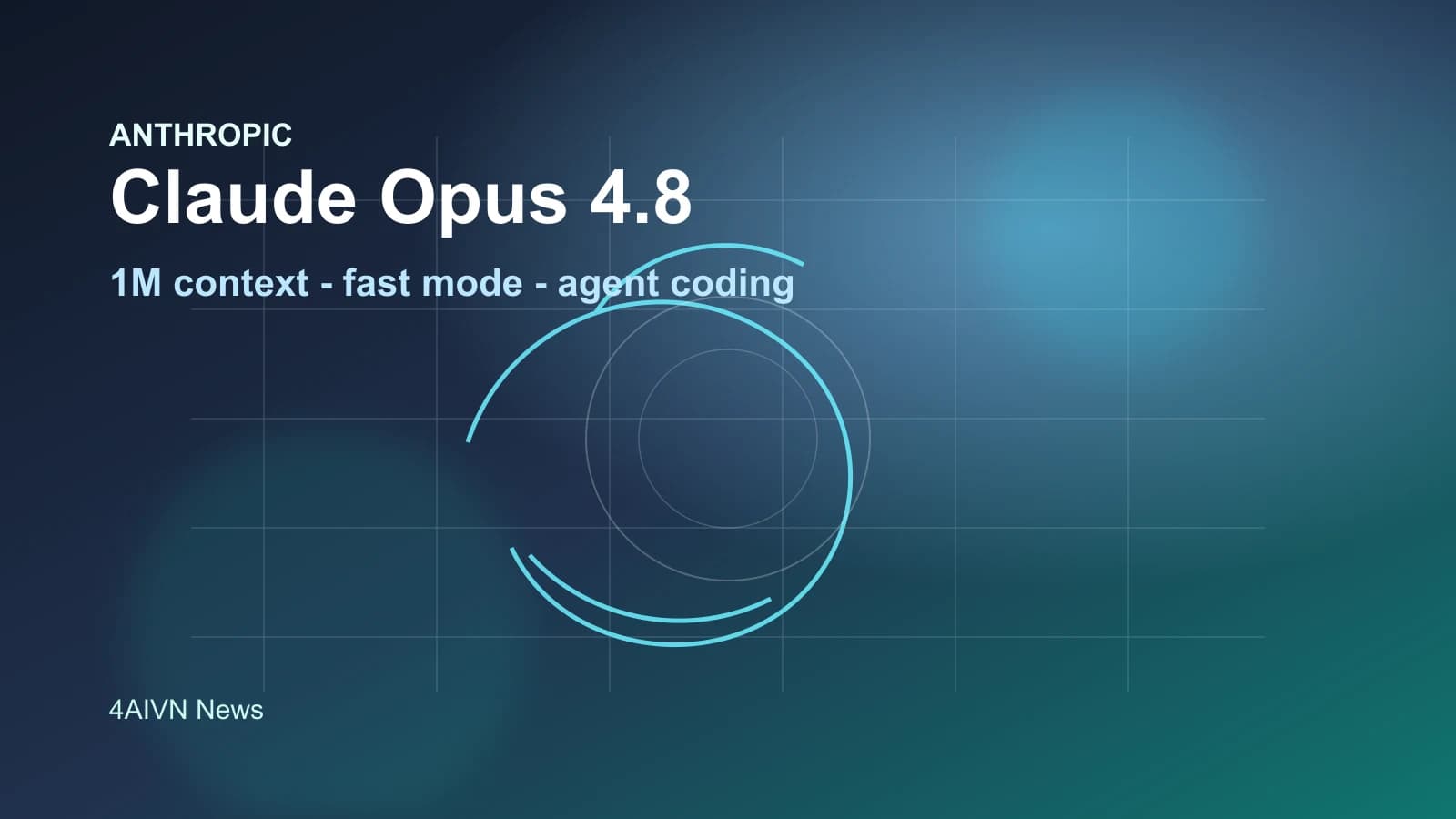
Anthropic introduces Claude Opus 4.8 with a 1 million token context window, fast mode preview, mid-conversation system messages, and upgrades for long-running coding agents.
Anthropic has introduced Claude Opus 4.8, a release the company describes as its strongest generally available model. The update is not only about stronger reasoning for complex work; it also adds practical changes for developers building AI agent, coding assistants, and long-running automation workflows.
The important point is that Claude Opus 4.8 is not just a renamed Opus 4.7. Anthropic is focusing on three practical areas: more stable long-context handling, more reliable tool use, and better cost control in agent loops. With the model ID claude-opus-4-8, it is already available for Claude API and supported cloud platforms.
What is Claude Opus 4.8?
Claude Opus 4.8 is targets multi-step reasoning, long-running agentic coding, and work that requires a higher level of autonomy. According to Anthropic's documentation, the model supports a default 1 million token context window on Claude API, Amazon Bedrock, and Google Vertex AI, while Microsoft Foundry supports 200,000 tokens.
The model also supports up to 128,000 output tokens, adaptive thinking, and the same core tool capabilities as Claude Opus 4.7. This means teams already using Opus 4.7 can likely test the upgrade with limited changes, but they should still review behavior shifts and API constraints before moving production traffic.
Key new features
Claude Opus 4.8 introduces several updates that directly affect prompt design, long conversation management, and API cost optimization. These are especially relevant if you run deep chatbots, coding assistants, or multi-step agents.
System messages during a conversation
One major change is support for adding a message with role: "system" after a user turn in the messages array, as long as Anthropic's placement rules are followed. This lets developers update instructions during a long conversation without resending the entire original system prompt.
In practice, this is useful for agents that run through many steps. Instead of breaking prompt cache efficiency by repeating a large instruction block, an application can add new instructions at the right moment, preserve cache for prior conversation context, and reduce input cost across long workflows.
Fast mode for Claude API
Anthropic is also bringing fast mode to Claude Opus 4.8 as a research preview on Claude API. By setting speed: "fast", users can receive higher output token throughput, with Anthropic describing speedups of up to 2.5 times under supported conditions.
Fast mode is especially useful for products that need lower latency while staying on the same powerful Opus model. However, the documentation also notes that this mode carries premium pricing, so engineering teams should reserve it for high-value paths or workflows where response speed clearly matters.
Prompt caching becomes easier to use
With Claude Opus 4.8, the minimum prompt size for caching drops to 1,024 tokens. This small change has a practical impact: many prompts that were previously too short to create a cache entry on Opus 4.7 can now be cached without code changes.
For products with stable system prompts, long internal documentation, or repeated API calls, prompt caching can reduce cost significantly. Combined with mid-conversation system messages, Claude Opus 4.8 is better suited for agents that need to preserve state across many steps.
Documented refusal stop details
Anthropic has also documented the stop_details object for refusal responses. When the model cannot complete a request, the application can receive not only a refusal stop reason but also more structured information about why the refusal happened.
This helps products handle the user experience more gracefully. Instead of showing a generic error, an application can distinguish different refusal categories and guide users toward a more appropriate next step.
API constraints to watch
Although Anthropic says these constraints carry over from Claude Opus 4.7 and are not breaking changes for code that already works with the previous model, developers should still check them carefully. On the Messages API, Claude Opus 4.8 does not support non-default values for temperature, top_p, or top_k. Passing these sampling parameters will return a 400 error.
Another point is that adaptive thinking is the only supported thinking mode. Older configuration patterns that set a fixed thinking token budget are no longer the right approach for Opus 4.8. Anthropic recommends using thinking: {"type": "adaptive"} and controlling reasoning depth through the effort parameter.
On Claude Opus 4.8, the default effort is high across all surfaces, including Claude API and Claude Code. If an application already sets effort explicitly, the current configuration remains in place; if not, the default behavior may differ from prior expectations and should be tested.
Why it matters for coding agents and long workflows
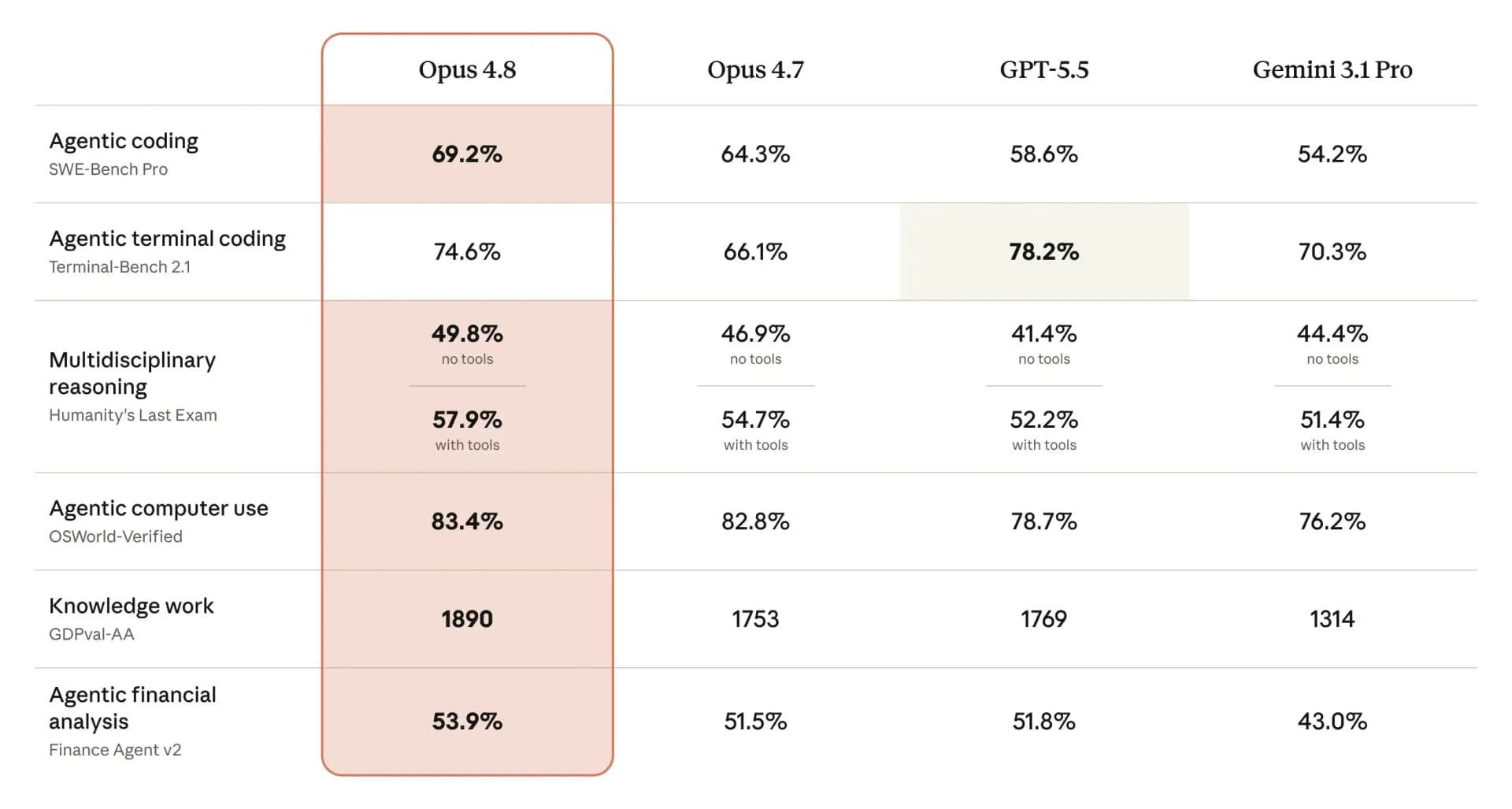
Anthropic says Claude Opus 4.8 targets improvements in long-running coding agents, including better long-context handling, less frequent compaction, and stronger recovery after compaction. These are hard problems for large models: after many rounds of reading files, editing code, running tests, and summarizing state, agents can lose focus or miss important details.
The new model is also optimized to trigger tools at the right time more reliably. For systems that need to call search, databases, terminals, browsers, or internal APIs, fewer missed tool calls can make a large difference in reliability. This matters more than a single benchmark score because real agent quality depends heavily on knowing when to use the right tool.
Should you upgrade to Claude Opus 4.8?
If you already use Claude Opus 4.7 for complex reasoning, programming, or autonomous agents, Opus 4.8 is worth testing early. Changes such as the 1 million token context window, lower prompt caching threshold, and mid-conversation system messages all target real production problems, not only short prompt quality.
Still, engineering teams should not upgrade blindly. Review sampling parameters, thinking configuration, default effort expectations, and cost implications if you plan to use fast mode. For products handling sensitive data or critical workflows, run an A/B test on representative tasks before moving all traffic to Claude Opus 4.8.
Conclusion
Claude Opus 4.8 shows that Anthropic is putting more weight behind the agent and developer market. The improvements are not only about reasoning quality; they also cover operational details such as caching, mid-conversation system messages, output speed, and refusal classification. For teams building serious AI products, this is a release worth watching because it addresses real deployment issues in long-term AI applications.