4AIVN
Back to News

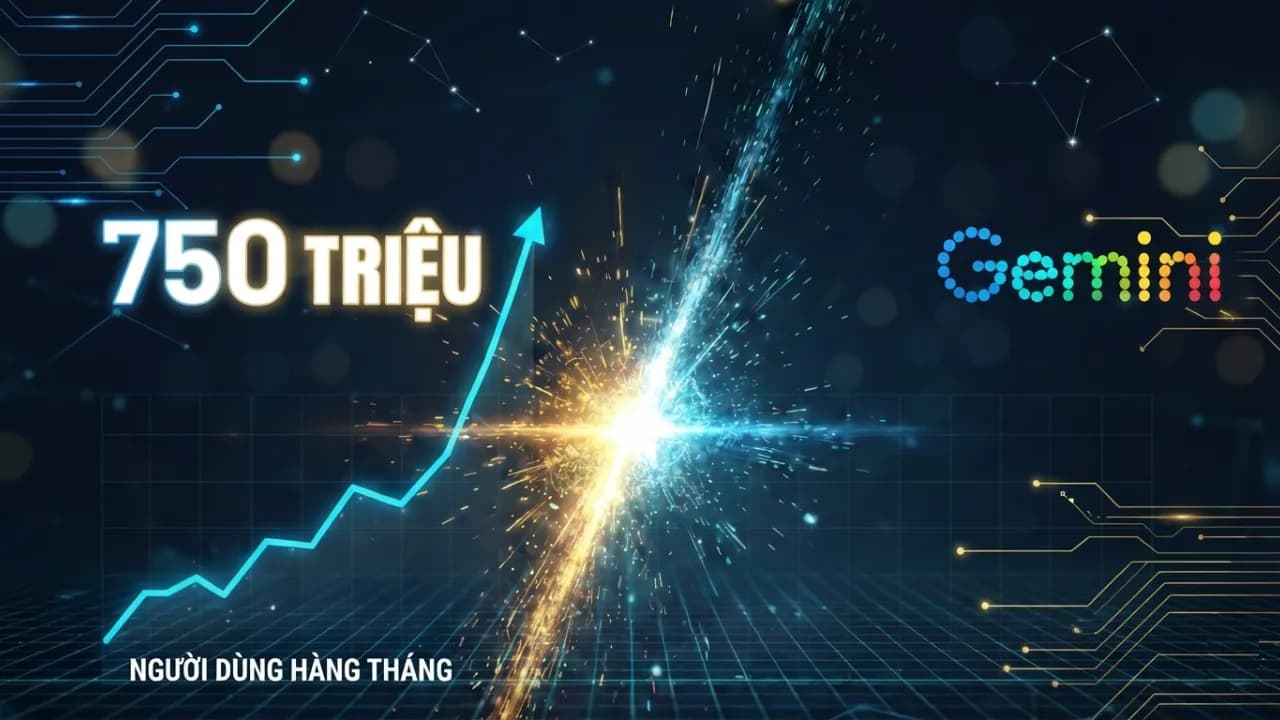
Gemini app vượt 750 triệu người dùng hàng tháng: Google đang thách thức OpenAI
Published on 5 February, 2026
Gemini app vượt 750 triệu người dùng hàng tháng: Google đang thách thức OpenAI

Quick Summary

Ứng dụng AI Gemini của Google đã cán mốc 750 triệu người dùng hoạt động hằng tháng (MAU) vào quý IV/2025, cho thấy tốc độ tăng trưởng thần tốc và đang bám sát ChatGPT. Thành công này đến từ sức mạnh của mô hình Gemini 3, hệ sinh thái Google rộng lớn, các mối quan hệ đối tác chiến lược và tối ưu hóa chi phí. Google cũng đang đẩy mạnh chiến lược thương mại với gói Google AI Plus và Gemini Enterprise, đồng thời đầu tư mạnh vào hạ tầng AI để duy trì vị thế cạnh tranh trong cuộc đua trí tuệ nhân tạo.

Trong báo cáo tài chính quý IV năm 2025 vừa qua, Alphabet (công ty mẹ của Google) đã công bố một cột mốc lịch sử: ứng dụng trí tuệ nhân tạo Gemini đã chính thức vượt ngưỡng 750 triệu người dùng hoạt động hằng tháng (MAU). Con số này không chỉ là một minh chứng cho tốc độ phát triển thần tốc của Google mà còn báo hiệu một cuộc tái cấu trúc toàn diện trên thị trường AI thế giới.

Tốc độ tăng trưởng "nóng" và vị thế trên bản đồ AI

Chỉ trong một thời gian ngắn, Gemini đã có sự bứt phá đáng kinh ngạc. Vào tháng 10 năm 2024, ứng dụng này mới chỉ có khoảng 90 triệu người dùng, nhưng đến tháng 3 năm 2025 đã đạt 350 triệu và hiện tại là 750 triệu. So với quý III năm 2025 (đạt 650 triệu MAU), Gemini đã tăng thêm 100 triệu người dùng chỉ trong một quý.

Hiện nay, Gemini đang bám đuổi sát sao đối thủ lớn nhất là ChatGPT (ước tính đạt khoảng 810 triệu người dùng vào cuối năm 2025) và đã vượt xa Meta AI (hiện ghi nhận gần 500 triệu người dùng hằng tháng). Các nguồn tin chỉ ra rằng thị phần lưu lượng truy cập web của Gemini đã tăng gấp bốn lần trong một năm, từ 5,7% lên 21,5%, trong khi ChatGPT giảm từ 86% xuống còn khoảng 64%.

Số người dùng hoạt động hàng tháng (MAU) quý 4/2025

Nguồn: Alphabet, ChatGPT, Meta

Những động lực đằng sau sự bứt phá

Sự thành công của Gemini không đến từ sự ngẫu nhiên, mà là kết quả của chiến lược tích hợp sâu và cải tiến công nghệ không ngừng:

  • Sức mạnh của Gemini 3: Việc ra mắt mô hình Gemini 3 được coi là một cột mốc quan trọng, mang lại khả năng lập luận sâu sắc và hiểu đa phương thức vượt trội. CEO Sundar Pichai nhấn mạnh rằng Gemini 3 Pro có tốc độ xử lý token hằng ngày cao gấp ba lần so với phiên bản tiền nhiệm.
  • Hệ sinh thái Google đồ sộ: Lợi thế lớn nhất của Gemini chính là khả năng phân phối. Gemini được tích hợp trực tiếp vào hơn 3 tỷ thiết bị Android, trình duyệt Chrome (chiếm 65% thị phần web), Gmail và Google Workspace. Điều này cho phép người dùng tiếp cận AI một cách tự nhiên trong các tác vụ hằng ngày mà không cần tải thêm ứng dụng riêng biệt.
  • Các mối quan hệ đối tác chiến lược: Google đã trở thành nhà cung cấp đám mây ưu tiên của Apple để phát triển các mô hình nền tảng cho Siri và tích hợp công nghệ Gemini. Ngoài ra, thỏa thuận với Reliance Jio tại Ấn Độ đã giúp 500 triệu khách hàng tiếp cận gói dùng thử Gemini miễn phí trong 18 tháng.
  • Tối ưu hóa chi phí: Alphabet đã giảm được 78% chi phí vận hành cho mỗi đơn vị Gemini trong năm 2025 thông qua việc tối ưu hóa mô hình và sử dụng phần cứng chuyên dụng như chip TPU Ironwood (thế hệ thứ 7).

Chiến lược thương mại đa dạng

Để thu hút nhóm người dùng nhạy cảm về chi phí, Google đã triển khai gói dịch vụ Google AI Plus với mức phí chỉ 7,99 USD mỗi tháng. Đồng thời, mảng doanh nghiệp cũng ghi nhận thành công rực rỡ với hơn 8 triệu người dùng trả phí cho gói Gemini Enterprise, phục vụ hơn 2.800 công ty lớn như BNY hay Virgin Voyages.

Một điểm đáng chú ý là Google đang phát triển tính năng "Import AI chats", cho phép người dùng chuyển toàn bộ lịch sử trò chuyện từ ChatGPT hoặc Claude sang Gemini. Đây được coi là một "cú hích" để lôi kéo người dùng di cư sang hệ sinh thái của Google mà không lo mất đi dữ liệu đã "huấn luyện" trước đó.

Tầm nhìn 2026: Khoản đầu tư khổng lồ vào hạ tầng AI

Với đà tăng trưởng hiện tại, Alphabet dự kiến sẽ chi từ 175 tỷ đến 185 tỷ USD cho chi phí đầu tư (CapEx) vào năm 2026. Khoản tiền này chủ yếu được đổ vào hạ tầng kỹ thuật, bao gồm máy chủ (chiếm 60%) và các trung tâm dữ liệu cùng thiết bị mạng (chiếm 40%).

Theo các nguồn tin, mục tiêu của Google là duy trì sự đổi mới không ngừng trong bối cảnh nhu cầu về AI tăng vọt. Tuy nhiên, CEO Sundar Pichai cũng cảnh báo về những thách thức liên quan đến năng lực tính toán, cung ứng năng lượng và đất đai để xây dựng các trung tâm dữ liệu mới.

Kết luận

Cột mốc 750 triệu người dùng của ứng dụng Gemini không chỉ là một con số khô khan, mà là lời khẳng định cho sự trở lại mạnh mẽ của Google trong cuộc đua AI. Bằng cách tận dụng hệ sinh thái sẵn có và không ngừng cải tiến hiệu suất mô hình, Gemini đang dần xóa bỏ thế độc quyền của ChatGPT, tạo ra một thị trường AI cạnh tranh và đa dạng hơn cho người tiêu dùng toàn cầu.
Discussion (0)

Log in to join the discussion.

No comments yet. Be the first!

Related Articles

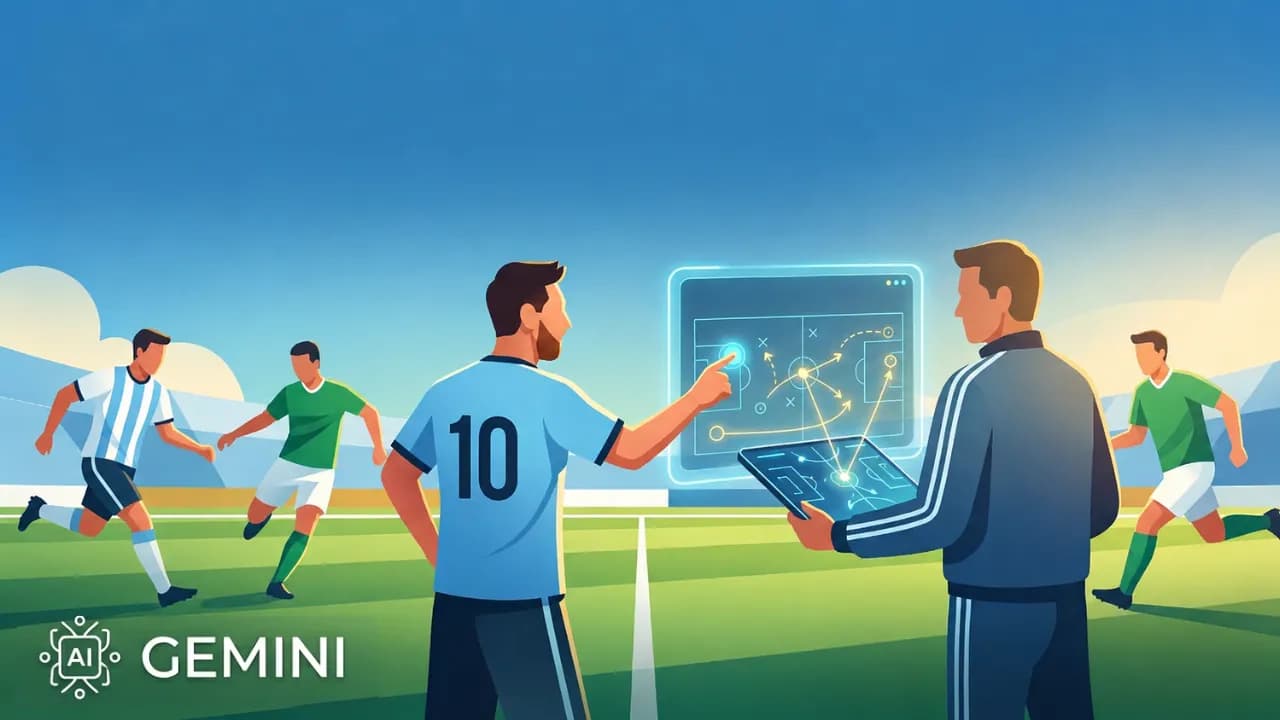
Gemini powers Argentina and Messi at World Cup 2026

Gemini has won big in the most literal sense, right as Messi scored his first hat-trick at the 2026 World Cup, leading Argentina to a crushing 3-0 victory over Algeria and equaling Miroslav Klose's record of 16 World Cup goals. That historic moment became the perfect launchpad for Gemini. Back in March 2026, Google and the Argentine Football Association (AFA) made a bold decision: rather than simply printing a logo on training kits, they signed a deal for the AI to actively support tactical preparation and professional decision-making. That bet has now proven to be the right call. From training kit to the tactical meeting room The agreement between AFA and Google was unveiled at Times Square, New York, a venue deliberately chosen to capture global media attention. The Gemini logo appears across all training apparel for Argentina's men's, women's and youth squads, sitting alongside Adidas and American Express in AFA's top sponsorship tier. But the interesting part isn't the jersey. According to Inside World Football, Argentina's coaching staff will use Gemini for three specific purposes: tactical analysis, injury prevention and decision support. In other words, Gemini now has a seat in meetings that previously belonged only to Scaloni and his assistants. Google has not publicly disclosed which specific Gemini tools have been integrated into AFA's workflow. What is clear is that they are using the World Cup to bring Gemini into the reality of professional football, and the results will be graded in public. What is Gemini actually doing in the dressing room? Argentina arrives at the 2026 World Cup as the reigning champion. Every decision Scaloni makes, from the squad list to the starting eleven, is scrutinized more closely than any other team, and that is precisely why Argentina has become the most ideal testing ground Google has ever had for Gemini in professional football, especially at a major tournament. Tactical analysis Gemini is used to process match data for both Argentina and their opponents, covering movement statistics, attacking patterns and defensive vulnerabilities. Instead of the coaching staff spending hours reviewing footage, AI synthesizes the data and generates tactical diagrams automatically, saving significant preparation time before each match. Injury prevention This is a problem every major team wants to solve, especially when Messi and several key players are at an age that requires careful management of training loads. Gemini analyzes biometric data and injury history to issue early warnings, helping the coaching staff adjust intensity before problems actually occur. That is part of the reason why, immediately after completing his hat-trick, Scaloni chose to substitute Messi off, prioritizing fitness and safety for the matches ahead. AI in injury prevention is nothing new. Premier League clubs have had Microsoft as a partner for similar purposes. What is different this time is that Gemini is integrated directly into the workflow of a national team competing at a major tournament, not just at club level. For fans: create Messi content, follow scores without unlocking your screen Alongside supporting the coaching staff, Gemini has also rolled out a range of features aimed at fans, and this is the side that hundreds of millions of people will actually experience. Gemini lets you create content about players directly Users can generate images, songs and digital content featuring Argentina players like Messi directly inside the Gemini app. The feature is designed to bring the World Cup experience closer to those who cannot attend matches in person. Real-time scores and automated daily briefings On Google Search, live match scores can be pinned to the lock screen and update in real time, with dedicated animations for goals and red cards, all without needing to unlock the phone. For paid Gemini users, the Scheduled Actions feature allows an automated daily football briefing to be set up, covering scores, news and fixtures, delivered at a chosen time without needing to prompt it each day. Match-day infrastructure Google has updated Street View at all 16 host stadiums and optimized routing on Waze for match days. Waze also surfaces live scores when the car is stopped at red lights, so drivers do not need to pick up their phones while on the move. The 2026 World Cup is the real test for AI in sport Google is not sponsoring Argentina alone. Gemini also appears on the kits of France, Morocco, Iraq, Turkey and the United States, while Pixel is the official phone of the French squad, which is also using Gemini for internal communications. This is clearly a comprehensive strategy from Google, not a one-off deal. What makes the 2026 World Cup particularly significant is that it will answer a question no lab environment can: what do users actually do with AI when a World Cup runs for six weeks across 104 matches? Features that run on initial novelty will fade after the group stage. Whatever users keep coming back to all the way through the final is the honest answer to where AI actually fits in everyday life, and Google knows it. Google's communications director for Latin America, Flor Sabatini, stated that the 2026 World Cup will mark a before and after in the history of football because of AI. It sounds like marketing, but the reality is that this is the first time a major AI model has been integrated into the preparation of the reigning world champions, right in the middle of the most-watched sporting event on the planet. The 2026 World Cup is Gemini's real test The most significant part of this entire story is not the Gemini logo on Messi's jersey. It is the fact that Argentina, still the most expected to win and the most scrutinized team, carrying the pressure of defending the title, has committed part of its preparation process to AI. If Argentina succeeds, Gemini will have a case study that no advertising budget can buy. If Argentina falls short and the coaching staff attributes any part of it to AI, the narrative will flip entirely. Either way, this is the first time AI has been held accountable on a stage that genuinely matters, not a benchmark, not a demo, but the World Cup. For AI users, what is worth watching is not just whether Argentina wins, but whether Gemini actually changes how a football team operates, or whether it turns out to be nothing more than a logo on a training kit that looks better than previous years.

Nam
17 Jun, 2026
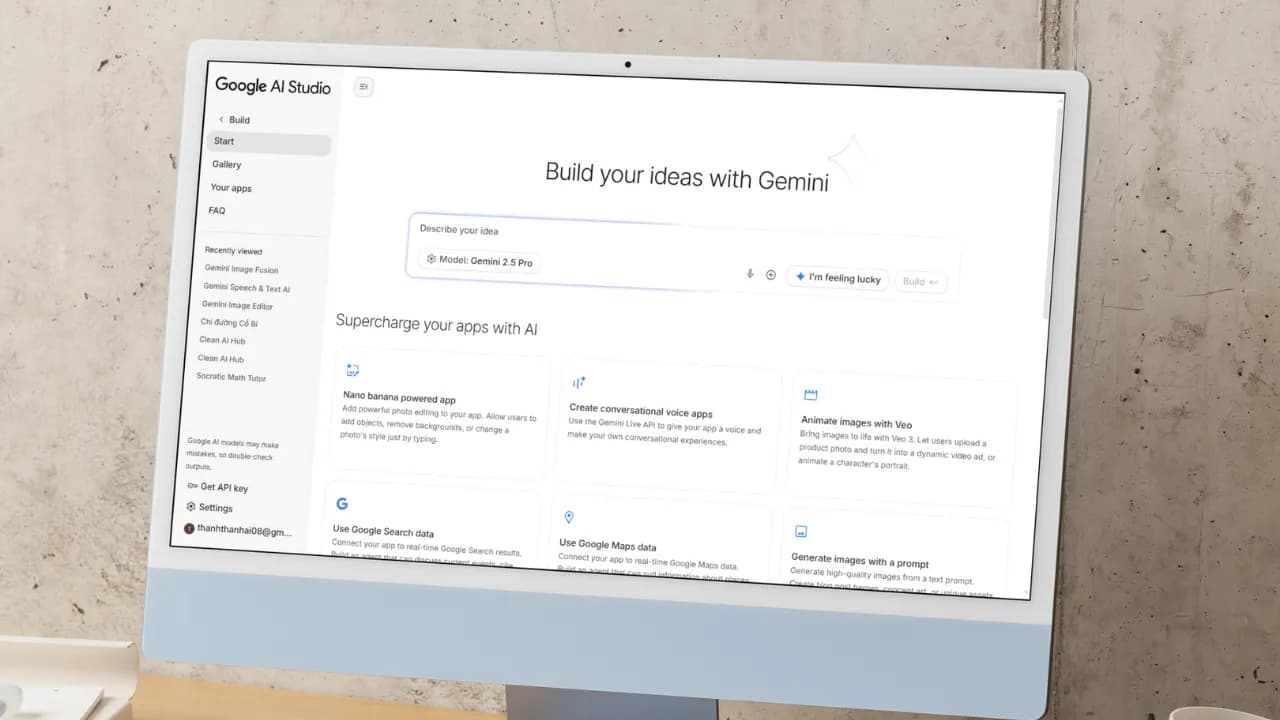
Create a free mini app with just a few clicks using Google AI Studio

Artificial intelligence (AI) is fundamentally changing how people build applications. You no longer need to be a professional developer. With a smart AI assistant, you can turn any idea into a real product. Google AI Studio is the clearest proof of that shift. The platform lets anyone, even without coding knowledge, build their own app. With the latest update, creating an AI app is as simple as having a natural conversation: describe your idea in plain language, and let AI handle the rest. Google AI Studio: Build AI apps without code and create Android apps with ease Google AI Studio is a browser-based development environment designed to simplify prototyping and building applications on top of Google's powerful AI models. Notably, the platform now supports direct creation of complete Android applications, opening the door for anyone who wants to ship a mobile product without writing a single line of code. If Gemini was once described as the "brain" of an application, Google AI Studio now gives it "hands and feet" through direct connections to APIs and SDKs within Google's ecosystem (via the "Supercharge your apps with AI" section). This makes expanding functionality incredibly easy, and you can make your app behave exactly as intended without manually configuring APIs or SDKs from scratch. Third-party APIs and SDKs still require manual input, but Google's vast ecosystem including Nano Bananas, Veo 3, Text-to-Speech, Google Search, and especially Google Maps covers nearly every common need out of the box. Through personal testing, Google Maps works reliably for mini apps in Vietnam, such as navigation tools or real-time traffic viewers. When pulling data from Google Search, the quality of results is impressive enough to eliminate the need for third-party scraping tools entirely. Another major advantage: Google AI Studio is currently completely free to use. The free credits Google provides are generous enough to comfortably explore Gemini 3, Nano Banana Pro, Veo 3.1, and many other tools for personal use without spending a thing. Step-by-step guide to creating a mini AI app Building an app in Google AI Studio is straightforward. Just follow these steps: Step 1: Access and set up Visit: Go to the Google AI Studio tool page. Sign in: Log in with your Google account. Start building: Open the "Build" tab. Under the Start tab, you can choose an AI model (default is Gemini 3.5 Flash) and select a programming language: React, Angular, or Android. If you skip this, AI defaults to React. Step 2: Come up with an app idea If you don't have a specific idea yet, browse the App Gallery to see sample apps built by Google and the community. It's the fastest way to find inspiration and understand what's possible. If you want something even more hands-off, just click the I'm feeling lucky button in the Start tab. Google AI Studio will instantly suggest interesting ideas, complete with example API and SDK integrations (under the Supercharge your apps with AI section) and the prompts AI uses to build them. It saves time and teaches you how AI thinks when creating apps. If you already have a clear idea, move straight on to the next step. Step 3: Write a specific prompt If you don't have a detailed prompt covering all the functionality, language, and interface requirements like the samples in the I'm feeling lucky button, that's completely fine. You can create an app with just a single sentence, for example: "Create a photo collage app for me." From there, AI will automatically make all the decisions and carry out the remaining steps for you. That said, the more detail you provide, the closer the result will be to your vision, which means less time editing afterward. If possible, include reference images or mockups from tools like Figma or Canva, since AI can understand and recreate interfaces almost exactly from those references. Don't forget to add extras in the Supercharge your apps with AI section to let AI automatically connect the APIs or SDKs you need, or even enable intelligent reasoning mode for your app. Here's an example of a detailed prompt you can reference: "Create an AI Web App that allows users to: Upload 2 images (1 & 2) so the app combines them into 1 composite image. Support multiple aspect ratios: 1:1, 16:9, 4:3, 3:2. Include image preview and a Download button. Save creation history (including result image, prompt, and timestamp)." Once your prompt is ready, just click Build and wait a few seconds to see the result. Step 4: AI automatically handles the build Build process: AI Studio runs through several stages, including: Defining the UI Scope. Developing the React App. Planning the app structure. Integrating Gemini API. Auto fix errors. Preview and edit via conversation: A live preview of your mini app appears directly in the browser, so you can see it in action right away. Developers can edit the code directly in the code panel. But if you're not technical, that's no problem at all. Just chat with AI to add, remove, or adjust features without touching a single line of code. For example, you could say: "Add images 3 and 4 so I can merge four photos into one" or "Switch the interface to dark mode." If you didn't add APIs or SDKs in the "Supercharge your apps with AI" section earlier, don't worry. With a simple prompt, AI will automatically integrate the necessary APIs or SDKs into your mini app quickly and with minimal effort. You can even request advanced features like: Generate video from images using Veo 3, and the app will automatically connect to the Veo API. Add a speech-to-text button to make the app more interactive. And the most exciting part: you can edit your app visually, just like working in Canva or Figma, using the Annotate app button where you can draw, add text, change colors, and more, all in the most intuitive way possible. Step 5: Test and deploy Action How to do it Test in browser Click the "Run" button or view the live preview. Share app via link Click "Share" and copy the link. Download source code Click "Download" (ZIP file containing React + TypeScript code). Deploy to cloud Click "Deploy" and select Google Cloud Run (requires a Google Cloud account). Can you build a complete app with Google AI Studio? For personal use or quick idea testing, Google AI Studio is an excellent choice: easy to use and nearly zero cost. However, if you want to build a full-stack application with a proper backend, UX, and UI without any coding knowledge, you'll want to consider more suitable platforms. Comparison with Google Antigravity IDE While Google Antigravity is an IDE focused on helping professional developers write code faster through asynchronous background agents, Google AI Studio targets non-technical users in the no-code/low-code space. With AI Studio, there's no software to install and no environment to configure. Everything happens through natural language descriptions right in the browser. Antigravity, on the other hand, offers deeper control over source code, multi-model support (Claude, GPT), and is better suited for complex projects that require refactoring an existing codebase. Goal Recommended tool Personal use, rapid prototyping, idea testing Google AI Studio Commercial app development, full-stack products, scalability needs Google Firebase, Lovable, Bolt, Replit, Antigravity Google AI Studio is not the optimal choice for large-scale products or applications requiring high security. Instead, you can download the source code from AI Studio and upload it, or sync it directly via GitHub, to continue building on platforms like Firebase Studio (within the Google ecosystem), Lovable, Replit, Bolt, or Antigravity. These platforms help you complete your app with powerful backend features while still leveraging the AI foundation built in Google AI Studio.

Nam
24 May, 2026
AI Technology at World Cup 2026: A Complete Overview

The Adidas Trionda match ball, three dimensional player models accurate to the millimeter, robot dogs patrolling stadiums, and Google Gemini sitting on the touchline with the Argentina national team. World Cup 2026 is not only the largest tournament in history with 104 matches across 16 cities in the United States, Canada, and Mexico, but also the most extensive deployment of AI ever seen in sports. How the Adidas Trionda smart ball works The official match ball named Adidas Trionda is equipped with an Inertial Measurement Unit IMU sensor operating at 500Hz, which means it collects 500 data points every second on movement, spin, and the exact moment the ball makes contact with a player foot. This is particularly important for offside situations, as the sensor will determine the precise moment the ball leaves the passer foot down to the millisecond. The timestamp from the sensor is synchronized immediately with the player tracking system, helping to lock the position of every player on the pitch at that exact moment instead of relying on the naked eye which can be off by up to half a second. As a result, offside decisions are made faster and more accurately than ever before. This advanced technology immediately rescued the Swedish team by identifying the precise moment of contact from striker Alexander Isak. Before that, the joy of scorer Svanberg was temporarily dampened when the VAR team stepped in to review. In a play that occurred at a breakneck speed, he appeared to be standing behind the Tunisian defense when the ball was delivered into the penalty area, leading many to believe the goal would be disallowed. However, the data from the motion sensor mounted inside the Adidas Trionda ball proved that Svanberg moved back to a valid position in time, bringing a legitimate goal for Sweden to the delight of the fans. Semi automated offside technology with 3D player avatars Semi automated offside technology SAOT has been upgraded significantly for World Cup 2026, highlighted by the 3D avatar of each player. Every player participating in the tournament is digitally scanned across the entire body in about one second, creating a 3D model with detailed body dimensions for every part. When a situation requires VAR review, the system overlays these 3D models onto real time tracking data from more than 12 specialized cameras at each stadium. This approach completely resolves the long standing issue of two dimensional offside lines, where a player arm, shoulder, or foot might be obscured from a certain camera angle. The 3D model fills those gaps using realistic anatomical data, and the result is displayed as a complete 3D animation on the pitch and on television, entirely replacing the flat red and green lines that once confused spectators. Football AI Pro: analytics platform for all 48 teams FIFA collaborated with Lenovo to build Football AI Pro, an analytics platform developed on the FIFA Football Language foundation model, which has been trained on hundreds of millions of football data points over decades of competition. This is the first time in World Cup history that all 48 participating teams have access to the same analytics platform, rather than wealthier federations holding an advantage due to better data tools. This platform outputs results in multiple formats, including text summaries, video clips, interactive charts, and 3D tactical visualizations. Teams can use it before and after matches to analyze opponent tactics, detect set piece patterns, track player workload intensity, and analyze head to head history. However, FIFA bans its use during match time, and coaching staff can only access it during halftime and after the match. Referee chest cameras with AI image stabilization For the first time in history, referees in all 104 World Cup matches wear chest cameras. The raw images from the camera when the referee runs at high speeds are shaky and cannot be used for broadcasting, but FIFA runs an AI image stabilization model in real time on every frame, creating broadcast quality video. The result is the Referee View perspective that offers a subjective experience from the pitch, quickly becoming one of the most popular broadcasting innovations. This viewpoint not only serves entertainment but also provides analysts with a new data source, which is the exact vision that the referee had when making decisions. Google Gemini on the touchline and fan experience In March 2026, the Argentine Football Association announced Google as an official global sponsor, with the Gemini logo appearing on training jerseys for the men, women, and youth teams. However, this partnership goes far beyond brand advertising, because the Argentina technical staff uses Gemini directly for tactical analysis from match videos, tracking player workload and injury recovery, querying historical data on specific matchup scenarios, and creating individual opponent briefings for each player. Notably, Argentina players and coaches use Gemini through the standard application rather than any customized interface, reflecting the maturity of general purpose AI tools in professional sports applications. Additionally, Google also deployed a series of features for fans, including live scores pinned to the Android lock screen, AI match summaries on the Gemini app, on demand tactical diagrams, jersey templates on Google Photos, stadium navigation via Google Maps, and match statistics on Google Search. Robot dogs, facial recognition, and AI security At the host venues, FIFA deployed Boston Dynamics Spot robot dogs for outer perimeter security patrols and facility inspections. These robots perform automated patrols in restricted areas, with onboard cameras connected to the stadium security AI system, which is particularly effective in spaces that are difficult to monitor continuously, such as tunnels, underground technical corridors, and stadium perimeters at night. The biometric layer is equally notable, as some stadiums use facial recognition for entry, where your face is your ticket, processed against the database in less than one second. However, the widespread presence of AI surveillance also raises questions about privacy in large scale sporting events. AI predictions for the champion: every model has a different answer Before the tournament kicked off, many AI systems simulated all 104 matches to predict the champion, and the results were completely inconsistent. ChatGPT predicted Spain, the FanDuel research model chose France to defeat Argentina 3 to 2 in the final, while Yahoo Sports and DataCamp both bet on Brazil. This disagreement is worth reflecting on, as every model was provided with the same public data sources including FIFA rankings, ELO scores, qualifying form, and injury reports, but different weighting methods created entirely different results. And of course, no model can calculate Messi left foot shot in the 89th minute of a knockout match. That is still football. AI is no longer an experiment but infrastructure What makes World Cup 2026 different from previous tournaments does not lie in any single technology, but in the fact that AI has transitioned from the experimental phase to operational infrastructure. The smart ball, the 3D offside system, the referee cameras, and the analytics platform are not pilot projects. They are the basic operational foundation for every match. The 500Hz sensor inside the ball does not understand football, as it only measures spin. However, the decision it enables, accurate to the millimeter, displayed in 3D, and returning results in seconds, with the Swedish team situation being a prime example, will change how football is operated. That is the true shape of AI when running at a large scale.

Nam
16 Jun, 2026
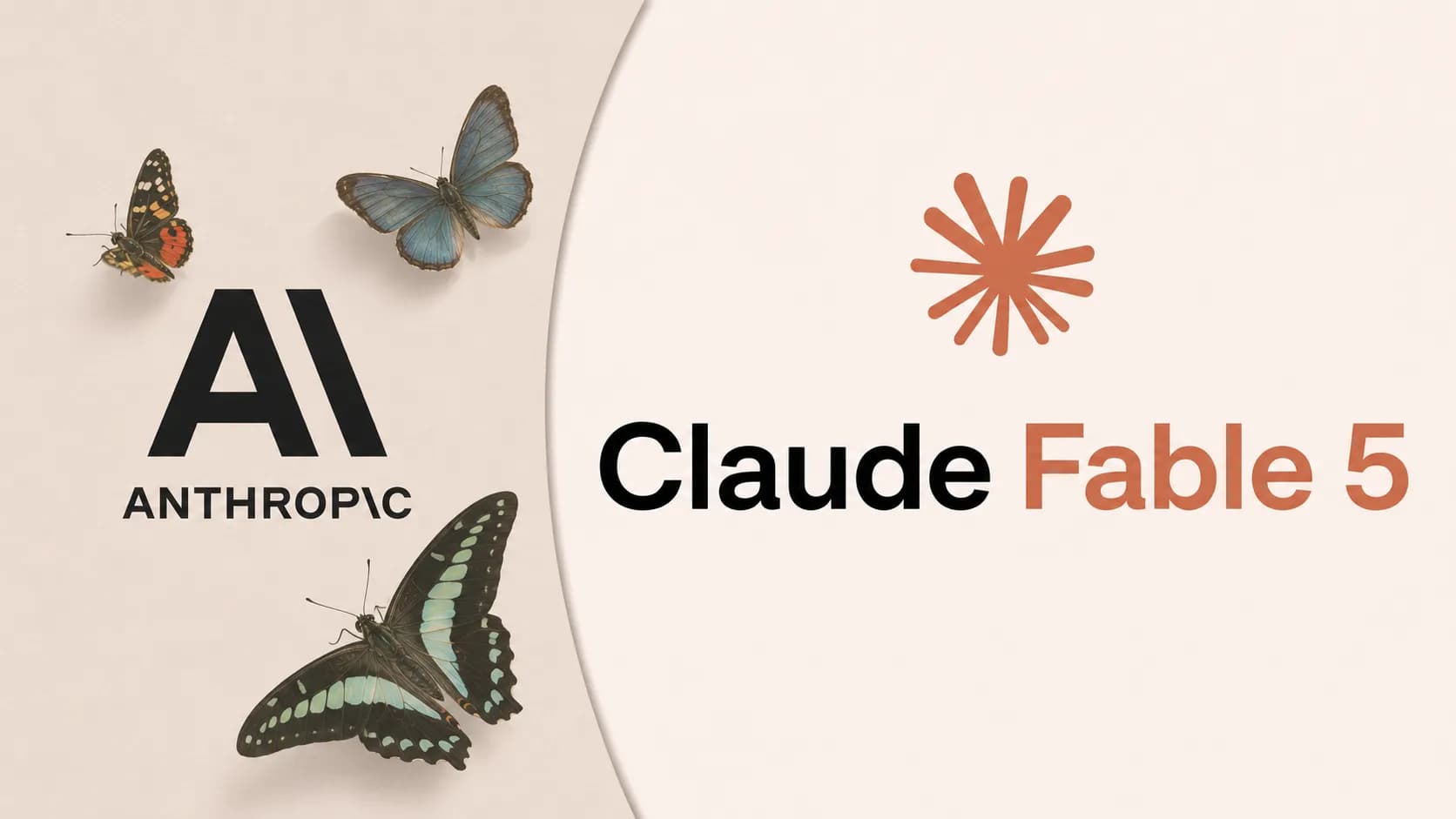
Anthropic launches the highly powerful Claude Fable 5 model

Anthropic just dropped what may be its biggest release yet with Claude Fable 5, and it has quickly become the most talked-about model this week. Not just because of its raw power, but because of how Anthropic brought it to the world: this is the first time a Mythos-class model has been made available to general users, after two months under lock and key for safety reasons. What is Fable 5 and why is it different from previous models? At its core, Fable 5 is not a model built from scratch. It is a "safety-hardened" version of Mythos 5, the most powerful model Anthropic has ever built. Back in April 2026, Mythos Preview was only accessible to a very small group of organizations including AWS, Apple, Google, Cisco, and JPMorgan Chase through Project Glasswing, because its ability to detect and exploit software vulnerabilities was simply too powerful to release broadly. Anthropic had also launched Claude Opus 4.8 beforehand as a stepping stone in the development roadmap toward this new model generation. To get Mythos out the door, Anthropic spent two more months building classifiers running in parallel. These are specialized AI systems that analyze requests before the main model processes them, and when a sensitive topic is detected, the system automatically routes to Claude Opus 4.8 at no additional charge. Anthropic says this mechanism only activates in fewer than 5% of sessions, meaning most general users will notice no difference compared to raw Mythos 5. Fable 5 and Mythos 5 share the same pricing: $10 per million input tokens and $50 per million output tokens, which is less than half the cost of Mythos Preview. Users on Pro, Max, Team, and Enterprise plans can use Fable 5 for free through June 22, 2026. Starting June 23, Anthropic will shift to consumption-based billing until infrastructure capacity allows the model to return to fixed subscription plans. How does Fable 5 differ from Mythos 5 on safety? Despite sharing the same underlying model, Fable 5 and Mythos 5 are two distinct products by design. The difference lies entirely in the safety classifiers layered on top of the base model. Three classifiers Fable 5 has that Mythos 5 does not Fable 5 is equipped with three safety classification layers running alongside the main model, covering: Cybersecurity, Biology and Chemistry, and Distillation. When a user submits a request in any of these areas, Fable 5 automatically falls back to Claude Opus 4.8 instead of the main model, and notifies the user accordingly. Mythos 5 has none of these filters. It retains the full software exploitation and biological research capabilities that Anthropic considers too dangerous for wide distribution, which is why Mythos 5 remains restricted to a limited group within Project Glasswing, including vetted cybersecurity professionals, critical infrastructure organizations, and approved biology researchers. How does this affect real-world performance? The classifier difference leads to meaningfully different benchmark results in specialized tasks. On ExploitBench, a benchmark focused on cybersecurity, Mythos 5 scores 78% while Fable 5 lands near the 40% range of Opus 4.8, because the fallback mechanism triggers as soon as it detects attack-related requests. For scientific research, Mythos 5 can design proteins and generate novel hypotheses at roughly 10 times the speed of previous methods, while those same capabilities are restricted in Fable 5 for safety reasons. If you are a researcher or work in legitimate cybersecurity, be aware that Fable 5 may automatically redirect some of your requests to Opus 4.8, even when the context is entirely valid. Anthropic acknowledges this and is actively working to improve classifier accuracy. Real-world performance: what do the numbers say? On SWE-Bench Pro for coding tasks, Fable 5 scores 80.3%, compared to 69.2% for Opus 4.8 and 58.6% for GPT-5.5. But perhaps the more striking number comes from a real deployment: Stripe used Fable 5 to migrate an entire 50-million-line Ruby codebase in a single day, a task that would have taken a full engineering team more than two months to complete manually. On business analytics, Fable 5 is the first model to cross the 90% threshold on Hex's complex analytics benchmark, outperforming Opus 4.8 by 10 percentage points. IMC, a quantitative trading firm, reported that the model scored near-perfect on their internal evaluation covering fact lookup, causal reasoning, and expected value calculations. The biggest shift from previous models is the ability to sustain focus across multi-day tasks without needing human oversight at every step. Rather than executing commands one at a time, Fable 5 can take on a large project, self-plan, run tests, and handle errors in a loop, behaving far more like an engineer than a question-answering tool. Fable 5 is now available on the Claude API under the model ID claude-fable-5, with support on Amazon Bedrock and Google Vertex AI for enterprise consumption-based plans. Notion integrates Fable 5: from scattered notes to a complete action plan Notion is one of the first applications to integrate Fable 5, and the reason is straightforward. The tasks Fable 5 handles best, specifically reading multiple fragmented data sources, synthesizing them, and producing a logical structure, are exactly what Notion users need most in their daily work. Simon Last, co-founder of Notion, described the primary use case as turning messy meeting notes into a task board with assignments and priorities. Instead of users having to re-read entire transcripts, summarize, and manually create tasks, Fable 5 handles the entire chain without needing to be prompted at each step. There has been no official announcement from Notion about Fable 5 pricing after June 22. It remains to be seen whether Notion AI will pass the consumption cost directly to users or absorb it into existing subscription tiers. If the rate ends up lower than going directly through Anthropic, that would be a meaningful advantage for Notion subscribers. A few things to keep in mind before diving in Fable 5 is powerful, but there are two things worth considering before building it into your workflow. First, the $50 per million output tokens price point is high relative to the current market, making it well-suited for complex engineering or analytical tasks but not necessarily for simpler jobs that Sonnet or Haiku can handle at a fraction of the cost. Second, the safety classifiers work well in the vast majority of cases but can trigger incorrectly in some legitimate research contexts, something Anthropic openly acknowledges and is continuing to refine. For individual users on Pro or Max plans, the remaining days before June 22 are a reasonable window to evaluate whether Fable 5 actually generates enough value at that price point before committing to pay-per-use billing.

Nam
10 Jun, 2026