Codex can connect directly with Chrome via a plugin extension
Quick Summary
OpenAI has just launched a Chrome plugin for Codex, enabling the AI coding agent to work directly within the browser to test web apps, read DevTools, and access logged-in services like Gmail or Facebook without hijacking the user's Chrome control. Unlike Google Antigravity, which uses an isolated sandbox environment, Codex integrates directly into the real Chrome browser, running in parallel with clear permissions managed via an allowlist. In a context where Antigravity is disappointing users with tight quotas, escalating pricing, and Chrome profile issues, Codex's Chrome plugin is another practical reason to consider making the switch.
OpenAI has recently launched the Chrome plugin for Codex, allowing the AI agent to work directly inside your Chrome browser without taking over control. This will likely solve the frustrations of users who post on social platforms like Facebook and Instagram by controlling the browser directly—something Antigravity was already capable of doing, but frequently failed with retry errors that left users exasperated. This might be the perfect time to look at where Codex is performing better.
What is Codex for Chrome and what can it do?
Codex has already been integrated as an AI coding agent in ChatGPT, capable of writing code, fixing bugs, and running complex programming tasks. However, until recently, it was restricted to the desktop environment, unable to touch the browser directly. The Chrome plugin released by OpenAI changes that.
Once the extension is installed from the Codex Plugins menu, the agent can work side-by-side with the user on Chrome without requiring you to hand over control. Specifically, Codex can test running web apps, gather context from multiple open tabs, use Chrome DevTools for debugging, and most importantly, access websites requiring authentication—such as Instagram, Facebook, Gmail, or internal tools—via your active Chrome profile.
Codex runs in parallel without hijacking control
The point most emphasized by OpenAI is the design philosophy: Codex operates in the background, parallel to what you are doing, without requiring you to surrender the entire browser. You can still browse normally while the agent runs a signup form test in another tab.
The permission system is straightforward: users control which websites Codex is allowed to access by maintaining an allowlist or blocklist for individual pages. Codex also honors specific confirmation prompts, meaning the agent will not perform actions on any page without your explicit approval. OpenAI also notes that browsing data is only recorded when it becomes part of the processing context, rather than logging your entire Chrome history.
What Codex can do in Chrome
- Test running web apps: click, fill out forms, verify displayed results
- Gather context from multiple tabs simultaneously to support the ongoing task
- Use Chrome DevTools to read console logs and analyze network errors
- Access social networks requiring authentication to publish posts via your active Chrome profile
- Flexibly switch between specialized plugins (via MCP or APIs), Chrome (for logged-in contexts), and the in-app browser (for localhost environments)
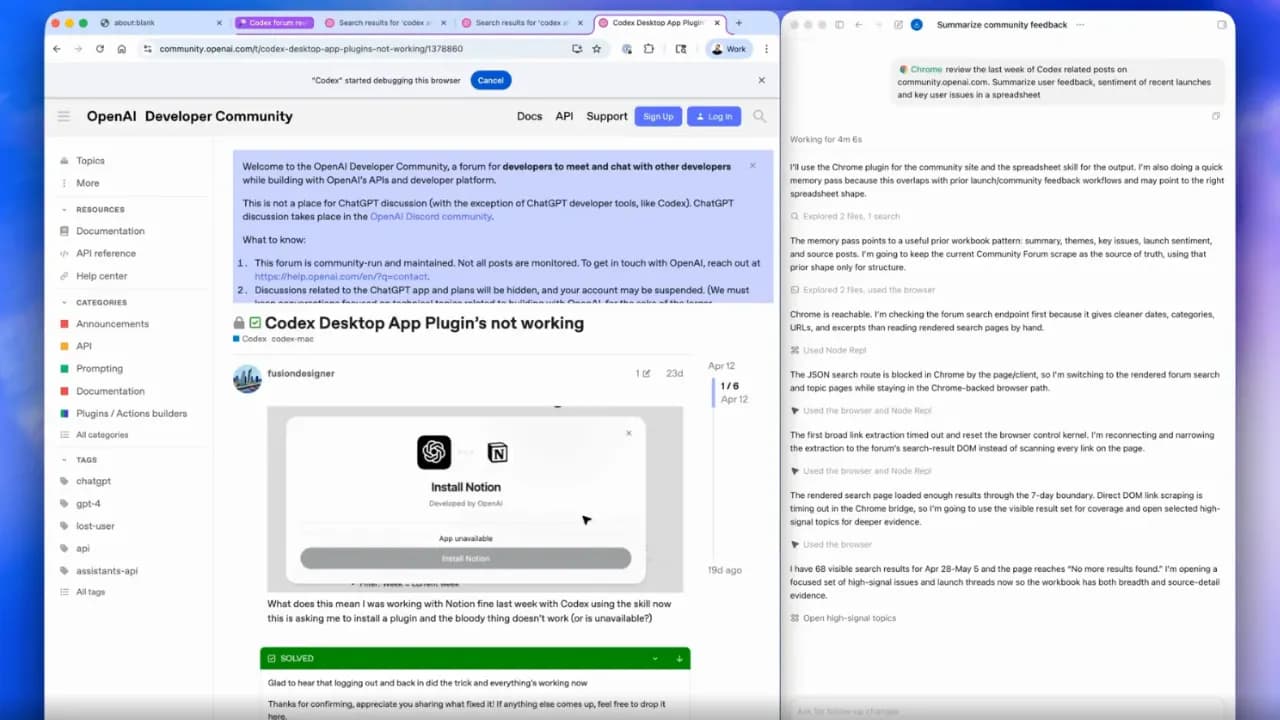
According to figures published by OpenAI, Codex now has over 4 million weekly active users—an 8-fold increase since early 2025—and the vast majority of the most common workflows occur within the in-app browser, which is likely the driving reason behind the Chrome plugin release.
Antigravity and Chrome: Differing integration architectures
Google Antigravity launched in November 2025 with an entirely different ambition: not as an add-on plugin for an IDE, but as a complete agent-first platform where the browser is an inseparable part of the working environment.
Built-in browser, not an extension
Instead of installing an extension into your personal Chrome, Antigravity integrates a separate Chrome browser directly inside the IDE. The agent can open browser windows, click, scroll, fill forms, read console logs, and take screenshots—all within a sandboxed environment completely isolated from the user's personal Chrome profile.
This design offers a clear security benefit: the agent never touches your bookmarks, browsing history, or saved passwords. In return, however, it cannot access services requiring authentication from your real Chrome profile unless you install the Antigravity Browser Control extension—which is exactly where the issues begin.
When keeping separate profiles leads to controversy
When users install Antigravity to let the agent interact with web pages on Chrome, they face a highly frustrating experience: bookmarks, history, and saved passwords seem to disappear. Google has failed to communicate this clearly, leading users to believe their data has been deleted.
In addition to this issue, Antigravity has received substantial negative feedback regarding high network traffic and continuous retries, leaving users deeply frustrated—sometimes unable to execute even a single prompt. This persists even for registered Pro and Ultra tier users.
Direct comparison: Antigravity vs. Codex
From a technical standpoint, both Codex and Antigravity allow the agent to operate inside the browser. However, how they design access control reflects two entirely different philosophies.
Codex chooses to integrate into your own Chrome—the agent works in the context of the real browser, with the real profile, but under explicit user control via an allowlist/blocklist system and step-by-step confirmation. Users don't have to switch profiles, don't have to worry about bookmarks disappearing, and most importantly, the agent can access the exact services they are already logged into.
Antigravity chooses to sandbox completely—the agent's browser is entirely separate from your personal Chrome. While theoretically more secure, it creates significant friction when real-world resources are needed. The philosophy of "the agent is an independent contractor; you just assign tasks and verify results" sounds great on paper, but when the agent gets stuck or makes mistakes, the cost of correction is not trivial.
An important difference is the target scope. Codex, although starting as a developer tool, is clearly expanding to general users—those who work with a browser daily but do not necessarily write code. Antigravity still firmly positions itself in the developer space, with Agent Managers, Workspaces, artifacts, and concepts that demand a steep learning curve.
Antigravity is disappointing users, and Codex is capitalizing on it
If you have used Antigravity over the past few months, you know it isn't technically bad—the platform really has some exciting ideas about agent-first development. However, the gap between the vision and the actual user experience is becoming increasingly obvious, and the developer community is voting with their feet for convenience.
Codex, meanwhile, is moving in the opposite direction: instead of crafting a distant future, it improves the steps users take daily. The Chrome plugin is a perfect example—this is not a novel, unrequested feature, but a direct solution to a concrete problem: how to let the coding agent work with real websites that users rely on, without creating friction.
Key questions about the future for Codex and Antigravity
The Codex Chrome extension is not a "wow" feature that changes everything instantly—but it represents a more logical way of thinking about how an AI agent should operate within the browser: in parallel, controlled, and without interfering with the user's working context.
Antigravity bet big on building an entirely new agent ecosystem—and the price of that ambition is being paid by users through inconsistent experiences and increasingly unpredictable pricing. Codex chose a simpler route: integrating into what users already have and making it better, one step at a time.
In the developer AI agent race, winning is sometimes not about building the newest thing—but about not breaking what users already love and use well.